Database ManagementUnit 113 min read
Database Basics: Systems, Users, Anomalies & DBMS Roles
Unit 1 of Database Management introduces core concepts like database definitions, file vs. database systems, types of users, anomalies, and the role of DBMS—essential for understanding why structured data management matters in business.
TAKEAWAYS:
- A database is an organized collection of data stored and accessed electronically, unlike file systems which lack relationships.
- Anomalies (insertion, update, deletion) arise in unstructured data, highlighting the need for normalization.
- DBMS (Database Management System) acts as an interface between users and databases, handling storage, retrieval, and security.
- Database users include end-users, DBA, and application programs, each with distinct roles and permissions.
- Centralized databases improve data integrity and reduce redundancy but require robust security and backup strategies.
- Data quality management ensures accuracy, consistency, and reliability of data for decision-making.
1. What is a Database?
A database is an organized collection of structured data stored electronically, designed to be easily accessed, managed, and updated. Unlike traditional file systems (where data is stored in isolated files like Excel sheets or text files), a database stores data in tables with predefined relationships, enabling efficient querying and analysis.
Key Characteristics of a Database:
- Shared Data: Multiple users can access the same data simultaneously.
- Reduced Redundancy: Eliminates duplicate data storage.
- Data Integrity: Ensures accuracy and consistency.
- Security: Controls access via user permissions.
Comparison: File System vs. Database System
| Feature | File System | Database System |
|---|---|---|
| Data Organization | Isolated files (e.g., CSV, Excel) | Structured tables with relationships |
| Redundancy | High (duplicate data in multiple files) | Low (shared data) |
| Concurrency | Limited (file locks) | High (multiple users) |
| Security | Basic (file permissions) | Advanced (role-based access) |
| Querying | Manual (e.g., Excel formulas) | Powerful (SQL queries) |
2. Why Use a Database?
Databases solve critical problems in data management:
- Data Redundancy: Avoids storing the same information in multiple places (e.g., a customer’s address appearing in every order file).
- Data Inconsistency: Ensures all users see the same updated data (e.g., a product price change reflected everywhere).
- Data Isolation: Prevents unauthorized access (e.g., HR data only visible to HR staff).
- Data Integrity: Enforces rules (e.g., a customer’s age cannot be negative).
erDiagram
    Customer ||--o{ Order : places
    Order ||--o{ OrderItem : contains
    Customer {
        int id PK
        string name
        string address
    }
    Order {
        int id PK
        date order_date
        Customer id FK
    }
    OrderItem {
        int id PK
        int quantity
        Order id FK
        Product id FK
    }
    Product {
        int id PK
        string name
        float price
    }
Normalized relational schema for eSewa-like transactions (avoids redundancy).Real-World Example: eSewa (Nepal)
eSewa uses a centralized database to:
- Store user transactions (e.g., electricity bills, mobile top-ups).
- Link customer accounts to their phone numbers (avoiding redundancy).
- Ensure secure payments via ACID transactions (Atomicity, Consistency, Isolation, Durability).
Worked Example: If eSewa stored each transaction in a separate Excel file, updating a user’s balance would require manually changing every file—leading to errors. Instead, its database updates the balance atomically (all-or-nothing), ensuring no partial transactions.
3. Types of Databases
Databases can be classified based on their structure and use:
mindmap
    root((Database Types))
    root -> Relational
    root -> NoSQL
    root -> Hierarchical
    root -> Distributed
    Relational --> "Tables (SQL)"
    Relational --> "Example: NEPSE"
    NoSQL --> "Flexible Schema"
    NoSQL --> "Example: WhatsApp"
    Distributed --> "Multi-location"
    Distributed --> "Example: NTC"
Classification of databases with real-world examples.A. By Structure:
Relational Databases (RDBMS):
- Data stored in tables with rows and columns (e.g., MySQL, PostgreSQL).
- Uses SQL for querying.
- Example: Nepal Stock Exchange (NEPSE) tracks share prices in relational tables.
NoSQL Databases:
- Flexible schema (e.g., MongoDB, Firebase).
- Used for unstructured data (e.g., social media posts).
- Example: WhatsApp stores messages in NoSQL databases for scalability.
Hierarchical Databases:
- Data organized in a tree structure (e.g., old IBM mainframe systems).
Network Databases:
- More flexible than hierarchical (e.g., CODASYL systems).
B. By Distribution:
Centralized Database:
- Single location (e.g., a bank’s core banking system).
- Advantages: Easy backup, consistency.
- Disadvantages: Single point of failure.
Distributed Database:
- Data spread across multiple locations (e.g., NTC’s nationwide network).
- Advantages: Fault tolerance, faster access.
- Disadvantages: Complex synchronization.
4. Database Users and Their Roles
Different users interact with databases in distinct ways:
| User Type | Role | Example |
|---|---|---|
| End Users | Access data via applications (e.g., bank customers checking balances). | A Pathao rider viewing trip history. |
| Database Administrators (DBA) | Manage security, performance, and backups. | Ncell’s DBA ensuring call records are secure. |
| Application Programs | Use APIs to interact with the database (e.g., e-commerce checkout). | Daraz’s inventory system updating stock. |
| System Analysts | Design database schemas and optimize queries. | A hospital’s DBA designing patient records. |
5. Database Anomalies
Anomalies occur when data is redundant or poorly structured, leading to inconsistencies. There are three types:
A. Insertion Anomaly
- Cannot insert data without violating rules.
- Example:
A
Orderstable stores both order details and customer info. If a customer places no orders, their data cannot be added.
B. Update Anomaly
- Updating data in one place leaves others inconsistent.
- Example: A customer’s address is stored in multiple order records. Updating it in one record but not others causes mismatches.
C. Deletion Anomaly
- Deleting a record loses unrelated data.
- Example: Deleting the last order for a customer also removes their address from the database.
Real-World Example: Kathmandu Traffic Police
If traffic fines were stored in a file system:
- Insertion: Cannot record a new fine without a prior fine (anomaly).
- Update: Changing a vehicle’s owner requires updating every fine record manually.
- Deletion: Removing a fine deletes the vehicle’s details.
Solution: A normalized database (covered in Unit 4) resolves these issues.
6. Database Management System (DBMS)
A DBMS is software that:
- Interfaces between users and databases.
- Handles storage, retrieval, and security.
- Examples: MySQL, Oracle, Microsoft SQL Server.
sequenceDiagram
    participant User
    participant DBMS
    participant Database
    User->>DBMS: "SELECT * FROM Customers WHERE city='Kathmandu'"
    DBMS->>Database: "Execute query"
    Database-->>DBMS: "Return 50 records"
    DBMS-->>User: "Results"
    User->>DBMS: "UPDATE Customers SET balance=balance-100 WHERE id=123"
    DBMS->>Database: "Update transaction"
    Database-->>DBMS: "ACID-compliant"
    DBMS-->>User: "Success"
DBMS handling a user query and transaction (e.g., eSewa payment).Functions of DBMS:
- Data Definition: Creates tables (e.g.,
CREATE TABLE Customers). - Data Manipulation: Inserts, updates, deletes data (e.g.,
INSERT INTO Orders). - Security: Controls access via roles and permissions.
- Backup and Recovery: Restores data after failures.
- Concurrency Control: Manages multiple users accessing data simultaneously.
- Users (end-users, DBAs)
- DBMS (query processor, optimizer)
- Database (tables, indexes)
- Operating System (storage management)
7. Centralized vs. Distributed Databases
| Feature | Centralized Database | Distributed Database |
|---|---|---|
| Location | Single server | Multiple servers |
| Scalability | Limited by server capacity | Scales horizontally |
| Fault Tolerance | Single point of failure | Redundant copies prevent downtime |
| Example | Nepal Rastra Bank’s core banking system | NTC’s nationwide network |
Mermaid Diagram: Distributed Database Example
graph TD
    A["User in Kathmandu"] -->|"Query"| B["Server 1: Kathmandu"]
    A -->|"Query"| C["Server 2: Pokhara"]
    B -->|"Data"| D["Central Database"]
    C -->|"Data"| D
    D -->|"Response"| B
    D -->|"Response"| C
How NTC’s distributed system routes queries to the nearest server.8. Database Security
Security ensures data is protected from unauthorized access or corruption. Key measures:
- Authentication: Users must log in (e.g., Khalti’s OTP verification).
- Authorization: Roles define permissions (e.g., bank tellers can’t access loan data).
- Encryption: Data is scrambled (e.g., Ncell’s call records encrypted in transit).
- Audit Logs: Tracks who accessed what (e.g., hospital systems logging doctor access).
Real-World Example: NEPSE (Nepal Stock Exchange)
- Uses firewalls to block hackers.
- Role-based access: Only analysts can view trading data.
- Backup: Daily snapshots stored offline.
9. Data Quality Management
Ensures data is accurate, consistent, and reliable. Key aspects:
- Accuracy: Data matches real-world values (e.g., a customer’s age is correct).
- Completeness: No missing fields (e.g., every order has a customer ID).
- Consistency: Same data across all records (e.g., a product’s price is uniform).
- Timeliness: Data is up-to-date (e.g., NTC’s real-time traffic data).
Example: Daraz’s Inventory System
- Problem: Duplicate product entries due to manual uploads.
- Solution: Automated data validation and normalization (covered in Unit 4).
In the Real World
eSewa (Nepal):
- Uses a relational database to store transactions, ensuring atomicity (no partial payments).
- Example: When you pay a bill, the system either deducts the amount or rolls back entirely—no partial updates.
Ncell’s Billing System:
- Distributed database across Nepal to handle call records in real time.
- Example: A call from Pokhara updates the database locally before syncing nationally.
Nepal Stock Exchange (NEPSE):
- Centralized database tracks share prices, preventing anomalies like duplicate trades.
- Example: If two users buy the same share at the same price, the system resolves it via transactions (Unit 8).
Exam Tip
Definitions Matter:
- Memorize key terms like DBMS, anomalies, ACID properties, and DBA roles. Exams often ask for definitions (e.g., "Define atomicity").
Compare File System vs. Database:
- Always highlight redundancy, concurrency, and security in comparisons.
Anomalies Are Critical:
- Explain insertion, update, and deletion anomalies with real examples (e.g., hospital records, bank transactions).
DBMS Functions:
- List data definition, manipulation, security, and backup as core functions. Use the layered diagram to explain how they interact.
Case Studies:
- Relate concepts to Nepali examples (e.g., eSewa for transactions, NTC for distributed systems). Examiners love local relevance!
SQL Basics:
- Even in Unit 1, expect simple DDL (CREATE TABLE) questions. Practice writing schema for a hospital system (as in past exams).
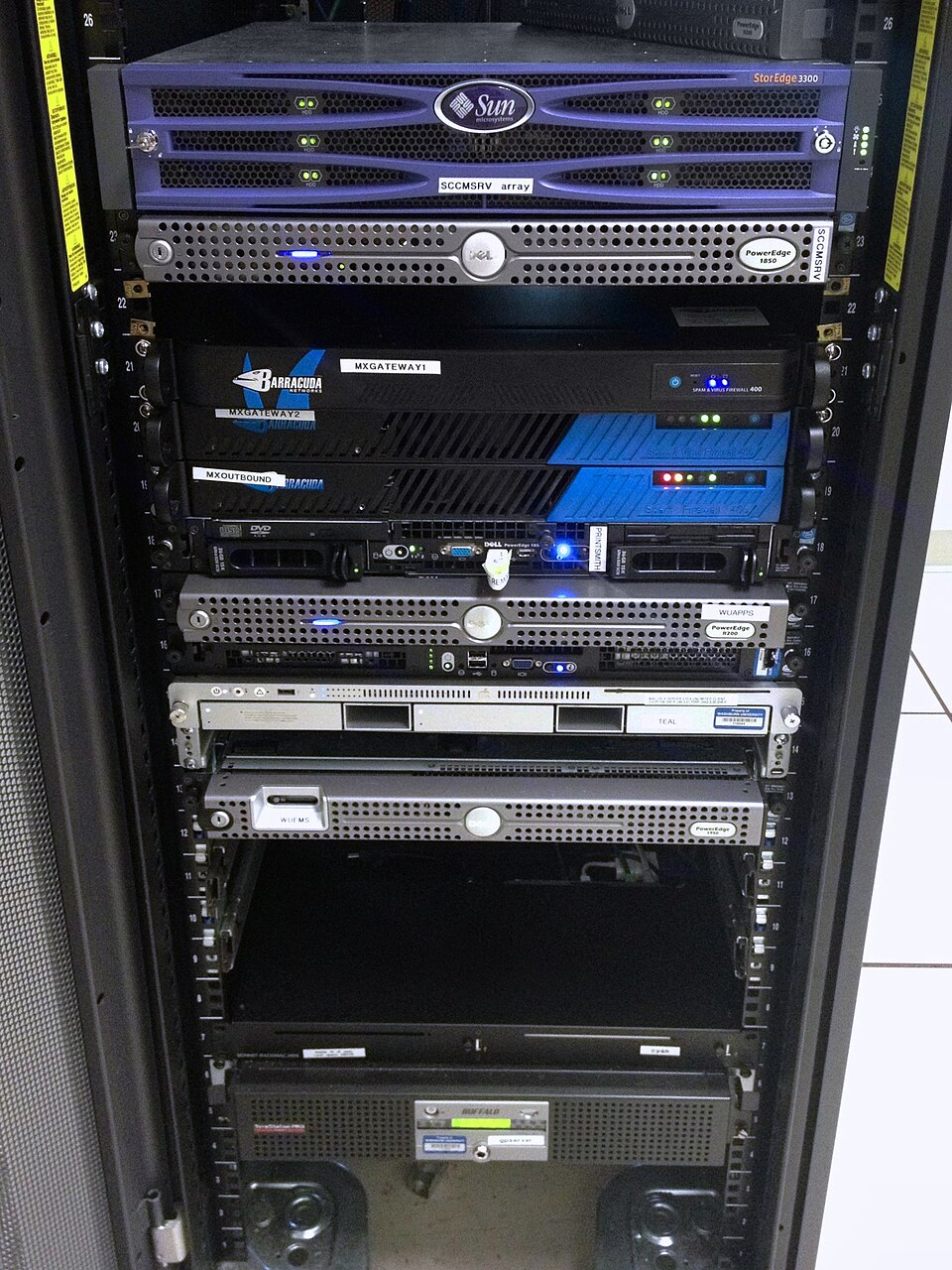 A photo of a server rack labeled Database Server Hardware, showing how DBMS software runs on physical machines. (Image: Aaron Hall, CC BY-SA 2.0, via Wikimedia Commons)
Based on the TU BBM syllabus for Database Management (COM312), unit 1.
Discussion
Loading…