Web Technology IIUnit 212 min read
HTML Forms, Input Validation & Security
Unit 2 of Web Technology II covers HTML form elements, validation techniques (client-side and server-side), security best practices, and real-world applications in web development, with hands-on examples and exam-focused insights.
TAKEAWAYS:
- HTML forms use
<form>,<input>,<select>, and<textarea>to collect user data, with attributes likename,type, andrequired. - Client-side validation (JavaScript) improves user experience but must be backed by server-side validation for security.
- Common input types include
text,email,password,number,date, andfile, each with specific validation rules. - Security risks like SQL injection, XSS, and CSRF can be mitigated using proper input sanitization and validation.
- Real-world apps (e.g., eSewa, Khalti) rely on secure forms for transactions, while Daraz uses forms for order processing.
- Exam questions often test form structure, validation logic, and security practices—prioritize understanding over memorization.
1. HTML Forms: Structure and Elements
Forms are the backbone of user interaction on the web. They collect data from users and send it to a server for processing. A well-structured form includes:
- A
<form>container withaction(where data is sent) andmethod(GET or POST). - Input fields (
<input>,<select>,<textarea>) with appropriatetypeandnameattributes. - Labels (
<label>) for accessibility and clarity. - Buttons (
<button>,<input type="submit">) to submit or reset the form.
Key Form Attributes
| Attribute | Purpose | Example Values |
|---|---|---|
action |
URL where form data is sent | action="process.php" |
method |
HTTP method (GET or POST) | method="POST" |
target |
Where to display the response (e.g., _blank for a new tab) |
target="_self" (default) |
enctype |
Encoding type (for file uploads) | enctype="multipart/form-data" |
autocomplete |
Browser autofill behavior | autocomplete="on" or "off" |
Common Input Types and Their Uses
Example: A Simple Login Form
<form action="/login" method="POST">
    <label for="username">Username:</label>
    <input type="text" id="username" name="username" required>

    <label for="password">Password:</label>
    <input type="password" id="password" name="password" required>

    <button type="submit">Login</button>
</form>
Why type="password"?
- Masks input with dots/asterisks for security.
- Without it, users see plaintext passwords.
2. Client-Side Validation: JavaScript Basics
Client-side validation improves user experience by catching errors before submission. However, it is not secure—always validate on the server too!
Common Validation Techniques
| Technique | Example Use Case | Code Snippet |
|---|---|---|
| Required Fields | Username, password | <input required> |
| Email Format | Email addresses | <input type="email"> |
| Number Range | Age, quantity | <input type="number" min="18" max="100"> |
| Custom JavaScript | Complex rules (e.g., password strength) | if (!/^[A-Z]/.test(password)) { alert("..."); } |
Example: Validating a Registration Form
<form id="registerForm" onsubmit="return validateForm()">
    <input type="text" id="name" name="name" required>
    <input type="email" id="email" name="email" required>
    <input type="password" id="password" name="password" minlength="8" required>
    <button type="submit">Register</button>
</form>

<script>
function validateForm() {
    const email = document.getElementById("email").value;
    const password = document.getElementById("password").value;
    if (!/^[^\s@]+@[^\s@]+\.[^\s@]+$/.test(email)) {
        alert("Invalid email format!");
        return false;
    }
    if (password.length < 8) {
        alert("Password must be at least 8 characters!");
        return false;
    }
    return true; // Form submits if valid
}
</script>
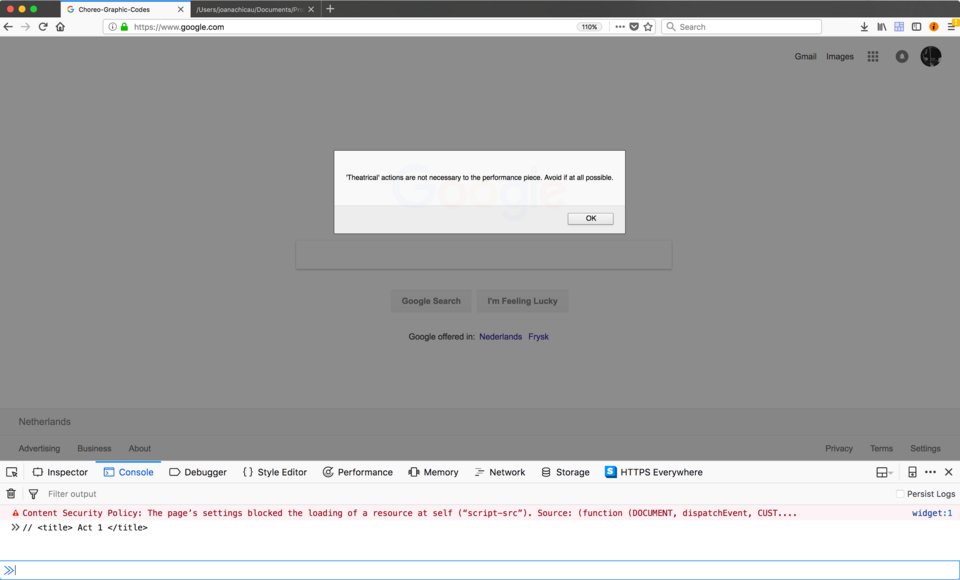 Debugging client-side validation errors (Image: JoBCQ, CC BY-SA 4.0, via Wikimedia Commons)
3. Server-Side Validation: PHP Example
Server-side validation is critical for security. Even if client-side validation passes, malicious users can bypass it by modifying requests.
PHP Validation Example (eSewa-like Transaction Form)
<?php
if ($_SERVER["REQUEST_METHOD"] == "POST") {
    $amount = $_POST["amount"];
    $account = $_POST["account"];

```figure
{"type":"network","nodes":["Client","Server","Database"],"edges":[["Client","Server","Form submission"],["Server","Database","Query validation"],["Database","Server","Response (success/error)"]],"directed":true,"caption":"Server-side validation workflow (PHP → MySQL)"}
// Validate amount (must be numeric and positive)
if (!is_numeric($amount) || $amount <= 0) {
    die("Invalid amount!");
}

// Validate account number (e.g., 10 digits for Ncell)
if (!preg_match("/^\d{10}$/", $account)) {
    die("Invalid account number!");
}

// Sanitize inputs to prevent SQL injection
$amount = htmlspecialchars($amount);
$account = htmlspecialchars($account);

// Process payment (pseudo-code)
echo "Processing payment of $amount to account $account...";
} ?>
<!-- HTML Form --> <form method="POST" action=""> <input type="number" name="amount" step="0.01" required> <input type="text" name="account" placeholder="10-digit account" required> <button type="submit">Pay</button> </form>Why Sanitize Inputs?
- Prevents SQL injection (e.g.,
amount=100; DROP TABLE users--). - Stops XSS attacks (e.g.,
<script>malicious_code</script>in a comment field). - Ensures data integrity (e.g., no letters in a phone number field).
4. Security Risks and Mitigations
| Risk | Example Attack | Mitigation Strategy |
|---|---|---|
| SQL Injection | ' OR '1'='1 in a login query |
Use prepared statements (PDO/MySQLi) |
| XSS (Cross-Site Scripting) | <script>alert('hacked')</script> in a comment |
htmlspecialchars() or Content Security Policy (CSP) |
| CSRF (Cross-Site Request Forgery) | Tricking users into submitting forms | Use CSRF tokens in forms |
| Data Leakage | Exposing passwords in plaintext | Hash passwords with password_hash() |
Example: Secure Password Handling (Khalti-style)
// Hashing password (never store plaintext!)
$password = "user123";
$hashed_password = password_hash($password, PASSWORD_BCRYPT);

// Verify login
if (password_verify($_POST["password"], $hashed_password)) {
    echo "Login successful!";
} else {
    echo "Invalid password!";
}
5. Real-World Applications
In the Real World
eSewa (Nepal)
- Uses secure forms with client-side validation for quick feedback and server-side checks for transactions.
- Example: When paying bills, eSewa validates the amount, phone number, and OTP before processing.
Khalti (Nepal)
- Employs CSRF tokens and input sanitization to prevent fraud in online payments.
- Example: A transfer form checks if the recipient’s account number matches the bank’s format before proceeding.
Daraz (Nepal)
- Uses form validation to ensure order details (e.g., address, payment method) are correct before checkout.
- Example: If a user enters an invalid coupon code, Daraz shows an error without submitting the order.
Ncell Recharge (Nepal)
- Validates phone numbers (10 digits) and recharge amounts before processing.
- Example: If you enter
98XXXXXXX1(invalid), the system rejects it immediately.
6. Exam Tip: What to Expect
- Short Questions (2-5 marks):
- Define
required,type="email", oractionattribute. - Write a snippet for a form with 2 inputs and validation.
- Define
- Long Questions (10-15 marks):
- Trace: Show how a form with client-side validation fails if JavaScript is disabled.
- Compare: Client-side vs. server-side validation (pros/cons).
- Apply: Write a secure PHP script for a login form (including sanitization).
- Practical (15-20 marks):
- Build a form with validation for a bank loan application (fields: name, amount, interest rate).
- Debug a given form with security vulnerabilities.
Common Pitfalls in Exams:
- Forgetting server-side validation (even if client-side is perfect).
- Not using
htmlspecialchars()for user inputs. - Incorrect
method="GET"for sensitive data (usePOSTinstead).
7. Worked Example: Daraz Order Processing
Scenario: A user adds items to cart and proceeds to checkout. Daraz must validate:
- Delivery address (not empty, valid city).
- Payment method (valid card or Khalti account).
- Coupon code (exists and hasn’t expired).
Solution Code:
<form method="POST" action="/checkout" onsubmit="return validateCheckout()">
    <input type="text" name="address" placeholder="House No., Street" required>
    <input type="text" name="city" list="cities" required>
    <datalist id="cities">
        <option value="Kathmandu">
        <option value="Lalitpur">
        <option value="Bhaktapur">
    </datalist>
    <input type="text" name="coupon" placeholder="Enter coupon code">
    <button type="submit">Place Order</button>
</form>

<script>
function validateCheckout() {
    const address = document.querySelector("[name='address']").value;
    const city = document.querySelector("[name='city']").value;
    const coupon = document.querySelector("[name='coupon']").value;

    if (!address || !city) {
        alert("Address and city are required!");
        return false;
    }
    if (coupon && !/^[A-Z0-9]{6}$/.test(coupon)) {
        alert("Invalid coupon format!");
        return false;
    }
    return true;
}
</script>
Server-Side (PHP) Validation:
if ($_SERVER["REQUEST_METHOD"] == "POST") {
    $address = filter_input(INPUT_POST, 'address', FILTER_SANITIZE_STRING);
    $city = filter_input(INPUT_POST, 'city', FILTER_SANITIZE_STRING);
    $coupon = $_POST['coupon'] ?? null;

    // Check if city is valid (e.g., from a database)
    $valid_cities = ["Kathmandu", "Lalitpur", "Bhaktapur"];
    if (!in_array($city, $valid_cities)) {
        die("Invalid city!");
    }

    // Check coupon in database (pseudo-code)
    if ($coupon && !couponExists($coupon)) {
        die("Coupon not found!");
    }

    // Process order...
}
8. Summary Checklist for Full Marks
Before submitting your answer, ensure you’ve covered:
✅ Form structure: <form>, action, method, enctype.
✅ Input types: At least 3 different types with examples.
✅ Client-side validation: JavaScript onsubmit or addEventListener.
✅ Server-side validation: PHP filter_input(), is_numeric(), preg_match().
✅ Security: Sanitization (htmlspecialchars), hashing (password_hash), CSRF tokens.
✅ Real-world tie-in: Link to eSewa, Khalti, or Daraz in your explanation.
✅ Error handling: Show how to display user-friendly errors (e.g., alert() or HTML messages).
Final Note: Forms are the bridge between users and your application. A single validation error can lead to data loss, security breaches, or poor user experience. Master both client-side (for speed) and server-side (for security) validation to ace this unit!
Based on the TU BIM syllabus for Web Technology II (IT239), unit 2.
Discussion
Loading…