Multimedia ComputingUnit 113 min read
Multimedia Computing Basics: Definitions, Types & Applications
Unit 1 of Multimedia Computing introduces core concepts like multimedia definition, its types (text, audio, video, animation), key components (hardware/software), and real-world applications in Nepalese and global tech ecosystems.
What is Multimedia?
Multimedia is the integration of multiple forms of media (text, audio, video, graphics, animation) into a single interactive experience. It combines:
- Static media (text, images, graphics)
- Dynamic media (audio, video, animation)
- Interactive elements (user input, hyperlinks, controls)
Why is Multimedia Important?
Multimedia enhances communication, education, entertainment, and business processes by making information engaging, accessible, and memorable.
Types of Multimedia
Multimedia can be classified based on content and interactivity:
1. By Content Type
| Type | Description | Examples |
|---|---|---|
| Text | Written or typed information (static or dynamic). | E-books, news websites, chat messages. |
| Audio | Sound-based media (music, speech, sound effects). | Podcasts, audiobooks, WhatsApp voice notes. |
| Video | Moving images with or without sound. | YouTube videos, movie trailers, live streams. |
| Graphics | Visual representations (2D/3D). | Logos, infographics, digital art. |
| Animation | Simulated movement of objects. | Cartoons, GIFs, video game cutscenes. |
| Interactive | User-driven experiences (games, simulations). | Mobile apps (Pathao, eSewa), VR training. |
2. By Interactivity Level
- Linear: Content plays in a fixed sequence (e.g., a movie).
- Non-linear: User can navigate (e.g., a website with links).
- Interactive: User input changes the experience (e.g., a video game).
Key Components of Multimedia Systems
A multimedia system consists of hardware and software components working together:
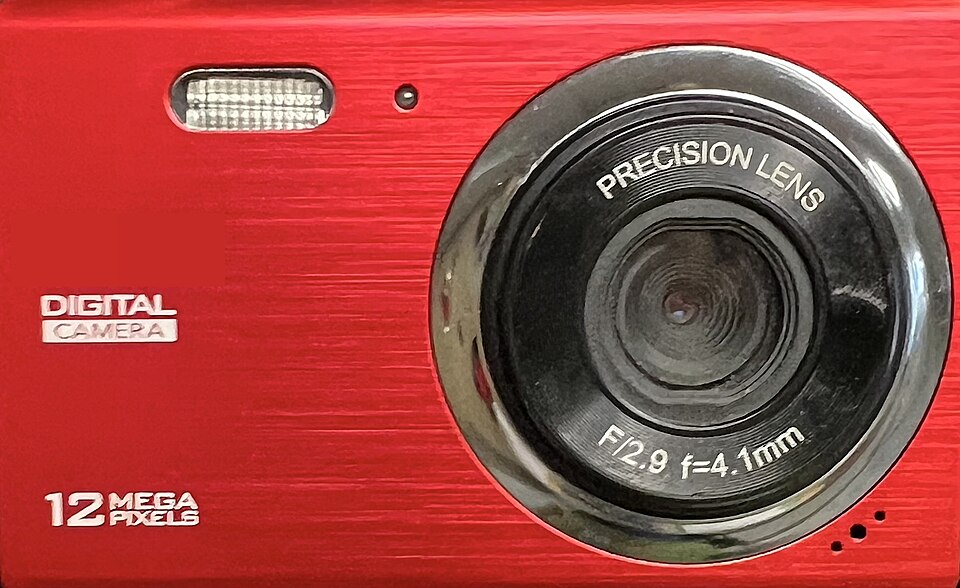 Example of an input device (digital camera) for multimedia systems (Image: Packer1028, CC0, via Wikimedia Commons)
1. Hardware Components
2. Software Components
| Type | Description | Examples |
|---|---|---|
| Authoring Tools | Create multimedia content (e.g., Adobe Premiere, Blender). | Used by YouTubers, game developers. |
| Player Software | Render multimedia (e.g., VLC, Windows Media Player). | Plays videos/audio on devices. |
| Operating Systems | Manage hardware/software (e.g., Windows, macOS, Linux). | Runs multimedia applications. |
| Middleware | Bridge between hardware/software (e.g., DirectX, OpenGL). | Enables 3D graphics in games. |
In the Real World
eSewa (Nepal)
- Idea Used: Interactive multimedia (text + audio + video).
- How: eSewa’s app uses animated tutorials (video + audio) to guide users through transactions, reducing errors. The QR code scanner integrates video feedback for failed payments.
Pathao (Ride-Hailing App)
- Idea Used: Real-time video + audio streaming.
- How: Pathao’s live driver tracking uses video feeds (from driver phones) and audio alerts (e.g., "Your ride is 2 minutes away") to improve user trust and safety.
NTC (Nepal Telecommunications)
- Idea Used: Multimedia in customer service.
- How: NTC’s IVR (Interactive Voice Response) system uses pre-recorded audio + text prompts to guide users through bill payments or service requests, reducing call center workload.
Worked Example: Daraz’s Order Confirmation System
Scenario: When you place an order on Daraz, you receive:
- A text confirmation (order ID, items).
- A voice call (automated IVR confirming order).
- A push notification (with a video preview of your items).
Analysis:
- Text: Static multimedia (order details).
- Audio (IVR): Dynamic multimedia (voice confirmation).
- Video Preview: High-interactivity multimedia (visual + clickable links to track order).
- Push Notification: Hypermedia (links to customer support, order status page).
Why This Works:
- Engagement: Combines 3 media types (text, audio, video) to ensure the user notices the confirmation.
- Accessibility: Users who are visually impaired rely on the audio confirmation.
- Convenience: One-click tracking via the video preview reduces customer service calls.
Advantages and Disadvantages of Multimedia
| Advantages | Disadvantages |
|---|---|
| Engaging: Captures attention better than text alone. | Complexity: Requires more storage/bandwidth. |
| Accessible: Supports diverse user needs (e.g., audio for visually impaired). | Cost: High-quality production is expensive. |
| Interactive: Enhances learning (e.g., simulations). | Compatibility: Not all devices support all formats. |
| Versatile: Used in education, marketing, entertainment. | Security Risks: Multimedia files can spread malware. |
Applications of Multimedia
Education
- Example: Khan Academy uses animated videos + interactive quizzes to teach math.
- Why: Visual learners benefit from video explanations, while interactive quizzes reinforce learning.
Entertainment
- Example: Netflix’s personalized video recommendations use multimedia algorithms to suggest shows based on viewing history.
- Why: Combines video + text + user data for a tailored experience.
Business and Marketing
- Example: Daraz uses product videos + 360° images to showcase items before purchase.
- Why: Reduces return rates by giving realistic previews of products.
Healthcare
- Example: Hospitals use 3D animations to explain medical procedures to patients.
- Why: Simplifies complex information (e.g., how a pacemaker works).
Government Services
- Example: NEPSE’s stock market app shows real-time video feeds of trading floors + audio alerts for price changes.
- Why: Traders rely on live multimedia data for quick decisions.
Multimedia Standards and Formats
To ensure compatibility, multimedia follows standards and uses file formats:
1. Audio Formats
| Format | Extension | Use Case | Example |
|---|---|---|---|
| MP3 | .mp3 | Music, podcasts | Spotify songs |
| WAV | .wav | High-quality audio (uncompressed) | Professional recordings |
| AAC | .aac | Streaming (Apple devices) | iTunes music |
2. Video Formats
| Format | Extension | Use Case | Example |
|---|---|---|---|
| MP4 | .mp4 | Web videos, general use | YouTube videos |
| AVI | .avi | Windows-based videos | Old video files |
| MKV | .mkv | High-quality, multi-audio/subtitle | Blu-ray backups |
3. Image Formats
| Format | Extension | Use Case | Example |
|---|---|---|---|
| JPEG | .jpg | Photos (lossy compression) | Instagram images |
| PNG | .png | Transparent images, graphics | Logos, icons |
| GIF | .gif | Short animations | Memes, loading spinners |
How Multimedia is Used in Nepalese Context
- Banks (e.g., NMB, Global IME)
- Loan Interest Calculators: Use interactive multimedia (sliders for loan amount + video explanations of interest rates).
- Example: A user inputs ₹500,000 for 5 years, and the system shows:
- A text breakdown of EMI.
- A graph of repayment over time.
- A short video explaining "What is compound interest?"
Traffic Management (Kathmandu)
- Smart Traffic Lights: Use real-time video feeds (from CCTV) + audio alerts to adjust signals based on congestion.
- Example: If a video sensor detects a jam, the system:
- Extends green light for the congested lane.
- Sends audio alerts to drivers via in-car systems (future plan).
Agriculture (eSewa Krishi)
- Farm Advisory Videos: Farmers receive short video tutorials (e.g., "How to detect pest diseases in rice") via WhatsApp.
- Why: Text-based advice is often misunderstood; visual + audio improves retention.
Exam Tip
This unit is conceptual but often tested with applications and comparisons. Expect:
Definition Questions:
- "Define multimedia and give 3 examples of multimedia applications in Nepal."
- Tip: Always include one local example (e.g., eSewa, Pathao) to score extra marks.
Comparison Tables:
- "Compare text and audio multimedia in terms of storage, accessibility, and use cases."
- Tip: Use a Markdown table (as shown above) to organize your answer clearly.
Scenario-Based Questions:
- "How would you design a multimedia system for a bank’s loan repayment reminder service?"
- Tip: Break it down into:
- Input: User’s loan details (text + audio confirmation).
- Processing: Calculate EMI (graph + video explanation).
- Output: Push notification + call center option.
Format Identification:
- "Which multimedia format would you use for a 5-minute tutorial video? Justify your choice."
- Tip: Choose MP4 (widely supported) and explain why (e.g., "MP4 supports both video and audio in a single file, reducing buffering issues on mobile devices like Pathao’s app").
Final Advice:
- Memorize the types of multimedia (text, audio, video, etc.) and one real-world example for each.
- Practice drawing simple diagrams (e.g., the interactivity flowchart) to visualize concepts.
- Relate everything to Nepal: Examiners love local examples (e.g., NTC IVR, Daraz videos).
Based on the TU BIT syllabus for Multimedia Computing (BIT356), unit 1.
Discussion
Loading…