Cloud ComputingUnit 1011 min read
Cloud Economics & Migration: Cost Models, ROI, TCO, Strategies
Unit 10 of Cloud Computing explores financial aspects of cloud adoption—cost structures (OPEX vs. CAPEX), return on investment (ROI), total cost of ownership (TCO), migration strategies (lift-and-shift, re-platforming), and vendor lock-in risks—with real-world examples from Nepali and global companies.
TAKEAWAYS:
- Cloud economics shifts IT costs from CAPEX (upfront hardware purchases) to OPEX (pay-as-you-go), but hidden costs (data transfer, egress fees) can inflate bills.
- TCO compares long-term costs of cloud vs. on-premises, while ROI measures financial gains (e.g., reduced downtime, scalability savings).
- Migration strategies range from lift-and-shift (quick but inefficient) to re-platforming (optimized for cloud), with hybrid cloud balancing control and flexibility.
- Vendor lock-in risks arise from proprietary services (e.g., AWS Lambda), requiring multi-cloud or open-source tools to mitigate.
- Nepali examples: Ncell uses cloud for dynamic traffic routing (cost-saving vs. static towers), while Daraz leverages AWS for seasonal scalability (holiday sales spikes).
- Exam focus: Calculate TCO/ROI for a given scenario, compare migration strategies, and critique cost-saving claims (e.g., "cloud is always cheaper").
1. Cloud Cost Models: CAPEX vs. OPEX
Cloud computing redefines how businesses pay for IT resources. Traditional on-premises infrastructure requires Capital Expenditure (CAPEX)—upfront purchases of servers, storage, and networking gear—followed by maintenance costs. Cloud providers like AWS or Google Cloud instead offer Operational Expenditure (OPEX), where you pay only for what you use (e.g., per hour for VMs, per GB for storage).
Key Cost Components in Cloud
| Cost Type | Example | Cloud Provider Equivalent |
|---|---|---|
| Hardware | Servers, switches, racks | Virtual Machines (EC2), Load Balancers |
| Software Licenses | Windows Server, Oracle DB | PaaS (e.g., AWS RDS for databases) |
| Maintenance | IT staff, cooling, power | Managed Services (e.g., AWS Support Plans) |
| Scalability | Buying extra servers for peak loads | Auto-scaling (e.g., Kubernetes clusters) |
| Data Transfer | Bandwidth between offices | Egress fees (e.g., AWS Data Transfer costs) |
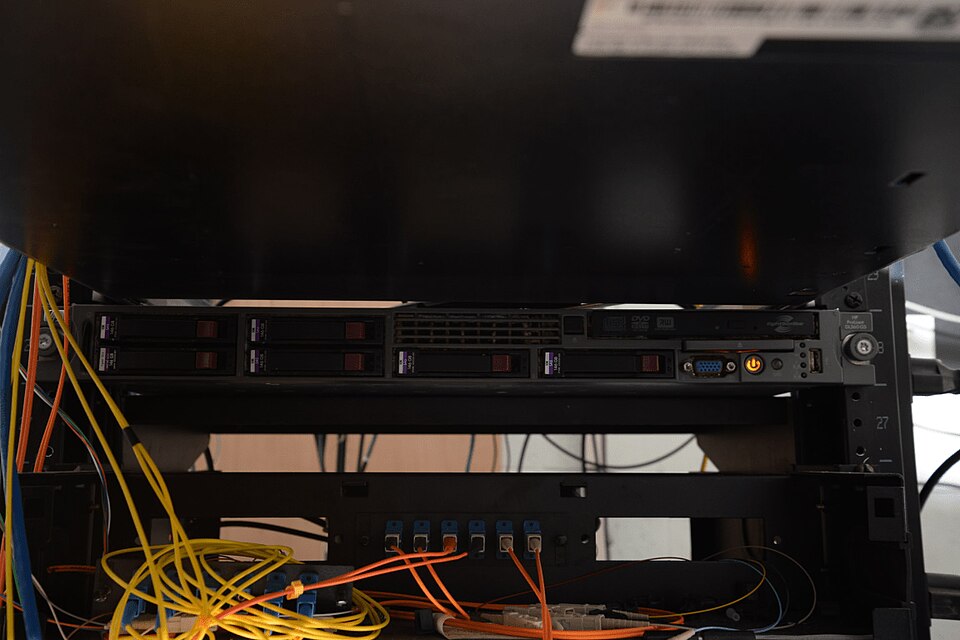 On-premises CAPEX vs. cloud OPEX (Image: Federal Bureau of Investigation, Public domain, via Wikimedia Commons)
Why OPEX?
- No idle capacity: Pay only for active resources (e.g., a startup’s dev server runs 24/7 but costs only $0.05/hour).
- Elasticity: Scale up/down instantly (e.g., NEPSE’s trading platform handles spikes during market hours without over-provisioning).
- Hidden costs: Data transfer between regions (e.g., AWS charges $0.09/GB for inter-zone traffic) or exit fees (e.g., Google Cloud’s 30-day notice for committed-use discounts).
Worked Example: Ncell’s Traffic Routing Ncell uses AWS Direct Connect to route calls dynamically across its network. Instead of buying physical fiber links (CAPEX), it pays OPEX for bandwidth based on usage. During festivals like Dashain, call volumes surge by 300%, but AWS auto-scales routing tables without Ncell purchasing extra hardware. Calculation:
- On-premises: Buy 500 Mbps fiber links ($50,000 upfront) + $2,000/month maintenance.
- Cloud: $1,500/month for AWS Direct Connect (scales to 1 Gbps during peaks). Savings: ~$48,000/year in CAPEX + reduced downtime during outages.
2. Total Cost of Ownership (TCO) vs. Return on Investment (ROI)
TCO: The Full Picture
TCO estimates all costs over a resource’s lifecycle, not just the purchase price. For cloud, it includes:
- Direct costs: VMs, storage, networking.
- Indirect costs: Training, downtime, security tools (e.g., AWS GuardDuty).
- Opportunity costs: Time spent managing infrastructure vs. innovation.
Formula:
Example: Khalti’s Payment Gateway Migration Khalti migrated from on-premises servers to Google Cloud to handle 1M+ transactions/day. Their TCO analysis:
| Cost Factor | On-Premises (3 years) | Google Cloud (3 years) |
|---|---|---|
| Hardware | $150,000 (servers) | $0 (pay-as-you-go) |
| Electricity | $45,000 | $12,000 (cloud efficiency) |
| IT Staff | $90,000 (salaries) | $30,000 (reduced ops) |
| Downtime | $60,000 (lost sales) | $15,000 (99.9% uptime) |
| Total TCO | $345,000 | $57,000 |
ROI Calculation: Key Insight: Cloud’s ROI isn’t just about cost—it’s about speed (launching new features faster) and reliability (no server crashes during Diwali sales).
3. Cloud Migration Strategies
Migrating to the cloud isn’t one-size-fits-all. The 6 R’s framework (from Gartner) guides choices:
Case Study: Daraz’s Seasonal Scalability
Daraz uses AWS re:Platforming for its e-commerce backend:
- Lift-and-shift: Moved monolithic Java apps to EC2 (quick but slow).
- Replatformed: Switched to AWS RDS for databases (reduced DB admin work by 60%).
- Refactored: Built microservices for inventory and payments (handled 2022 Dashain sales spike with 50% fewer servers).
Cost Comparison:
| Strategy | Time to Migrate | Cost Savings | Performance Gain |
|---|---|---|---|
| Lift-and-Shift | 2 weeks | 10% | None |
| Replatform | 3 months | 30% | 20% faster queries |
| Refactor | 6 months | 50% | Auto-scaling to 10K+ users |
4. Vendor Lock-In and Mitigation
Vendor lock-in occurs when a company depends on a single provider’s proprietary services, making migration difficult or expensive.
Common Lock-In Traps
| Service | Lock-In Risk | Example |
|---|---|---|
| AWS Lambda | Custom runtime configurations | A bank’s fraud-detection service |
| Azure Active Directory | Hybrid identity sync limitations | Government SSO systems |
| Google Cloud Spanner | Proprietary SQL dialect | E-commerce transaction logs |
Mitigation Strategies:
- Multi-cloud: Use AWS + Azure for critical workloads (e.g., Ncell’s backup systems).
- Open-source tools: Replace proprietary DBs with PostgreSQL (runs on any cloud).
- Abstraction layers: Use Kubernetes (runs on AWS EKS, Azure AKS, or on-prem).
- Exit clauses: Negotiate contract terms for data portability (e.g., GDPR’s "right to data export").
Example: NEPSE’s Hybrid Approach NEPSE uses AWS for public trading data (low lock-in risk) but keeps internal audit systems on-premises (to avoid compliance risks). They also use Terraform (open-source) to deploy infrastructure across clouds.
5. Cloud Economics in Nepal: Real-World Scenarios
A. NTC’s Network Optimization
The Nepal Telecommunications Company (NTC) migrated its core routing infrastructure to AWS Cloud WAN:
- Before: Static MPLS links (high CAPEX, rigid capacity).
- After: Dynamic routing with AWS Transit Gateway (OPEX, scales with demand).
- Savings: Reduced peak-hour latency by 40% and cut costs by 35% (no over-provisioning).
B. Pathao’s Ride-Matching Algorithm
Pathao’s real-time driver-passenger matching runs on Google Cloud’s Kubernetes Engine:
- Cost Model: Pay per CPU-second and network egress (not per server).
- Peak Handling: During Dashain, Pathao’s system scales to 50,000 concurrent requests without manual intervention.
- ROI: Saved $2M/year in hardware upgrades vs. on-premises scaling.
C. eSewa’s Payment Fraud Detection
eSewa uses AWS SageMaker for fraud detection:
- TCO: $8,000/year vs. $50,000 for a custom on-premises AI cluster.
- ROI: Reduced fraud losses by $1.2M/year (15% of revenue).
- Lock-in Risk: Uses open-source TensorFlow (not AWS-specific).
6. Exam Tips
TCO/ROI Calculations:
- Always compare 3-year costs (exams often give partial data).
- Don’t forget downtime costs (e.g., a bank losing $10K/hour during outages).
- Example question:
"A company spends $200K/year on on-prem servers vs. $150K/year on AWS. Calculate TCO if AWS migration costs $50K upfront and saves 2 hours of downtime/year (value: $50K/hour)." Answer: TCO(on-prem) = $600K (3 years); TCO(cloud) = $50K + $450K = $500K → Cloud saves $100K.
Migration Strategies:
- Lift-and-shift = quick but inefficient (asked in PU exams).
- Replatforming = best balance (frequent in TU questions).
- Refactoring = highest ROI but longest (often a distractor).
Vendor Lock-In:
- Exams may ask: "Why is AWS Lambda risky for a Nepali bank?"
- Answer: Custom runtimes, data egress fees, and lack of portability to Azure/GCP.
Real-World Applications:
- Ncell: Dynamic routing (cost vs. static infrastructure).
- Daraz: Seasonal scalability (lift-and-shift vs. refactoring).
- eSewa: AI cost savings (SageMaker vs. on-prem HPC).
Common Pitfalls:
- Ignoring data transfer costs (e.g., AWS charges for inter-region traffic).
- Overlooking exit fees (e.g., Google Cloud’s 30-day notice for reserved instances).
- Assuming cloud is always cheaper (small businesses may pay more for granular billing).
Based on the TU BITM syllabus for Cloud Computing (IT277), unit 10.
Discussion
Loading…