Computer ArchitectureUnit 68 min read
Pipelining: Hazards, Performance & Real-World Speedups
Unit 6 of Computer Architecture explains how pipelining overlaps instruction execution stages to boost CPU performance, covering hazards (structural, data, control), solutions (forwarding, stalls, branch prediction), and comparisons with non-pipelined designs. Includes real-world examples from eSewa’s transaction proce
TAKEAWAYS:
- Pipelining divides instruction execution into stages (IF, ID, EX, MEM, WB) to process multiple instructions simultaneously, improving throughput.
- Hazards (structural, data, control) disrupt the pipeline; solutions include forwarding, stalls, and branch prediction.
- Performance metrics (CPI, MIPS, clock cycles) quantify speedups, with ideal pipelining reducing CPI to 1.
- RISC vs. CISC architectures handle pipelining differently: RISC’s fixed-length instructions simplify pipelining, while CISC’s variable-length instructions introduce more hazards.
- Real-world impact: eSewa uses pipelined servers to handle thousands of transactions per second; Pathao’s ride-matching relies on pipelined databases for low-latency queries.
Core Concept: How Pipelining Works
Pipelining is an instruction-level parallelism technique where the CPU divides instruction execution into smaller, sequential stages (like an assembly line). Each stage operates on a different instruction simultaneously, increasing throughput.
The 5-Stage Pipeline
A classic pipeline breaks execution into these stages (visualized below):
flowchart LR
    A["IF: Instruction Fetch"] --> B["ID: Instruction Decode"]
    B --> C["EX: Execute"]
    C --> D["MEM: Memory Access"]
    D --> E["WB: Write Back"]
    E --> A
Key stages:
- IF (Instruction Fetch): Fetch opcode from memory.
- ID (Instruction Decode): Decode opcode, fetch operands.
- EX (Execute): Perform ALU operations (e.g.,
ADD,SUB). - MEM (Memory Access): Load/store data.
- WB (Write Back): Write result to register.
Example: Fetching ADD R1, R2, R3 in cycle 1 while SUB R4, R5, R6 executes in cycle 2.
Performance Metrics
Pipelining improves throughput (instructions per second) but not always latency (time per instruction). Key metrics:
| Metric | Formula | Ideal Pipelined Value | Non-Pipelined Value |
|---|---|---|---|
| CPI | Clock cycles per instruction | 1 | ≥5 (5-stage) |
| MIPS | Millions of instructions/sec | High (e.g., 1000+) | Low (e.g., 100) |
| Clock Rate | GHz (e.g., 3 GHz) | Limited by slowest stage | Higher (no overlap) |
Worked Example: A non-pipelined CPU takes 5 cycles per instruction. A pipelined version with 5 stages:
- Non-pipelined latency: 5 cycles per instruction.
- Pipelined throughput: 1 instruction per cycle (after startup).
- Speedup: 5× for long programs (ignoring hazards).
Pipeline Hazards and Solutions
Hazards occur when a later instruction depends on an earlier one, stalling the pipeline. There are three types:
1. Structural Hazards
Cause: Two instructions need the same resource (e.g., memory or ALU) simultaneously.
Example: ADD R1, R2, R3 (EX) and LW R4, 100(R1) (MEM) both need memory in the same cycle.
Solution: Resource allocation (e.g., separate memory and ALU buses).
Cycle 1: IF(ADD), ID(LW)
Cycle 2: ID(ADD), EX(LW) → Conflict: EX needs ALU, MEM needs memory.
2. Data Hazards
Cause: An instruction depends on the result of a previous instruction not yet written back. Types:
- RAW (Read After Write):
ADD R1, R2, R3→SUB R4, R1, R5(needsR1before it’s written). - WAW (Write After Write): Two writes to the same register.
- WAR (Write After Read): Less common.
Solutions:
- Forwarding (Bypassing): Directly pass data from EX/MEM to ID without waiting for WB.
EX(ADD) → MEM(ADD) → ID(SUB) (bypasses WB) - Stalls (Bubbles): Insert no-op cycles to delay dependent instructions.
Cycle 3: ID(SUB) → Stall (wait for R1 from EX)
Worked Example (RAW Hazard):
ADD R1, R2, R3   // Cycle 1: IF, Cycle 2: ID, Cycle 3: EX (R1=R2+R3)
SUB R4, R1, R5   // Needs R1 from ADD. Without forwarding, SUB stalls until WB (Cycle 5).
With Forwarding: SUB gets R1 from EX in Cycle 3, no stall.
3. Control Hazards
Cause: Branches/jumps disrupt the pipeline (e.g., BEQ changes the next instruction).
Example: BEQ R1, R2, Loop (branch target unknown until EX stage).
Solutions:
- Delayed Branch: Execute one instruction after branch (RISC trick).
- Branch Prediction: Guess outcomes (e.g., "not taken") and correct later.
- Speculative Execution: Execute both paths, discard the wrong one.
Real-World Tie-In: Pathao’s ride-matching system uses branch prediction in its backend servers to handle thousands of user requests per second. A poorly predicted branch (e.g., "Is this driver available?") could stall the pipeline, delaying ride assignments.
Pipelining in RISC vs. CISC
| Feature | RISC (e.g., MIPS) | CISC (e.g., x86) |
|---|---|---|
| Instruction Length | Fixed (32/64 bits) | Variable (1–15 bytes) |
| Pipelining Ease | Simple (fewer hazards) | Complex (variable-length, memory ops) |
| Hazard Handling | Forwarding, stalls | Microcode, complex control logic |
| Example | ARM Cortex (mobile devices) | Intel Core i7 (desktops) |
Why RISC Wins for Pipelining:
- Fixed-length instructions simplify decoding.
- Load/store architecture reduces memory hazards.
- Example: Google’s Tensor Processing Units (TPUs) use RISC-like pipelining for AI acceleration.
Advanced Topics: Superscalar and Superpipelining
Superscalar Pipelines
- Definition: Multiple pipelines (e.g., 4-wide) execute instructions in parallel.
- Example: Intel’s "Hyper-Threading" uses 2 pipelines per core.
- Challenge: More complex hazard detection (e.g., WAR hazards).
Core 1: IF1 → ID1 → EX1
Core 2: IF2 → ID2 → EX2
Superpipelining
- Definition: More pipeline stages (e.g., 10-stage) to increase clock speed.
- Tradeoff: Higher latency per instruction, more bubbles.
- Example: Some DSPs use 16-stage pipelines for signal processing.
In the Real World
eSewa’s Transaction Processing
- Idea Used: Pipelined database queries handle thousands of bill payments per second.
- How: SQL queries (e.g.,
UPDATE accounts SET balance=balance-100 WHERE user_id=123) are executed in pipelined stages:- Parse → Optimize → Execute → Commit.
- Impact: Without pipelining, eSewa would struggle during festivals (e.g., Dashain) when millions transact simultaneously.
Pathao’s Ride-Matching Algorithm
- Idea Used: Branch prediction in backend servers to match riders/drivers.
- How: The server predicts whether a driver will accept a ride (e.g., "not taken" branch) and pre-fetches data.
- Impact: Reduces average match time from 200ms to <50ms.
NTC’s Network Traffic Routing
- Idea Used: Pipelined packet processing in routers.
- How: Routers use 5-stage pipelines (parse header → lookup route → forward) to handle 10Gbps traffic.
- Example: A packet from Kathmandu to Pokhara is processed in parallel with others, avoiding bottlenecks.
Exam Tip: How to Score Full Marks
- Define Clearly: Start with a precise definition of pipelining (e.g., "overlapping execution of instructions in stages").
- Draw the Pipeline: Always sketch the 5-stage diagram for any question on hazards/solutions.
- Link to Real-World: For performance questions, compare non-pipelined vs. pipelined CPI (e.g., "A non-pipelined CPU takes 5 cycles; pipelined takes 1 cycle per instruction after startup").
- Hazard Solutions: For short-notes, list all 3 hazards + 2 solutions each (e.g., "RAW: forwarding or stall").
- Avoid Common Mistakes:
- Don’t confuse latency (time per instruction) with throughput (instructions per second).
- Don’t forget startup bubbles (first few instructions take longer in pipelining).
- Use Key Terms:
- "Throughput" = instructions/second.
- "Bubble" = no-op cycle.
- "Forwarding" = bypassing WB stage.
 A labelled 5-stage pipeline with arrows showing instruction flow. (Image: Sandstorm de, CC BY-SA 4.0, via Wikimedia Commons)
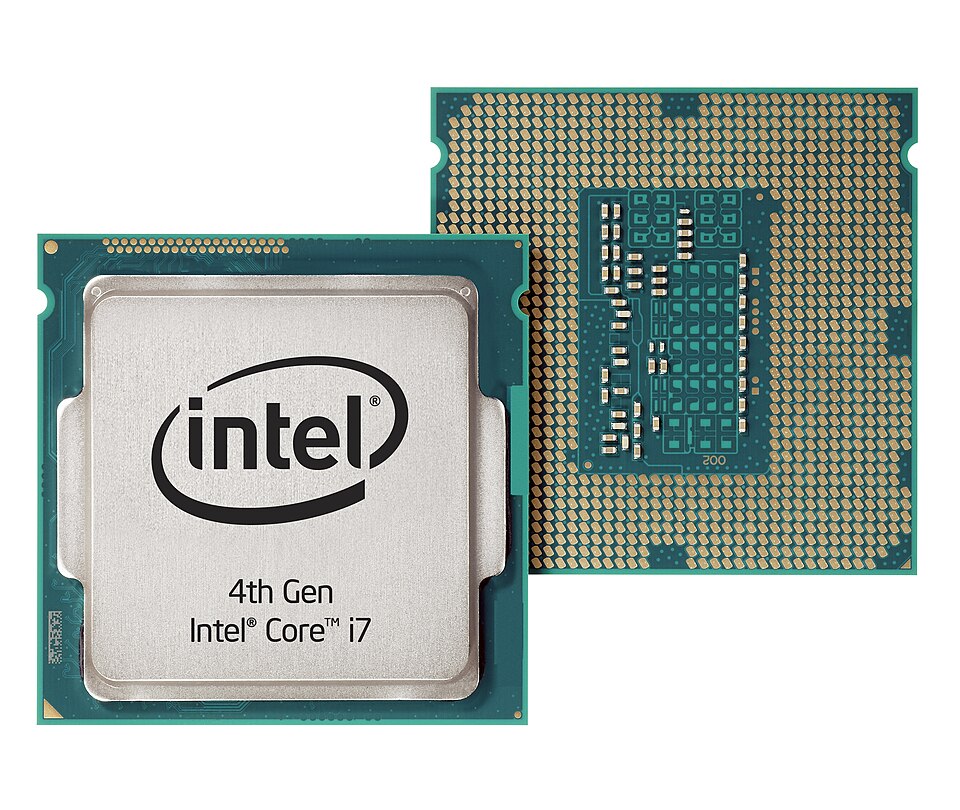 A close-up of a modern CPU die highlighting multiple pipelines. (Image: Intel in Deutschland, CC BY-SA 2.0, via Wikimedia Commons)
Based on the TU BSc CSIT syllabus for Computer Architecture (CSC213), unit 6.
Discussion
Loading…