Computer GraphicsUnit 812 min read
Virtual Reality & Augmented Reality: Systems, Techniques & Applications
Unit 8 of Computer Graphics explores VR/AR fundamentals—system architectures, navigation techniques, BSP trees, and real-world applications in education, gaming, and industry—with comparisons, examples, and implementation insights.
Core Concepts
Virtual Reality (VR) vs. Augmented Reality (AR)
VR and AR are immersive technologies that overlay digital content with the real or virtual world. The key differences lie in their immersion level, user interaction, and use cases.
mindmap
  root((VR vs. AR))
    VR
      "Fully immersive"
      "Replaces real world"
      "Requires headset"
      "Examples: Oculus Rift, HTC Vive"
    AR
      "Partially immersive"
      "Overlays digital on real world"
      "Uses smartphones/AR glasses"
      "Examples: Pokémon GO, IKEA Place"
    Common
      "Uses sensors, tracking"
      "3D rendering"
      "Haptic feedback"
Comparison Table
| Feature | Virtual Reality (VR) | Augmented Reality (AR) |
|---|---|---|
| Definition | Fully immersive digital environment | Real world + digital overlays |
| Hardware | Head-mounted display (HMD), motion sensors | Smartphones, AR glasses, cameras |
| User Perspective | First-person view in virtual world | Mixed reality (real + virtual) |
| Interaction | Hand controllers, voice, gaze tracking | Touch, gestures, voice commands |
| Use Cases | Gaming, training simulations, therapy | Navigation (Google Maps), retail (try-ons) |
| Example | Beat Saber, Half-Life: Alyx | Pokémon GO, Snapchat filters |
Virtual Reality (VR) Systems
VR creates a 3D simulation where users interact with a virtual environment. Key components include:
1. VR System Architecture
flowchart TD
  A[User] -->|Input| B[Tracking System\n(Gyroscopes, Cameras)]
  B --> C[VR Headset]
  C --> D[Graphics Engine\n(OpenGL, Unity)]
  D --> E[Display\n(HMD, Stereo Rendering)]
  E -->|Feedback| A
  D --> F[Audio System]
  D --> G[Haptic Feedback\n(Controllers, Gloves)]
2. Key Components
- Head-Mounted Display (HMD): Provides stereoscopic 3D visuals (e.g., Oculus Quest, HTC Vive).
- Tracking Systems:
- Inside-out tracking: Uses external cameras (e.g., SteamVR).
- Outside-in tracking: Requires external sensors (e.g., Vicon motion capture).
- Input Devices: Hand controllers (e.g., Valve Index), haptic gloves, voice commands.
- Graphics Pipeline: Real-time rendering with low latency (<20ms) to avoid motion sickness.
- Audio System: 3D spatial audio for immersion.
3. Navigation Techniques in VR
| Technique | Description | Example Use Case |
|---|---|---|
| Teleportation | Instant jump to a new location (avoids motion sickness) | Beat Saber |
| Joystick/Stick | Analog movement (like a game controller) | Half-Life: Alyx |
| Redirection | Subtly alters user’s path to prevent collisions | VR walking simulations |
| Room-Scale | Uses physical space for movement (requires large area) | VR fitness apps |
| Blending | Combines real-world movement with virtual teleportation | Oculus Touch |
4. Manipulation Interfaces
- Raycasting: Virtual "laser" from gaze or controller to interact with objects.
- Hand Tracking: Gesture-based interaction (e.g., pinching to grab).
- Voice Control: Commands like "Open door" or "Zoom in."
- Gaze-Based Selection: Dwell time (holding gaze) to select objects.
Augmented Reality (AR) Systems
AR enhances the real world with digital overlays. Unlike VR, AR retains the user’s connection to the physical environment.
1. AR System Architecture
flowchart TD
  A[User] -->|Input| B[Camera\n(Smartphone/AR Glasses)]
  B --> C[SLAM\n(Simultaneous Localization and Mapping)]
  C --> D[AR Engine\n(ARKit, ARCore)]
  D --> E[3D Rendering\n(Real-time object placement)]
  E --> F[Display\n(Screen/AR Glasses)]
  F -->|Feedback| A
  D --> G[Spatial Audio]
2. Key Technologies
- SLAM (Simultaneous Localization and Mapping):
- Uses camera + sensors to map the environment in real time.
- Example: ARCore (Google), ARKit (Apple).
- Marker-Based AR: Uses QR codes or images as anchors (e.g., Junaio).
- Markerless AR: No physical markers; relies on GPS, compass, or SLAM.
- Depth Sensors: Enable occlusion (e.g., Microsoft HoloLens).
3. AR Applications
| Domain | Application Example | Technology Used |
|---|---|---|
| Education | Anatomy lessons with 3D models | ZSpace, Google Expeditions |
| Gaming | Pokémon GO, Ingress | GPS + ARKit/ARCore |
| Retail | Virtual try-ons (clothes, makeup) | IKEA Place, Sephora Virtual Artist |
| Industry | Maintenance training with holograms | Microsoft HoloLens |
| Navigation | AR directions overlaid on streets | Google Maps AR |
Binary Space Partitioning (BSP) Trees
BSP trees are used in VR/AR for spatial partitioning and collision detection. They recursively divide space into convex subsets.
1. How BSP Trees Work
- A plane splits space into two half-spaces.
- Each node stores:
- A partitioning plane.
- A pointer to the front and back child.
- A list of polygons on the plane.
- Used for:
- Visibility determination (what the user can see).
- Collision detection (e.g., walking through walls).
- Optimizing rendering (only render visible polygons).
2. Example: BSP Tree Construction
Scenario: A room with 3 walls (A, B, C).
flowchart TD
  A[Root\nPlane: Wall A] --> B[Front\n(Plane: Wall B)]
  A --> C[Back\n(Plane: Wall C)]
  B --> D[Front\n(Empty)]
  B --> E[Back\n(Polygon C)]
  C --> F[Front\n(Polygon B)]
  C --> G[Back\n(Empty)]
Steps:
- Choose Wall A as the root plane.
- Wall B is in front of Wall A → becomes left child.
- Wall C is behind Wall A → becomes right child.
- Recursively partition until all polygons are placed.
3. Advantages of BSP Trees
- Efficient visibility testing: Only traverse visible branches.
- Fast collision detection: Check intersections along the tree path.
- Dynamic updates: Easy to insert/delete polygons.
4. Limitations
- Complexity: Building the tree can be computationally expensive.
- Balancing issues: Poorly balanced trees degrade performance.
- Static scenes: Less efficient for highly dynamic environments (use octrees instead).
Applications of VR/AR
1. Education
- Medical Training: VR simulations for surgery (e.g., Osso VR).
- Language Learning: Immersive environments for practice (e.g., Rosetta Stone VR).
- Historical Exploration: Virtual field trips (e.g., Google Expeditions).
Why VR Enhances Learning:
- Engagement: Gamification increases motivation.
- Retention: Hands-on practice improves memory.
- Safety: Risk-free simulations (e.g., lab experiments).
2. Gaming
- Immersive Storytelling: Half-Life: Alyx uses VR for cinematic experiences.
- Multiplayer VR: Rec Room enables social interactions.
3. Therapy & Rehabilitation
- PTSD Treatment: Exposure therapy in controlled VR environments.
- Physical Therapy: Motion tracking for exercise rehabilitation.
4. Industry & Training
- Manufacturing: Virtual assembly line training (e.g., Volvo VR training).
- Architecture: Walkthroughs of 3D models before construction.
5. Retail & Marketing
- Virtual Try-Ons: Gucci VR for fashion.
- Product Demos: IKEA Place for furniture visualization.
Challenges in VR/AR
| Challenge | Description |
|---|---|
| Motion Sickness | Latency or mismatched visual/audio cues cause nausea. |
| Hardware Limitations | Bulky HMDs, limited battery life, high cost. |
| Content Creation | Requires skilled 3D artists and developers. |
| Privacy Concerns | AR cameras may record real-world data without consent. |
| Accessibility | Not all users can experience VR/AR (e.g., motion sickness, disabilities). |
Implementation: Creating a Polygon in OpenGL
To render a simple polygon in VR/AR (e.g., a cube), use OpenGL with GLFW and GLAD:
#include <GLFW/glfw3.h>
#include <glad/glad.h>

void renderCube() {
    // Define vertices (x, y, z)
    float vertices[] = {
        -0.5f, -0.5f, -0.5f,  // 0: Back-bottom-left
         0.5f, -0.5f, -0.5f,  // 1: Back-bottom-right
         0.5f,  0.5f, -0.5f,  // 2: Back-top-right
        -0.5f,  0.5f, -0.5f,  // 3: Back-top-left
        -0.5f, -0.5f,  0.5f,  // 4: Front-bottom-left
         0.5f, -0.5f,  0.5f,  // 5: Front-bottom-right
         0.5f,  0.5f,  0.5f,  // 6: Front-top-right
        -0.5f,  0.5f,  0.5f   // 7: Front-top-left
    };

    // Define indices for cube faces
    unsigned int indices[] = {
        0, 1, 2, 2, 3, 0,  // Back face
        4, 5, 6, 6, 7, 4,  // Front face
        0, 4, 7, 7, 3, 0,  // Left face
        1, 5, 6, 6, 2, 1,  // Right face
        3, 2, 6, 6, 7, 3,  // Top face
        0, 1, 5, 5, 4, 0   // Bottom face
    };

    // Bind and draw
    glBindVertexArray(VAO);
    glDrawElements(GL_TRIANGLES, 36, GL_UNSIGNED_INT, 0);
}
Key Steps:
- Define vertices (3D coordinates).
- Create indices to form triangles.
- Use
glDrawElementsto render the polygon.
Exam Tip
What to Focus On
Definitions & Differences:
- Clearly distinguish VR (immersive) vs. AR (overlay).
- Know BSP trees (partitioning, visibility, collision detection).
Applications:
- Be ready to discuss education, gaming, industry, and therapy use cases.
- Link VR/AR to real-world problems (e.g., "How does VR help in medical training?").
Technical Details:
- Navigation techniques: Teleportation vs. room-scale.
- SLAM in AR: How it maps the environment.
- OpenGL basics: Vertex/indices setup for polygons.
Diagrams & Examples:
- Draw a BSP tree for a simple scene (e.g., a room).
- Compare VR/AR architectures in a flowchart.
Common Pitfalls:
- Don’t confuse AR with MR (Mixed Reality). MR combines real and virtual interactively (e.g., Microsoft HoloLens).
- Latency matters: Always mention <20ms for VR to avoid sickness.
- BSP vs. Octrees: BSP is plane-based; octrees divide space into cubes.
Sample Exam Questions & Answers
Q: Differentiate between VR and AR with examples. A:
| Feature | VR | AR |
|---|---|---|
| Definition | Fully digital environment | Real world + digital overlay |
| Example | Beat Saber (VR headset) | Pokémon GO (smartphone) |
| Use Case | Flight simulators | Navigation apps |
Q: Explain BSP trees with an example. A:
- Definition: A tree where each node splits space with a plane.
- Example: A room with walls A, B, C.
- Root: Wall A.
- Left child: Wall B (front of A).
- Right child: Wall C (back of A).
- Use: Quickly determine if a point is inside/outside or visible.
Q: How does VR enhance education? A:
- Immersive Learning: Students "experience" history (e.g., VR Rome).
- Hands-On Practice: Medical students perform virtual surgeries.
- Engagement: Gamified quizzes increase participation.
- Safety: No risk (e.g., chemistry lab simulations).
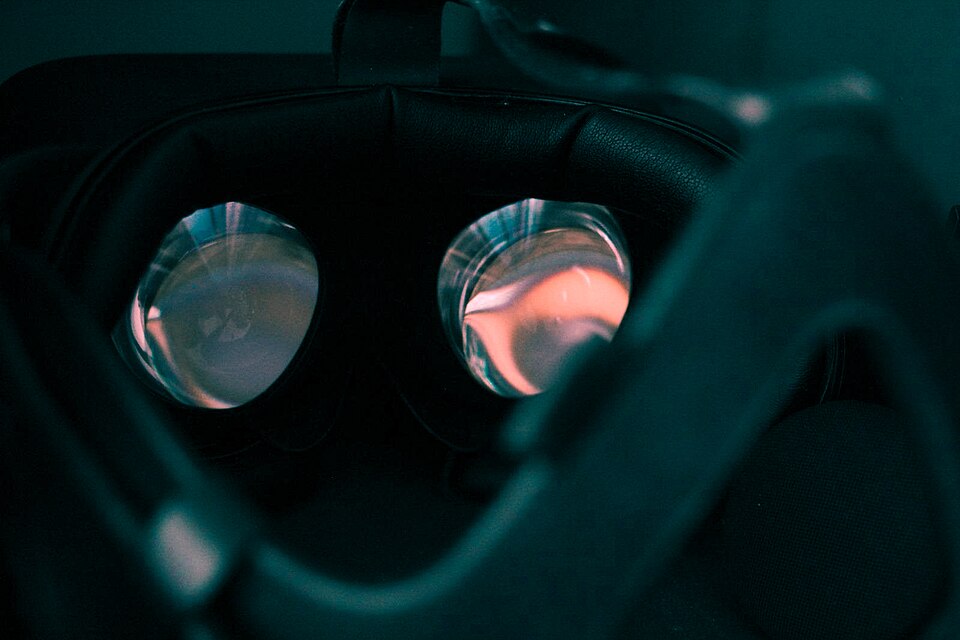 A user wearing an Oculus Rift headset with hand controllers. (Image: FloppaIngénieur, CC BY 4.0, via Wikimedia Commons)
 A phone displaying Pokémon GO with AR creatures overlaid on the real world. (Image: BAUSCHRON, CC BY-SA 4.0, via Wikimedia Commons)
Based on the TU BSc CSIT syllabus for Computer Graphics (CSC214), unit 8.
Discussion
Loading…