Computer ScienceUnit 59 min read
Structures, Pointers & Files in C: Syntax, Uses & File Handling
Unit 5 of Computer Science teaches how to use structures (user-defined data types), pointers (memory addresses), and file handling (storing/retrieving data) in C, with practical examples, syntax rules, and NEB-style questions.
TAKEAWAYS:
- Structures let you group different data types under one name (like a "student record").
- Pointers store memory addresses and enable dynamic memory allocation (e.g.,
malloc()). - File handling in C uses
fopen(),fprintf(),fscanf(), andfclose()to work with external files. - Pointers to structures (
struct *ptr) simplify complex data manipulation. - Common errors: forgetting
&inscanf(), mismatched file modes, or dangling pointers. - NEB exams test syntax, logic, and debugging—always trace pointer arithmetic carefully.
1. Structures in C: Combining Data Types
What is a Structure?
A structure is a user-defined data type that groups related data of different types under a single name. Think of it like a student record with name, roll_no, and marks.
classDiagram
class Student {
  -char name[50]
  -int roll_no
  -float marks
}
Syntax & Example
struct student {
    char name[50];
    int roll_no;
    float marks;
};
Example: Declare a structure variable and input data.
#include <stdio.h>
#include <string.h>

struct student {
    char name[50];
    int roll_no;
    float marks;
};

int main() {
    struct student s1;
    strcpy(s1.name, "Ramesh");
    s1.roll_no = 101;
    s1.marks = 85.5;
    printf("Name: %s, Roll: %d, Marks: %.2f", s1.name, s1.roll_no, s1.marks);
    return 0;
}
Output:
Name: Ramesh, Roll: 101, Marks: 85.50
Accessing Structure Members
Use the dot (.) operator to access members:
s1.roll_no = 102;  // Correct
// Wrong: s1->roll_no (uses arrow for pointers)
Array of Structures
Store multiple records in an array:
struct student s[3];
for (int i = 0; i < 3; i++) {
    scanf("%s %d %f", s[i].name, &s[i].roll_no, &s[i].marks);
}
Typedef for Simplicity
Use typedef to avoid writing struct repeatedly:
typedef struct {
    char name[50];
    int roll_no;
} Student;  // Now, use "Student s1;" instead of "struct student s1;"
2. Pointers: Memory Addresses & Dynamic Data
What is a Pointer?
A pointer is a variable that stores the memory address of another variable. It helps in:
- Dynamic memory allocation (
malloc(),calloc()). - Passing large data efficiently (avoids copying).
- Creating data structures like linked lists.
Syntax & Example
int x = 10;
int *ptr;  // Declare pointer
ptr = &x;  // Store address of x
printf("%d", *ptr);  // Output: 10 (dereferencing)
Key Operators:
| Operator | Meaning | Example |
|---|---|---|
& |
Address-of | ptr = &x; |
* |
Dereference (value) | y = *ptr; |
-> |
Access struct member | ptr->name |
Pointer Arithmetic
Pointers can be incremented/decremented (moves by size of the data type):
int arr[3] = {10, 20, 30};
int *p = arr;
printf("%d", *(p+1));  // Output: 20 (moves 4 bytes, assuming int=4 bytes)
Pointers to Structures
Use the arrow (->) operator to access structure members:
struct student s1 = {"Ram", 101, 90.5};
struct student *ptr = &s1;
printf("%s", ptr->name);  // Output: Ram
Dynamic Memory Allocation
Allocate memory at runtime using malloc() and free():
int *ptr = (int*)malloc(5 * sizeof(int));  // Allocates space for 5 integers
if (ptr == NULL) {
    printf("Memory not allocated!");
}
free(ptr);  // Release memory
3. File Handling in C: Reading & Writing Data
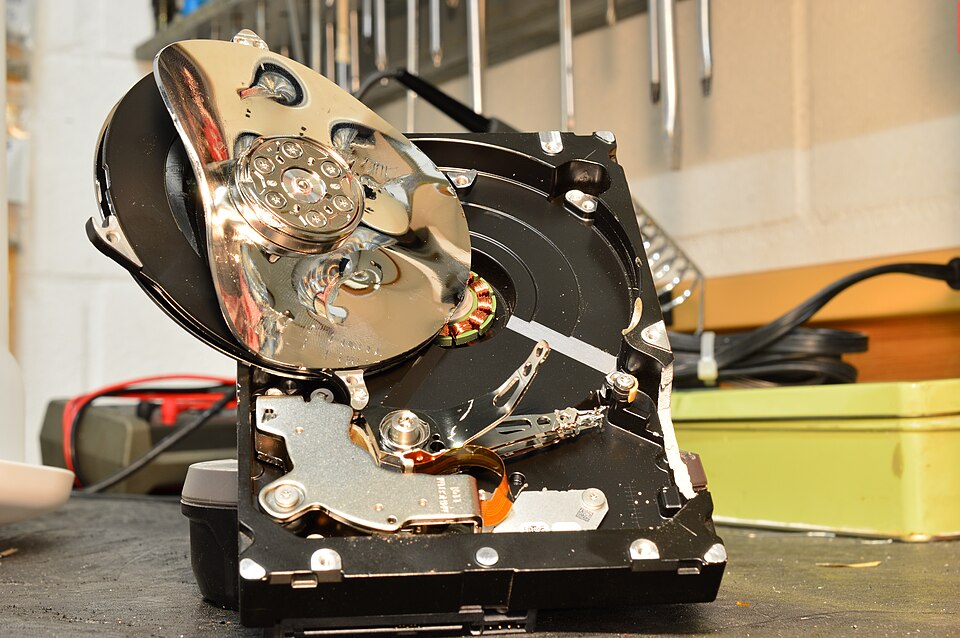 Physical storage device where files are written and read (Image: Jaroslaw B, CC BY-SA 4.0, via Wikimedia Commons)
sequenceDiagram
    participant User
    participant Program
    participant File
    User->>Program: Opens `students.txt` in write mode
    Program->>File: Writes `fprintf(fp, "Name: Ramesh, Roll: 101");`
    File-->>Program: Confirms write success
    Program->>File: Closes file with `fclose(fp)`
    Note right of Program: File persists even after program ends
Why Use Files?
Files store data permanently (even after program termination). Common uses:
- Saving user input (e.g., student records).
- Loading data for further processing.
File Operations
| Function | Purpose | Example |
|---|---|---|
fopen() |
Open a file | fp = fopen("data.txt", "w"); |
fclose() |
Close a file | fclose(fp); |
fprintf() |
Write to file | fprintf(fp, "%d", x); |
fscanf() |
Read from file | fscanf(fp, "%d", &x); |
fgets() |
Read a line (string) | fgets(str, 50, fp); |
Modes for fopen()
| Mode | Meaning |
|---|---|
"r" |
Read (file must exist) |
"w" |
Write (creates new file) |
"a" |
Append (adds to existing file) |
"r+" |
Read + Write |
Example: Writing to a File
FILE *fp = fopen("students.txt", "w");
if (fp == NULL) {
    printf("Error opening file!");
    exit(1);
}
fprintf(fp, "Name: Ramesh, Roll: 101, Marks: 85.5");
fclose(fp);
Example: Reading from a File
FILE *fp = fopen("students.txt", "r");
char line[100];
while (fgets(line, 100, fp) != NULL) {
    printf("%s", line);
}
fclose(fp);
Common Errors
- Forgetting
fclose(): Leads to memory leaks. - Wrong mode:
"r"on a non-existent file causesNULL. - Buffer overflow: Use
fgets()instead ofscanf()for strings.
4. Comparing Structures, Pointers & Files
| Feature | Structures | Pointers | Files |
|---|---|---|---|
| Purpose | Group related data | Store memory addresses | Store data permanently |
| Syntax | struct name { ... }; |
int *ptr; |
FILE *fp; |
| Access | s1.name or ptr->name |
*ptr, ptr[i] |
fprintf(), fscanf() |
| Memory | Static (stack) | Dynamic (heap) | External storage |
| Use Case | Student records, complex data | Linked lists, dynamic arrays | Logs, databases |
5. Solved Examples (NEB-Style)
Example 1: Structure Input/Output
#include <stdio.h>
struct book {
    char title[50];
    float price;
};
int main() {
    struct book b1 = {"C Programming", 450.50};
    printf("Title: %s, Price: %.2f", b1.title, b1.price);
    return 0;
}
Output:
Title: C Programming, Price: 450.50
Example 2: Pointer Arithmetic
int arr[3] = {1, 2, 3};
int *p = arr;
printf("%d %d", *(p+1), *(p+2));  // Output: 2 3
Example 3: File Handling
FILE *fp = fopen("test.txt", "w");
fprintf(fp, "Hello, File!");
fclose(fp);
Content of test.txt:
Hello, File!
6. NEB Board-Style Questions
Short Answer (5 marks)
- Define a structure
employeewithname,id, andsalary. Write a program to input data for 3 employees and display their details. - What is pointer arithmetic? Explain with an example.
- Differentiate between
fopen("file.txt", "w")andfopen("file.txt", "a").
Long Answer (10 marks)
- Write a program to:
- Define a structure
studentwithname,roll_no, andmarks. - Use a pointer to input data for 5 students.
- Write their details to a file
students.dat. - Read and display the data from the file.
- Define a structure
- Explain the concept of dynamic memory allocation in C using
malloc()andfree(). Write a program to allocate memory for an array of 10 integers and store even numbers.
Debugging (5 marks)
Find and correct the errors in the following code:
struct student {
    char name[50];
    int roll;
};
int main() {
    struct student s1;
    scanf("%s %d", s1.name, s1.roll);  // Error 1: Missing &
    printf("%s %d", s1.name, s1.roll);
    return 0;
}
Corrected Code:
scanf("%s %d", s1.name, &s1.roll); // Fixed: & before s1.roll
Exam Tip
Structures:
- Always declare structures before
main()or usetypedef. - Use dot (
.) or arrow (->) operators correctly. - For arrays of structures, loop through each element.
- Always declare structures before
Pointers:
- Initialize pointers to
NULLif not used immediately. - Remember:
*ptr= value,ptr= address. - Pointer arithmetic:
*(ptr + i)is equivalent toptr[i].
- Initialize pointers to
Files:
- Always check if
fopen()returnsNULL. - Use
"w"to overwrite and"a"to append. - Close files with
fclose()to avoid data loss.
- Always check if
Common Mistakes:
- Forgetting
&inscanf()for structures. - Using
scanf("%s", s1.name)without a limit (risk of buffer overflow). - Not freeing dynamically allocated memory (
free(ptr)).
- Forgetting
Practice Tip: Solve past NEB questions focusing on:
- Structure input/output.
- Pointer arithmetic and dynamic allocation.
- File handling (reading/writing).
- Debugging pointer-related errors.
Good luck! 🚀
Based on the NEB +2 Science syllabus for Computer Science (Comp), unit 5.
Discussion
Loading…