Computer and IT ApplicationsUnit 16 min read
Computers: Definitions, Types, Generations & Applications
Unit 1 of Computer and IT Applications explores the foundational concepts of computers—what they are, their classifications, evolutionary stages, and real-world applications in business and daily life. Students will learn how computers process data, their core components, and how they revolutionize industries like bank
What is a Computer?
A computer is an electronic device that processes data (input) into information (output) using a set of instructions called programs. It follows the fetch-decode-execute cycle to perform tasks efficiently.
Key Characteristics of a Computer
mindmap
root((Computer))
Characteristics
Electronic: Uses circuits and binary (0s and 1s)
Speed: Executes millions of instructions per second
Accuracy: Error-free processing (if programmed correctly)
Versatility: Performs diverse tasks (calculations, gaming, AI)
Storage: Stores data for future use
Automation: Operates without human intervention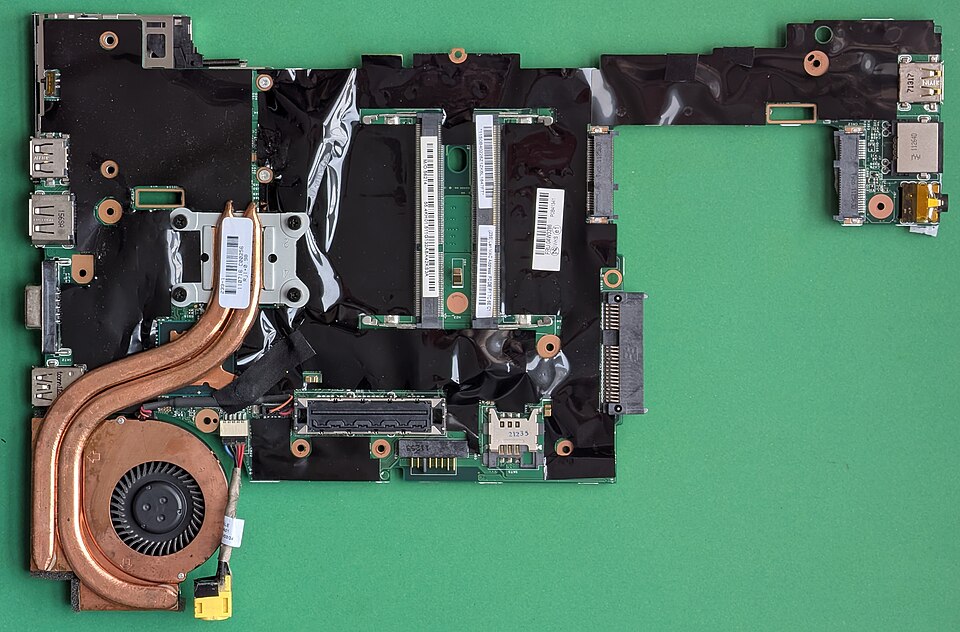 A real computer’s core components: CPU (brain), RAM (short-term memory), and motherboard (circuit board connecting parts). (Image: Siarhei Besarab, CC BY-SA 4.0, via Wikimedia Commons)
Types of Computers
Computers are classified based on size, speed, and purpose. Below is a comparison table:
| Type | Size | Speed | Examples | Applications |
|---|---|---|---|---|
| Supercomputer | Very Large | Extremely Fast | Fugaku (Japan), Summit (USA) | Weather forecasting, nuclear research |
| Mainframe | Large | Very Fast | IBM Z16, Unisys ClearPath | Banking, airlines, government databases |
| Minicomputer | Medium | Fast | DEC PDP-11 (legacy) | Small business networks, labs |
| Microcomputer | Small | Moderate | Personal computers (Dell, HP) | Home, office, education |
| Embedded | Tiny | Slow to Fast | Smartwatches, microwaves | IoT devices, automotive systems |
Worked Example:
- Nepal Rastra Bank (NRB) uses mainframe computers to process millions of transactions daily, ensuring financial stability.
- Pathao drivers use microcomputers (smartphones) to receive ride requests via apps.
Generations of Computers
Computers have evolved through five generations, each improving speed, size, and efficiency.
timeline
  title Evolution of Computers
  1940s : **1st Gen** - Vacuum tubes (ENIAC)
  1950s : **2nd Gen** - Transistors (IBM 701)
  1960s : **3rd Gen** - Integrated Circuits (IBM 360)
  1970s : **4th Gen** - Microprocessors (Apple I, Intel 4004)
  2000s : **5th Gen** - AI & Parallel Processing (Modern PCs, Cloud)
Real-World Example:
- eSewa (Nepal’s digital payment platform) runs on 4th and 5th-gen servers, enabling secure online transactions.
- NTC (Nepal Telecom) uses 5th-gen cloud computing to manage millions of SIM cards and internet traffic.
How Computers Work: The Fetch-Decode-Execute Cycle
Computers follow a 4-step cycle to process instructions:
stateDiagram-v2
  [*] --> Fetch: Instruction from RAM
  Fetch --> Decode: CPU interprets instruction
  Decode --> Execute: CPU performs action
  Execute --> Store: Result saved in RAM
  Store --> [*]
Worked Example (Bank Loan Calculation):
- Fetch: CPU retrieves the loan formula (
Interest = Principal × Rate × Time). - Decode: CPU understands it needs multiplication.
- Execute: CPU calculates
500,000 × 0.08 × 5 = 200,000. - Store: Result is saved in the bank’s database.
Applications of Computers in Business & Daily Life
In the Real World
eSewa (Digital Payments)
- Idea Used: Networking & Cloud Computing
- How? eSewa’s servers store user data securely in the cloud, allowing instant money transfers via the internet.
Daraz (E-Commerce)
- Idea Used: Database Management & Order Processing
- How? When you place an order, Daraz’s system:
- Checks stock in real-time (database).
- Processes payment (bank integration).
- Updates delivery status (cloud tracking).
Ncell (Mobile Network)
- Idea Used: Routing & Switching (Network Topology)
- How? Your call travels through cell towers (routers) using packet switching to reach the recipient efficiently.
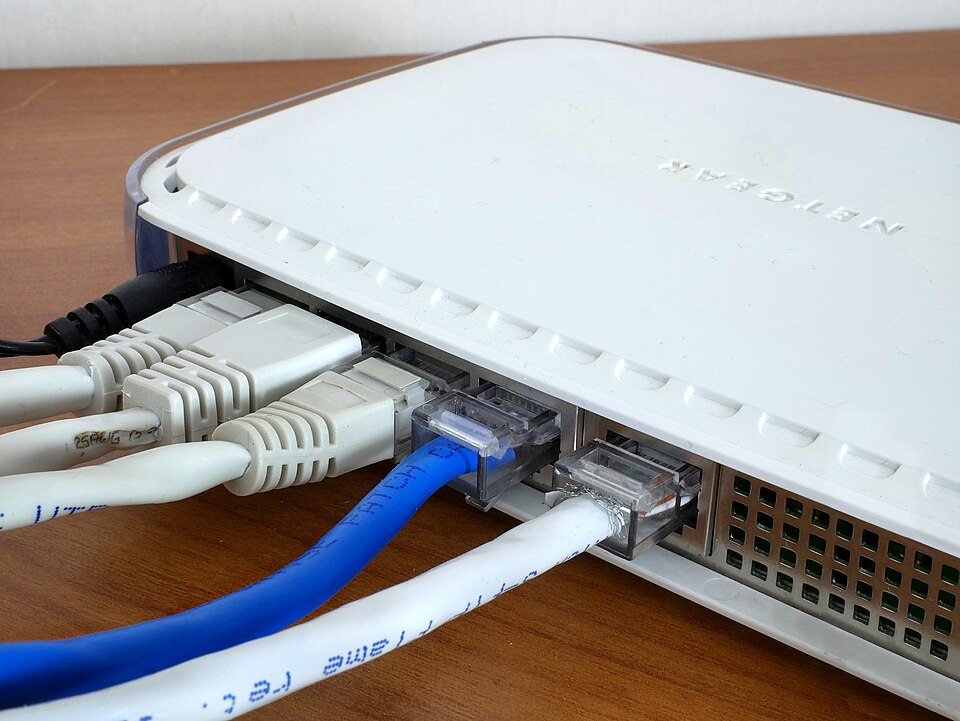 A real network router directing data packets between devices. (Image: Santeri Viinamäki, CC BY-SA 4.0, via Wikimedia Commons)
Advantages and Disadvantages of Computers
| Advantages | Disadvantages |
|---|---|
| Speed & Efficiency | High Initial Cost |
| Accuracy (if programmed correctly) | Job Displacement (automation) |
| Storage & Retrieval of Large Data | Cybersecurity Risks (hacking, viruses) |
| Versatility (used in all fields) | Maintenance & Upgrading Costs |
| Automation (24/7 operation) | Dependency on Electricity |
Exam Tip:
- Supercomputers are used for scientific research (e.g., climate modeling).
- Mainframes dominate banking and government systems.
- Embedded systems are in everyday devices (microwaves, cars).
Exam Tip
- Memorize the 5 generations of computers and their key technologies.
- Compare types of computers (size, speed, examples) in tables.
- Explain the fetch-decode-execute cycle with a real-world example (e.g., ATM transaction).
- Link applications to Nepali companies (eSewa, Daraz, NTC) for higher marks.
- Draw diagrams (timeline, state diagram) to visualize concepts.
Final Note: Computers are the backbone of modern business and daily life. Understanding their types, generations, and applications will help you excel in exams and real-world problem-solving. Practice drawing flowcharts and timelines to master this unit!
Based on the PU BBA (PU) syllabus for Computer and IT Applications, unit 1.
Discussion
Loading…