Computer and IT ApplicationsUnit 310 min read
Software & OS: Types, Functions, and Real-World Roles
Unit 3 of Computer and IT Applications explores software (system vs. application), operating systems (functions, types, and examples), and their critical roles in business and daily life, with visual breakdowns of OS architecture, process management, and real-world applications like eSewa and WhatsApp.
Key Concepts and Definitions
What is Software?
Software is a set of instructions, programs, and data that tell a computer how to perform specific tasks. Unlike hardware (physical components), software is intangible and runs on top of hardware to enable functionality.
Types of Software
Software is broadly classified into two categories:
mindmap
  root((Software))
    System Software
      OS["Operating System (e.g., Windows, Linux)"]
      Utilities["Disk Cleanup, Antivirus"]
      Device Drivers["Printer, GPU Drivers"]
    Application Software
      Productivity["Microsoft Office, Google Docs"]
      Entertainment["Games, Media Players"]
      Specialized["CAD, Accounting Software"]
What is an Operating System (OS)?
An Operating System (OS) is a system software that acts as an intermediary between hardware and application software. It manages system resources (CPU, memory, storage) and provides a user interface (UI) for interaction.
Core Functions of an OS
- Process Management: Controls execution of programs (CPU scheduling, multitasking).
- Memory Management: Allocates and deallocates memory to programs.
- Device Management: Handles input/output (I/O) operations (printers, keyboards, etc.).
- File Management: Organizes and retrieves files from storage.
- Security & User Interface: Provides authentication and a platform for applications.
Types of Operating Systems
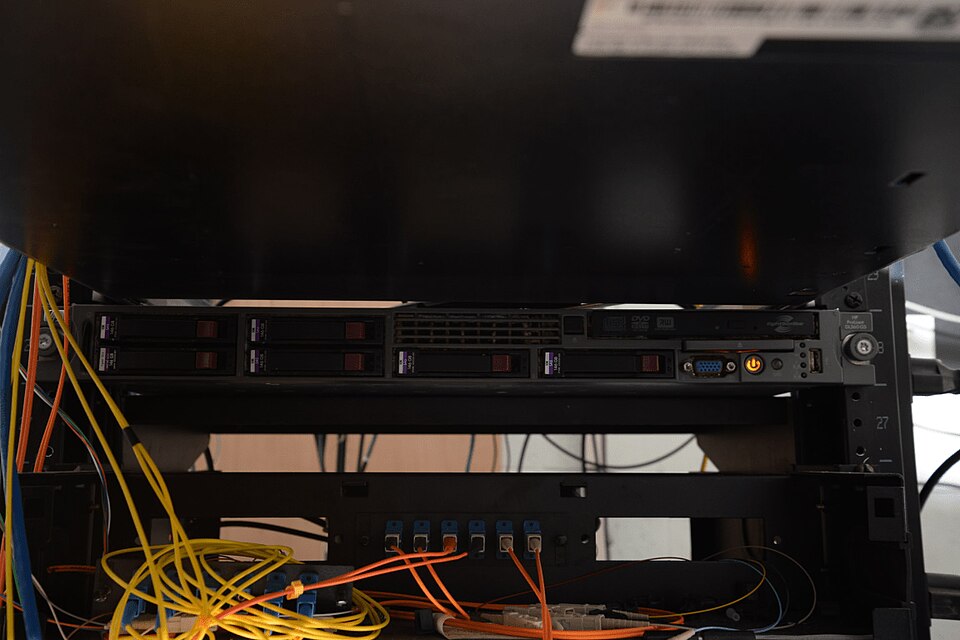 Distributed OS runs on multiple servers (Image: Federal Bureau of Investigation, Public domain, via Wikimedia Commons)
1. Batch Operating System
- Definition: Executes jobs in batches without user interaction.
- Example: Early mainframe systems (e.g., payroll processing).
- Advantages:
- Efficient for large-scale, repetitive tasks.
- Minimal user intervention.
- Disadvantages:
- No real-time processing.
- Long turnaround time for individual jobs.
2. Time-Sharing (Multitasking) OS
- Definition: Allows multiple users to share a single system simultaneously.
- Example: Unix, Linux (used in servers and cloud computing).
- Advantages:
- Interactive and responsive.
- Efficient resource utilization.
- Disadvantages:
- Requires powerful hardware.
- Security risks in shared environments.
3. Distributed OS
- Definition: Manages a group of independent computers as a single system.
- Example: Cloud computing (e.g., Google Cloud, AWS).
- Advantages:
- Scalability and fault tolerance.
- Resource sharing across networks.
- Disadvantages:
- Complex to implement.
- High dependency on network reliability.
4. Real-Time OS (RTOS)
- Definition: Designed for real-time applications where timing is critical.
- Example: Embedded systems (e.g., traffic light controllers, medical devices).
- Advantages:
- Guaranteed response time.
- High reliability.
- Disadvantages:
- Limited flexibility.
- High cost for specialized hardware.
5. Network OS
- Definition: Manages resources across a network (e.g., file sharing, printer access).
- Example: Windows Server, Novell NetWare.
- Advantages:
- Centralized resource management.
- Collaboration and sharing.
- Disadvantages:
- Vulnerable to network failures.
- Complex setup.
Operating System Architecture: Layers
An OS is structured in layers, where each layer provides services to the layer above it. The most common model is the Layered Architecture:
Key Layers Explained:
- Hardware Layer: Physical components (CPU, RAM, storage).
- Kernel: Core of the OS (manages processes, memory, and hardware).
- System Libraries: Precompiled routines for applications (e.g.,
printf()in C). - System Utilities: Tools for maintenance (e.g.,
disk cleanup,task manager). - Application Programs: User-facing software (e.g., Chrome, Excel).
- User Interface (UI): How users interact (CLI, GUI, or touch).
Process Management in OS
A process is an instance of a program in execution. The OS manages processes using:
- Process Scheduling: Decides which process runs next (e.g., Round Robin, Priority Scheduling).
- Inter-Process Communication (IPC): Processes share data (e.g., pipes, sockets).
- Process States:
stateDiagram-v2
  [*] --> New: Process Creation
  New --> Ready: Added to Ready Queue
  Ready --> Running: CPU Allocation
  Running --> Waiting: I/O Request
  Waiting --> Ready: I/O Complete
  Running --> Terminated: Process Ends
  Terminated --> [*]
Worked Example: CPU Scheduling in a Bank’s ATM System
Imagine an ATM system running on a server with multiple processes:
- Process A: User withdraws cash (high priority).
- Process B: System backup (low priority).
- Process C: Balance inquiry (medium priority).
Using Priority Scheduling:
- The OS assigns higher priority to Process A (withdrawal) to ensure quick response.
- Process B (backup) runs during off-peak hours.
- Process C (balance inquiry) runs when the CPU is free.
Memory Management
The OS allocates memory to processes using techniques like:
- Partitioning: Divides memory into fixed or variable-sized blocks.
- Paging: Splits memory into fixed-size pages for efficient use.
- Swapping: Moves inactive processes to disk (virtual memory).
Worked Example: Virtual Memory in eSewa
When you use eSewa to pay bills:
- Your phone’s OS loads the eSewa app into RAM.
- If RAM is full, inactive parts of the app are swapped to storage.
- When you switch back to eSewa, the OS loads the swapped data back into RAM.
File Management
Files are organized in a hierarchical structure (directories, subdirectories). The OS provides:
- File Systems: FAT32, NTFS, ext4.
- File Operations: Create, Read, Update, Delete (CRUD).
- Permissions: Read (r), Write (w), Execute (x).
Worked Example: File Permissions in a Company Network
A company uses a Linux server to store employee documents. The OS sets permissions as:
| File | Owner (User) | Group (Team) | Others (Public) |
|---|---|---|---|
salary.xls |
rw- | r-- | --- |
meeting.txt |
rwx | rw- | r-- |
- Owner (HR Manager): Can read, write, and execute
meeting.txt. - Group (Finance Team): Can read
salary.xlsbut not modify it. - Others: Can only read
meeting.txt.
Real-World Applications
1. eSewa (Nepal)
- OS Role: Uses Linux-based servers for process management (handling thousands of transactions per second).
- How It Works:
- Process Scheduling: Prioritizes high-value transactions (e.g., bill payments) over low-priority tasks (e.g., balance checks).
- Memory Management: Virtual memory ensures smooth operation even during peak hours.
- File System: Stores user data securely with encryption.
2. WhatsApp (Global)
- OS Role: Runs on Android (Linux-based) and iOS (Unix-based).
- How It Works:
- Real-Time OS Features: Ensures instant message delivery (like an RTOS for timing).
- Network OS: Manages connections across millions of devices globally.
- Process Management: Handles multiple chats, media uploads, and notifications simultaneously.
3. Nepal Rastra Bank’s Core Banking System
- OS Role: Uses Windows Server or Linux for:
- Distributed OS: Syncs data across multiple bank branches.
- Security: Strict file permissions to protect customer data.
- Batch Processing: Runs end-of-day transactions in batches for efficiency.
4. Pathao (Ride-Hailing App)
- OS Role: Relies on cloud-based OS (AWS, Google Cloud) for:
- Load Balancing: Distributes user requests across servers.
- Real-Time Updates: Uses RTOS-like features to track driver locations instantly.
- Database Management: Stores ride history, user profiles, and payments securely.
Comparison of Popular Operating Systems
| Feature | Windows (Microsoft) | macOS (Apple) | Linux (Open Source) |
|---|---|---|---|
| Type | Proprietary | Proprietary | Open Source |
| Primary Use | General-purpose | Desktop/Creative | Servers, Embedded, Desktop |
| Kernel | NT Kernel | XNU (Hybrid) | Monolithic/Microkernel |
| User Interface | GUI (Desktop) | GUI (macOS) | CLI (Terminal) + GUI |
| Security | Moderate (Vulnerable to malware) | High (Sandboxing) | High (Customizable) |
| Hardware Support | Broad (Gaming, Business) | Limited (Apple Hardware) | Broad (Customizable) |
| Examples | Windows 11, Server 2022 | macOS Ventura | Ubuntu, Fedora, Debian |
Advantages and Disadvantages of Operating Systems
Advantages:
- Resource Management: Efficiently allocates CPU, memory, and storage.
- User-Friendly Interface: Provides GUI/CLI for ease of use.
- Security: Controls access to system resources (permissions, encryption).
- Multitasking: Runs multiple applications simultaneously.
- Hardware Abstraction: Hides complex hardware details from users.
Disadvantages:
- Complexity: Modern OSes are highly complex to develop and maintain.
- Resource Overhead: OS itself consumes memory and CPU.
- Compatibility Issues: Software may not work across different OSes.
- Security Risks: Vulnerabilities can be exploited (e.g., viruses, malware).
- Cost: Proprietary OSes (e.g., Windows Server) can be expensive.
Exam Tip
For Pokhara University exams, focus on:
- Definitions: Clearly define OS, system software, and application software.
- Types of OS: Know the differences between batch, time-sharing, distributed, RTOS, and network OS.
- Process Management: Explain CPU scheduling, process states, and IPC with examples.
- Memory Management: Describe partitioning, paging, and swapping.
- File Systems: Understand hierarchical structures and permissions (e.g.,
chmodin Linux). - Real-World Applications: Relate OS concepts to eSewa, WhatsApp, or banking systems (as seen in the note).
- Diagrams: Be ready to draw:
- OS layered architecture.
- Process state transitions.
- File system hierarchy.
Common Exam Questions:
- "Differentiate between system and application software."
- "Explain how an OS manages memory with a real-world example."
- "Describe the steps in process scheduling with a bank ATM scenario."
- "Compare Windows, macOS, and Linux in terms of security and use cases."
Based on the PU BBA (PU) syllabus for Computer and IT Applications, unit 3.
Discussion
Loading…