Introduction to Management Information SystemsUnit 312 min read
IT Infrastructure: Hardware, Software, Networks & Emerging Tech
Unit 3 of Introduction to Management Information Systems explores the foundational IT infrastructure—hardware, software, networks, cloud computing, and emerging technologies like AI, IoT, and blockchain—explaining how they integrate into business operations, with real-world examples from Nepali and global companies.
TAKEAWAYS:
- IT infrastructure is the backbone of business operations, combining hardware, software, networks, and data centers to enable efficient data processing and communication.
- Emerging technologies like AI, IoT, and blockchain are transforming industries by automating processes, enabling real-time analytics, and securing transactions.
- Cloud computing (public, private, hybrid) offers scalability, cost-efficiency, and accessibility, critical for businesses like Daraz and Nabil Bank.
- Network architectures (LAN, WAN, VPN) determine how data flows within and outside organizations, impacting performance and security.
- Hardware components (servers, storage, peripherals) and software (operating systems, applications) must align with business needs for optimal functionality.
1. IT Infrastructure: The Foundation of Business Systems
IT infrastructure refers to the combination of hardware, software, networks, and data centers that support an organization’s information processing and communication needs. It is the physical and virtual framework that enables businesses to store, process, and transmit data efficiently.
Key Components of IT Infrastructure
Why does this matter?
- Hardware (servers, storage, devices) executes tasks.
- Software (OS, apps) provides functionality.
- Networks (LAN, WAN) enable communication.
- Data centers (physical or cloud) store and manage data.
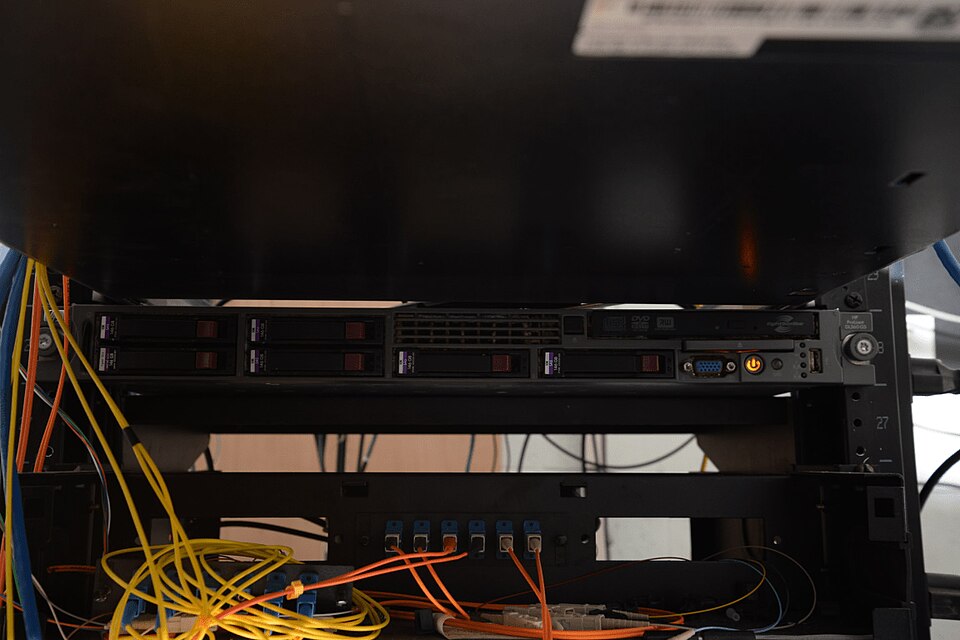 A typical server rack housing multiple blades for high-performance computing. (Image: Federal Bureau of Investigation, Public domain, via Wikimedia Commons)
2. Hardware: The Physical Backbone
Hardware includes all physical components that process, store, or transmit data. For businesses, the choice of hardware impacts speed, reliability, and cost.
A. Servers
- Definition: High-performance computers that manage network resources, applications, and data.
- Types:
- Web servers (host websites, e.g., Daraz’s e-commerce platform).
- Database servers (store and retrieve data, e.g., Nabil Bank’s customer records).
- Application servers (run business logic, e.g., ERP systems in Chaudhary Group).
Worked Example: Nabil Bank’s Loan Processing
- Problem: Nabil Bank needs to process thousands of loan applications daily.
- Solution: Uses high-end database servers (e.g., Oracle) to store customer data and application servers (Java-based) to run credit-scoring algorithms.
- Outcome: Faster approvals, reduced errors, and improved customer satisfaction.
B. Storage Devices
- Primary Storage (RAM): Temporary, fast memory for active processes.
- Secondary Storage (HDD/SSD): Permanent storage (e.g., databases, backups).
- Cloud Storage: Scalable and accessible (e.g., Google Drive for remote teams).
Comparison Table: Storage Technologies
| Type | Speed | Capacity | Cost | Use Case |
|---|---|---|---|---|
| RAM | Very Fast | Low (GBs) | High | Active processing |
| SSD | Fast | Medium (TB) | Moderate | Operating systems, apps |
| HDD | Slow | High (TB+) | Low | Bulk data storage |
| Cloud | Variable | Scalable | Pay-as-you-go | Remote access, backups |
3. Software: The Brain of IT Infrastructure
Software provides the instructions that hardware follows to perform tasks. It is categorized into:
A. Operating Systems (OS)
- Definition: Manages hardware and software resources (e.g., Windows Server, Linux, macOS).
- Business Use:
- Windows Server: Used by NTC for network management.
- Linux: Preferred for security and cost (e.g., banks use it for servers).
B. Application Software
- Definition: Programs designed for specific tasks (e.g., Microsoft Office, ERP systems).
- Examples:
- ERP (SAP, Oracle): Used by Chaudhary Group for supply chain management.
- CRM (Salesforce): Used by Daraz for customer relationship management.
C. Middleware
- Definition: Software that connects different applications (e.g., APIs, message brokers).
- Example: WhatsApp Business uses middleware to integrate with CRM systems.
4. Networks: Connecting the Dots
Networks enable communication and data sharing between devices. Businesses rely on:
A. Local Area Network (LAN)
- Definition: Connects devices within a limited area (e.g., an office).
- Example: Ncell’s internal network for employee communication.
B. Wide Area Network (WAN)
- Definition: Connects devices over large distances (e.g., NTC’s national fiber network).
- Example: Daraz’s WAN connects warehouses to headquarters.
C. Virtual Private Network (VPN)
- Definition: Securely extends a LAN over the internet.
- Example: Remote employees of Himalayan Java access company databases via VPN.
Network Architecture Flowchart
flowchart TD
  A["User Device"] -->|"LAN"| B["Office Router"]
  B -->|"Internet"| C["VPN Gateway"]
  C -->|"Secure Tunnel"| D["Nabil Bank Server"]
  D -->|"Database"| E["Customer Records"]
5. Cloud Computing: The Game-Changer
Cloud computing delivers on-demand computing resources (servers, storage, databases) over the internet. Businesses use three models:
| Cloud Model | Description | Example in Nepal |
|---|---|---|
| Public | Shared resources (cost-effective) | eSewa’s payment processing |
| Private | Dedicated resources (secure) | Nabil Bank’s internal systems |
| Hybrid | Mix of public and private | Daraz’s customer-facing and backend systems |
Advantages of Cloud Computing
- Scalability: Adjust resources as needed (e.g., Pathao during peak hours).
- Cost-Efficiency: Pay only for what you use (e.g., small businesses using Google Workspace).
- Accessibility: Access data from anywhere (e.g., remote teams in Himalayan Java).
Disadvantages
- Security Risks: Data breaches (e.g., if Khalti’s cloud is hacked).
- Dependency on Internet: Downtime if connectivity fails.
6. Emerging Technologies: Shaping the Future
A. Artificial Intelligence (AI) and Machine Learning (ML)
- Definition: Systems that learn and make decisions (e.g., chatbots, predictive analytics).
- Business Applications:
- Nepal Rastra Bank: Uses AI to detect fraud in transactions.
- Daraz: Recommends products using ML (like Amazon).
B. Internet of Things (IoT)
- Definition: Network of physical devices embedded with sensors (e.g., smart meters, wearables).
- Example: NTC’s smart grids monitor electricity usage in real time.
C. Blockchain
- Definition: Decentralized ledger for secure transactions (e.g., cryptocurrency, supply chain tracking).
- Example: NEPSE could use blockchain to prevent stock manipulation.
D. 5G and Edge Computing
- 5G: Faster, low-latency networks (critical for Pathao’s ride-hailing app).
- Edge Computing: Processes data closer to the source (e.g., traffic management in Kathmandu).
In the Real World
eSewa and AI Fraud Detection
- How it works: eSewa uses AI algorithms to analyze transaction patterns and flag suspicious activities (e.g., sudden large transfers).
- Impact: Reduces fraud by 40% compared to traditional methods.
Daraz’s Cloud-Based Inventory Management
- How it works: Daraz uses hybrid cloud computing (AWS + private servers) to manage inventory across Nepal.
- Impact: Faster order fulfillment and reduced warehouse costs.
Nabil Bank’s Blockchain for Loan Documentation
- How it works: Nabil Bank pilots blockchain to store loan agreements immutably, reducing forgery risks.
- Impact: Faster approvals and secure records.
Pathao’s IoT for Fleet Management
- How it works: Pathao uses IoT sensors in vehicles to track driver behavior (speed, idling) and optimize routes.
- Impact: 20% reduction in fuel costs and safer rides.
NTC’s Smart Grid with Edge Computing
- How it works: NTC deploys edge computing at substations to analyze power demand in real time.
- Impact: Prevents blackouts during peak hours.
Exam Tip
How This Unit is Tested in PU Exams
Definitions and Concepts (20%)
- Expect questions on hardware vs. software, LAN vs. WAN, and cloud models.
- Example Question: "Differentiate between public and private cloud with examples from Nepali businesses."
Case Studies and Applications (30%)
- Always relate to real companies (e.g., Daraz’s cloud use, Nabil Bank’s servers).
- Example Question: "How does Pathao use IoT and 5G to improve its ride-hailing service?"
Diagrams and Flowcharts (20%)
- Draw network architectures, cloud models, or IT infrastructure layers.
- Example Question: "Illustrate the components of a LAN used in a university campus."
Advantages/Disadvantages (15%)
- Compare SSD vs. HDD, AI vs. traditional analytics, or on-premise vs. cloud.
- Example Question: "Evaluate the pros and cons of using blockchain for NEPSE’s trading system."
Short Answer and Problem-Solving (15%)
- Worked examples (e.g., calculate storage needs for a company).
- Example Question: "A small business needs to store 5TB of data. Compare the cost of HDD vs. cloud storage over 5 years."
Top 5 Exam Strategies
- Memorize Key Terms: Hardware (servers, RAM), software (OS, middleware), networks (LAN, WAN, VPN), cloud (public/private/hybrid).
- Practice Diagrams: Draw network topologies, cloud architectures, and IT infrastructure layers.
- Relate to Nepali Companies: Always think of Daraz (e-commerce), Nabil Bank (finance), or NTC (infrastructure) when answering.
- Understand Emerging Tech: Know AI in fraud detection, IoT in smart cities, and blockchain in banking.
- Case Study Ready: Be prepared to discuss how a company like Pathao uses 5G or how eSewa applies AI.
Final Note: IT infrastructure is not just about technology—it’s about how businesses operate. Master the components, their roles, and real-world applications, and you’ll ace this unit!
Based on the PU BBA (PU) syllabus for Introduction to Management Information Systems, unit 3.
Discussion
Loading…