Operating SystemUnit 511 min read
Memory Management: Allocation, Partitioning, Paging, Segmentation & Swapping
Unit 5 of Operating System covers how OS manages primary memory (RAM) for processes: contiguous vs. non-contiguous allocation, partitioning schemes (first-fit, best-fit, worst-fit), paging (page tables, TLB, page faults), segmentation (logical vs. physical addresses), swapping (swap space, thrashing), and memory protec
Core Concepts: Why Memory Management Matters
The OS must allocate memory to processes efficiently while ensuring:
- No process overwrites another’s memory (protection).
- No process hogs all memory (fairness).
- Memory is used optimally (minimize fragmentation).
- Processes can share memory safely (e.g., libraries, threads).
stateDiagram-v2
    [*] --> MemoryAllocation: OS starts
    MemoryAllocation --> Contiguous: First-fit/Best-fit/Worst-fit
    MemoryAllocation --> NonContiguous: Paging/Segmentation
    Contiguous --> ExternalFragmentation: Over time
    NonContiguous --> InternalFragmentation: Page/Segment size mismatch
    ExternalFragmentation --> Compaction: Rare in modern OS
    InternalFragmentation --> TLB: Reduces page-table lookups
    [*] --> Swapping: Move processes to disk
1. Memory Allocation Strategies
A. Contiguous Memory Allocation
Processes are loaded into contiguous blocks of memory. Three schemes:
| Scheme | How it works | Pros | Cons | Example Use Case |
|---|---|---|---|---|
| First-fit | Allocate first block ≥ process size | Fast, simple | Wastes memory (external frag) | Small embedded systems |
| Best-fit | Allocate smallest block ≥ process size | Minimizes wasted space | Slower (searches entire list) | Desktop OS (Windows, macOS) |
| Worst-fit | Allocate largest block ≥ process size | Reduces fragmentation? (No!) | Worst performance | Rarely used |
Worked Example: First-Fit Allocation
Memory blocks (in KB): 100, 500, 200, 300, 600 Process sizes (in KB): 212, 417, 112, 426 Steps:
- Process 212KB: Fits in 500KB → Allocate 500KB (remaining: 288KB).
- Process 417KB: Fits in 600KB → Allocate 600KB (remaining: 183KB).
- Process 112KB: Fits in 200KB → Allocate 200KB (remaining: 88KB).
- Process 426KB: No block left ≥426KB → Failure.
Gantt Chart:
| Process 212 | Process 417 | Process 112 | --- |
| 100KB       | 500KB       | 200KB       | 300KB, 600KB unused
Real-World Tie-In:
- eSewa’s server memory: Uses best-fit to allocate memory for thousands of concurrent transactions. A poorly sized block (e.g., 512MB for a 400MB process) wastes RAM, increasing costs.
B. Non-Contiguous Allocation
Solves external fragmentation by dividing memory into fixed-size pages or variable-size segments.
1. Paging
- Divide memory into fixed-size frames (e.g., 4KB).
- Divide processes into pages of same size.
- Page Table: Maps logical pages → physical frames.
Key Components:
- Page Table Entry (PTE): Contains frame number + flags (valid/invalid, read/write).
- TLB (Translation Lookaside Buffer): Cache for recent page-table lookups (reduces RAM access).
- Page Fault: When a process accesses an invalid page → OS loads it from disk (swap space).
Worked Example: Page Table Process size: 12KB, Page size: 4KB → 3 pages (P0, P1, P2). Physical memory frames: 8 frames (0–7). Page Table:
| Logical Page | Physical Frame | Valid? |
|---|---|---|
| P0 | 3 | Yes |
| P1 | 6 | Yes |
| P2 | - | No |
Accessing Address 0x1C00 (5KB):
- Divide by page size:
0x1C00 / 4KB = P1. - Check TLB → Not found.
- Look up page table → P1 → Frame 6.
- Add offset (
0x1C00 % 4KB = 0x1000) → Physical address:Frame 6 * 4KB + 0x1000.
Real-World Tie-In:
- WhatsApp’s backend: Uses paging to handle millions of messages. A page fault (e.g., loading a user’s chat history from disk) causes a delay if the TLB misses.
2. Segmentation
- Divide memory by logical segments (code, data, stack, heap).
- Segment Table: Maps segment number → base address + limit.
Advantages:
- Natural fit for programs (e.g., separate code/data).
- Protection: Each segment has its own base/limit registers.
Disadvantages:
- External fragmentation (gaps between segments).
- Complexity: Segment table lookups slower than paging.
Real-World Tie-In:
- Banking systems (e.g., NMB Bank): Use segmentation to isolate transaction logs (data), executable code, and user sessions. A crash in one segment (e.g., a corrupted transaction) doesn’t affect others.
2. Memory Protection and Sharing
A. Base and Limit Registers
- Base Register: Starting address of a segment/page.
- Limit Register: Maximum size of the segment/page.
- Check: For any access, verify:
logical_address ≤ limitandphysical_address = base + logical_address.
Example:
- Segment: Code (base=0x1000, limit=8KB).
- Access: Address
0x2FFF(7KB).0x2FFF - 0x1000 = 0x1FFF(7KB) ≤ 8KB → Valid.0x2FFF - 0x1000 = 0x3000(12KB) > 8KB → Segmentation Fault.
B. Shared Memory
- Shared Code: Libraries (e.g.,
libc.so) loaded once in memory. - Shared Data: Databases (e.g., MySQL tables) or IPC (Inter-Process Communication).
Example:
- Daraz’s order processing: Multiple worker processes share the same "inventory database" segment in memory to avoid redundant copies.
3. Swapping and Thrashing
A. Swapping
- Move entire processes to disk (swap space) when RAM is full.
- Steps:
- OS selects a process to swap out (e.g., least recently used).
- Save its pages to disk.
- Load another process into RAM.
Real-World Tie-In:
- NTC’s traffic monitoring system: During peak hours, the OS swaps out less critical processes (e.g., historical data analysis) to prioritize real-time traffic updates.
B. Thrashing
- Problem: OS spends more time swapping than executing processes.
- Cause: Insufficient RAM → too many page faults.
- Solution: Increase RAM or use working set model (keep only actively used pages in RAM).
Example:
- Pathao’s driver app: If the OS thrashes while matching drivers to rides, the app becomes unresponsive.
4. Memory Hierarchy
Key Idea: Locality of Reference (programs access a small subset of memory repeatedly).
- Temporal Locality: Recently used data will be used again (e.g., loop variables).
- Spatial Locality: Nearby data is often used (e.g., array traversal).
In the Real World
eSewa’s Payment System
- Idea Used: Paging + Memory Protection
- How: Each transaction is processed in a separate page. If a user tries to access another user’s data (e.g.,
0x8000→0x9000), the OS checks the page table and denies access (segmentation fault). This prevents fraud.
Daraz’s Order Queue
- Idea Used: First-Fit Memory Allocation
- How: When a new order arrives, Daraz’s backend allocates the first available memory block ≥ order size. If no block fits (e.g., a 512MB order on a 480MB block), the order is delayed until memory is freed.
Ncell’s Billing Server
- Idea Used: Shared Memory + Segmentation
- How: The billing system uses shared memory for customer databases (e.g.,
segment 0x2000–0x3FFF). Multiple processes (e.g.,update_bill(),generate_receipt()) access the same segment without duplication, reducing RAM usage.
Exam Tip
What Examiners Love to Test
Memory Allocation Schemes
- Do: Draw Gantt charts for first-fit/best-fit. Compare pros/cons in a table.
- Avoid: Memorizing exact numbers—focus on trends (e.g., "best-fit reduces fragmentation").
Paging vs. Segmentation
- Do: Explain why paging avoids external fragmentation (fixed-size pages) vs. segmentation (variable-size gaps).
- Avoid: Confusing page tables with segment tables. Page tables map logical → physical addresses; segment tables map segment numbers → base addresses.
Page Fault Handling
- Do: Trace a page fault step-by-step:
- CPU generates logical address.
- TLB miss → page table lookup.
- Invalid page → OS loads from disk.
- Update page table + TLB.
- Avoid: Forgetting to mention swap space or TLB.
- Do: Trace a page fault step-by-step:
Real-World Applications
- Do: Link concepts to eSewa (memory protection), Daraz (allocation), or Ncell (shared memory).
- Avoid: Generic answers like "used in computers." Be specific!
Short Notes (2×5 Marks)
- Memory Hierarchy: Draw the pyramid and explain locality of reference.
- Thrashing: Define as "high page fault rate → poor CPU utilization" + solution (increase RAM or working set model).
Common Pitfalls
- Assuming all OS use paging: Some embedded systems (e.g., routers) use contiguous allocation for simplicity.
- Ignoring TLB: Always mention it in paging questions—it’s critical for performance!
- Confusing swapping and paging: Swapping moves whole processes; paging moves individual pages.
- Forgetting protection: Every allocation scheme must ensure processes can’t access arbitrary memory.
Practice Questions (Self-Check)
Given memory blocks [100, 500, 200, 300] and processes [212, 417, 112, 426], which allocation scheme works best? Why?
- Answer: Best-fit (allocates 500 → 212, 600 → 417, 200 → 112; 426 fails in all schemes).
How does WhatsApp reduce page faults when loading chats?
- Answer: Preloads frequently accessed chats into RAM (temporal locality) and uses a large TLB to cache page-table entries.
Why can’t segmentation alone solve external fragmentation?
- Answer: Segments are variable-sized → gaps between them grow over time (e.g., free blocks of 50KB, 30KB, 20KB can’t fit a 100KB process).
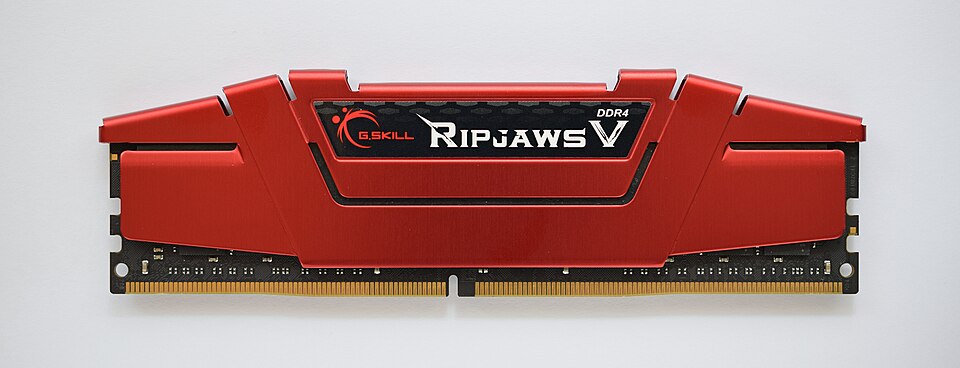 A close-up of DDR4 RAM sticks showing slots, pins, and heat spreaders. (Image: ElooKoN, CC BY-SA 4.0, via Wikimedia Commons)
Based on the PU BE Computer (PU) syllabus for Operating System, unit 5.
Discussion
Loading…