Operating SystemUnit 49 min read
Memory Management: Allocation, Fragmentation, Paging, Segmentation & Thrashing
Unit 4 of Operating System covers how OS manages primary memory (RAM) for processes: allocation strategies (contiguous vs non-contiguous), fragmentation problems, paging/segmentation techniques, virtual memory, and thrashing. Includes real-world examples from eSewa, Daraz, and Ncell systems.
Memory Management: Core Concepts
Why Memory Management?
The OS must allocate memory to processes efficiently while ensuring:
- No process overwrites another (protection).
- No process starves (fairness).
- Memory is used optimally (utilization).
stateDiagram-v2
[*] --> MemoryAllocation: OS starts
MemoryAllocation --> Allocate: Process requests memory
Allocate --> Success: Memory granted
Allocate --> Fail: Not enough memory
Success --> Execute: Process runs
Execute --> Release: Process finishes
Release --> [*]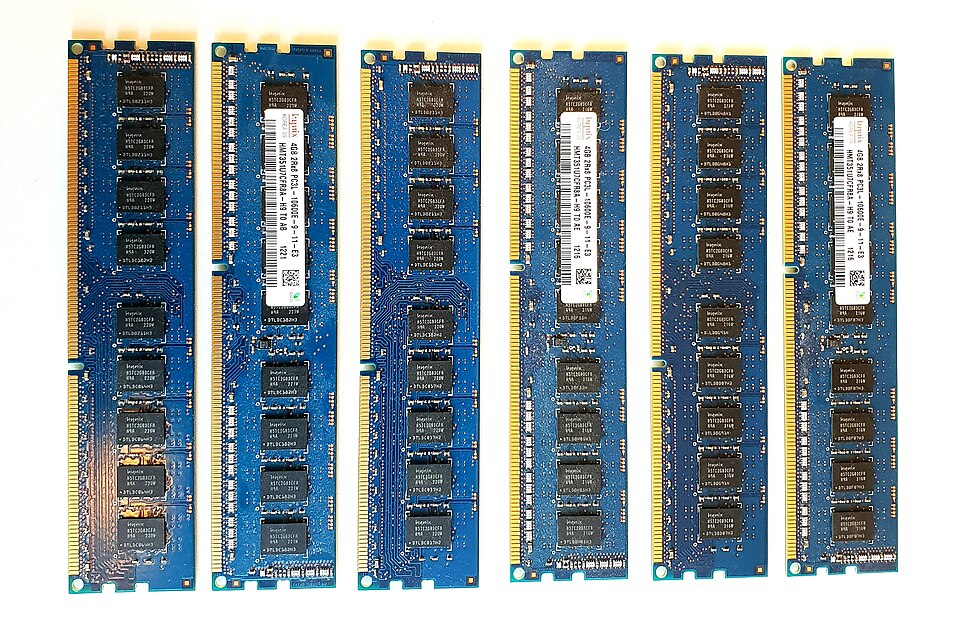 Dual-channel DDR4 sticks in a desktop motherboard (Image: Peter Fiskerstrand, CC BY-SA 4.0, via Wikimedia Commons)
Memory Allocation Strategies
1. Contiguous Allocation
Processes are allocated contiguous blocks of memory. Types:
- Fixed Partitioning: Memory divided into fixed-size blocks (e.g., 100KB, 500KB).
- Variable Partitioning: Blocks grow/shrink as processes arrive/depart.
Allocation Algorithms
| Algorithm | Definition | Example (Partitions: 100, 500, 200, 300, 600 KB) | Pros | Cons |
|---|---|---|---|---|
| First-Fit | Allocate the first block that fits. | Process 212KB → 100KB (no), 500KB (yes). | Fast, simple. | Wastes space (external fragmentation). |
| Best-Fit | Allocate the smallest sufficient block. | Process 212KB → 200KB (best fit). | Minimizes wasted space. | Slower (searches entire list). |
| Worst-Fit | Allocate the largest block. | Process 212KB → 600KB. | Reduces fragmentation? (Debatable). | Wastes more space. |
Worked Example (First-Fit):
Partitions: [100, 500, 200, 300, 600] KB
Processes: 212KB, 417KB, 112KB, 426KB
- 212KB: First fit → 500KB (remaining: 288KB).
- 417KB: Next fit → 600KB (remaining: 183KB).
- 112KB: First fit → 200KB (remaining: 88KB).
- 426KB: No block left → FAIL.
2. Non-Contiguous Allocation
Solves fragmentation by dividing memory into small fixed-size blocks (paging) or logical segments (segmentation).
A. Paging
- Divide memory into fixed-size frames (e.g., 4KB).
- Processes divided into pages (same size as frames).
- Page Table maps virtual pages → physical frames.
Advantages: ✔ No external fragmentation. ✔ Faster allocation (direct frame mapping).
Disadvantages: ✖ Internal fragmentation (wasted space in last page). ✖ Page table overhead.
Real-World Use:
- eSewa App: When you pay bills, the OS uses paging to load different app modules (payment, profile, history) dynamically without crashing.
B. Segmentation
- Divide memory into variable-size segments (e.g., code, data, stack).
- Segment Table maps logical segments → physical memory.
Advantages: ✔ Logical separation (e.g., code vs. data). ✔ No internal fragmentation (segments fit exactly).
Disadvantages: ✖ External fragmentation (gaps between segments). ✖ Slower allocation (must search for contiguous space).
Comparison: Paging vs. Segmentation
| Feature | Paging | Segmentation |
|---|---|---|
| Size | Fixed-size pages | Variable-size segments |
| Fragmentation | Internal only | External only |
| Protection | Per-page (harder to manage) | Per-segment (easier) |
| Use Case | General-purpose OS (Linux) | Language-specific (C++ modules) |
Real-World Use:
- WhatsApp Desktop: Uses segmentation to load different parts of the app (chat window, status, calls) separately, allowing smooth switching without reloading everything.
Fragmentation Problems
1. External Fragmentation
- Definition: Free memory exists but is not contiguous (too small for new processes).
- Cause: Variable partitioning (e.g., after many allocations/deallocations).
Example (Segmentation):
Memory: [Used: 100KB][Free: 50KB][Used: 200KB][Free: 30KB][Used: 150KB]
- Total free = 80KB, but no single block ≥ 50KB → Process of 50KB fails!
Solution:
- Compaction: Shift processes to one end (expensive, pauses system).
- Paging/Segmentation: Avoids external fragmentation.
2. Internal Fragmentation
- Definition: Wasted space inside allocated blocks (e.g., last page of a process).
- Cause: Fixed-size allocation (paging).
Example (Paging):
- Page size = 4KB, process needs 3.5KB → 0.5KB wasted.
Solution:
- Use variable page sizes (complex).
- Accept as trade-off for no external fragmentation.
Virtual Memory
Why?
- Extend RAM with disk (secondary storage).
- Load only active pages (swap unused pages to disk).
How?
- Page Fault: CPU accesses a page not in RAM → OS loads it from disk.
- Page Replacement: If RAM full, evict a page (e.g., LRU, FIFO, Clock).
sequenceDiagram
    participant CPU
    participant OS
    participant RAM
    participant Disk
    CPU->>OS: Access Page X (not in RAM)
    OS->>Disk: Load Page X
    Disk-->>RAM: Page X loaded
    RAM-->>CPU: Page X ready
    Note over OS,Disk: Page Fault Handled
Real-World Use:
- Google Chrome: Uses virtual memory to run multiple tabs smoothly. If RAM runs low, inactive tabs are swapped to disk (slowing down but keeping the system responsive).
Thrashing
Definition
- Excessive page faults → CPU spends more time swapping than executing.
- Cause: Insufficient RAM for active processes.
Symptoms
- Low CPU utilization (always swapping).
- High disk I/O (constant page faults).
Solution
- Increase RAM.
- Reduce active processes (terminate some).
- Better page replacement (e.g., LRU).
Example (Ncell App Crash):
- If your phone runs too many apps (e.g., Facebook, YouTube, WhatsApp), the OS may thrash, causing apps to freeze or crash due to excessive swapping.
In the Real World
eSewa (Nepal)
- Paging: When you pay an electricity bill, eSewa’s backend OS uses paging to load different modules (user login, payment processing, confirmation) without reloading the entire app.
- Segmentation: The app’s code, data, and stack are stored in separate segments for security and efficiency.
Daraz (Nepal/E-commerce)
- Memory Allocation: When you add items to your cart, Daraz’s server allocates memory dynamically using best-fit to ensure no process (e.g., order processing) starves.
- Thrashing Prevention: Daraz’s servers use SSD storage to reduce page fault times, avoiding thrashing during Black Friday sales.
Ncell (Mobile Network)
- Virtual Memory: Your phone’s OS uses virtual memory to run multiple apps (WhatsApp, Instagram, games) smoothly. If RAM is full, inactive apps are swapped to storage.
- Fragmentation: Over time, memory fragmentation can slow down your phone. Ncell’s cloud services (e.g., backup) indirectly rely on efficient memory management to keep data accessible.
Exam Tip
What Examiners Want
- Algorithms: Know how first-fit, best-fit, worst-fit work and when to use each. Always show step-by-step allocation in exams.
- Fragmentation: Differentiate internal vs. external and explain solutions (compaction, paging).
- Paging vs. Segmentation: Compare size flexibility, fragmentation, and use cases.
- Virtual Memory: Explain page faults, replacement policies (LRU, FIFO), and thrashing.
- Real-World Links: Relate concepts to eSewa, Daraz, or Ncell (e.g., "Daraz uses best-fit to avoid memory wastage during peak hours").
Common Mistakes to Avoid
❌ Assuming all algorithms are equally good (best-fit is slower but reduces waste). ❌ Ignoring internal fragmentation in paging (always mention it’s a trade-off). ❌ Forgetting to show steps in allocation examples (examiners want trace tables). ❌ Mixing paging and segmentation (paging = fixed, segmentation = variable).
Model Answer Structure
For a 5-mark question on allocation:
- Define the algorithm (1 mark).
- Show step-by-step allocation (2 marks).
- Compare with other algorithms (1 mark).
- Mention pros/cons (1 mark).
Example Answer (First-Fit):
First-fit allocates the first available memory block that can accommodate the process. For partitions [100, 500, 200, 300, 600] KB and processes [212, 417, 112, 426] KB:
- 212KB → 500KB (remaining: 288KB).
- 417KB → 600KB (remaining: 183KB).
- 112KB → 200KB (remaining: 88KB).
- 426KB → No block left (failure). Pros: Fast, simple. Cons: External fragmentation (e.g., 288KB + 88KB = 376KB free but unusable for a 400KB process).
Based on the TU BCA syllabus for Operating System (CACS251), unit 4.
Discussion
Loading…