Web Technology IIUnit 35 min read
JavaScript: Client-Side Scripting – Variables, Objects, Events, Validation & Canvas
Unit 3 of Web Technology II covers JavaScript’s core client-side features: variable declaration, object creation, event handling, form validation, and the <canvas> element. This note explains syntax, real-world use cases (e.g., eSewa’s form validation), and exam-style code examples with visuals for every concept.
Core Concepts of JavaScript
1. Variables and Data Types
JavaScript uses dynamic typing, meaning variables can hold any data type without explicit declaration. Key types:
- Primitive:
string,number,boolean,null,undefined,symbol,bigint - Non-primitive:
object(e.g., arrays, functions, dates)
classDiagram
    class Variable {
        +name: string
        +value: any
        +type: string
    }
    class DataType {
        <<enumeration>>
        STRING
        NUMBER
        BOOLEAN
        NULL
        UNDEFINED
        OBJECT
    }
    Variable --> DataType : "holds"
Worked Example: Variable Declaration
let age = 20;          // Number
let name = "Ram";      // String
let isStudent = true;  // Boolean
let student = {        // Object
    name: "Ram",
    age: 20,
    hobbies: ["coding", "reading"]
};
Real-World Tie: In eSewa, the user object stores customer details (e.g., user.name, user.email) dynamically for real-time updates.
2. Objects and Methods
Objects group data and functions (methods). Use dot notation or bracket notation to access properties.
stateDiagram-v2
    [*] --> Object: Created
    Object --> Method: Called via object.method()
    Method --> [*]: Returns value/state change
Worked Example: Student Object
const student = {
    name: "Ram",
    age: 20,
    dob: "2003-02-03",
    displayInfo: function() {
        console.log(`Name: ${this.name}, Age: ${this.age}`);
    }
};
student.displayInfo(); // Output: "Name: Ram, Age: 20"
Real-World Tie: Khalti uses objects to store transaction details (e.g., transaction.amount, transaction.status) and methods to update statuses.
3. Form Events and Validation
Forms trigger events like onchange, onfocus, and onsubmit. Client-side validation ensures data correctness before submission.
sequenceDiagram
    User->>Form: Clicks submit
    Form->>JavaScript: Triggers onsubmit()
    JavaScript->>Form: Validates fields
    alt Valid?
        JavaScript->>Server: Submits data
    else Invalid?
        JavaScript->>User: Shows error
    end
Worked Example: Email Validation
function validateEmail(email) {
    const re = /^[^\s@]+@[^\s@]+\.[^\s@]+$/;
    return re.test(email);
}
if (!validateEmail(document.getElementById("email").value)) {
    alert("Invalid email!");
}
Real-World Tie: Daraz validates shipping forms (e.g., checks if address is filled) before processing orders.
4. Exception Handling
Use try...catch...finally to handle runtime errors gracefully.
flowchart TD
    A["Start"] --> B["try { riskyCode }"]
    B --> C{"Error?"}
    C -->|"Yes"| D["catch(error)"]
    C -->|"No"| E["finally { cleanup }"]
    D --> E
    E --> F["End"]
Worked Example: Division by Zero
try {
    let result = 10 / 0;
    console.log(result);
} catch (error) {
    console.error("Error:", error.message); // "Infinity" (but handle as error)
} finally {
    console.log("Operation complete.");
}
5. Canvas Element
The <canvas> element draws graphics via JavaScript. Use getContext("2d") for rendering.
Worked Example: Drawing a Circle
<canvas id="cv1" width="200" height="200"></canvas>
<script>
    const cv = document.getElementById("cv1");
    const ctx = cv.getContext("2d");
    ctx.beginPath();
    ctx.arc(100, 100, 50, 0, Math.PI * 2);
    ctx.stroke();
</script>
Real-World Tie: Pathao uses canvas to render dynamic maps and rider locations in real time.
6. Client-Server Architecture
JavaScript runs on the client side, while PHP/Node.js handles server logic. Key architectures:
| Type | Description | Example Use Case |
|---|---|---|
| Thin Client | Minimal client logic | eSewa’s payment form |
| Thick Client | Heavy client-side processing | Google Docs (offline editing) |
| Hybrid | Balanced client-server tasks | WhatsApp (client renders UI) |
Real-World Tie: Ncell’s app uses JavaScript for UI (e.g., call logs) but relies on the server for billing data.
In the Real World
- eSewa: Uses JavaScript for client-side validation (e.g., checking if
account_numberis 8 digits before submission). - Khalti: Employs objects to store transaction metadata (e.g.,
transaction.id,transaction.timestamp) and canvas for dynamic QR code generation. - Daraz: Validates form events (e.g.,
onchangefor product quantity) to prevent invalid orders.
Exam Tip
- Code Structure: Always include
<script>tags or external.jsfiles. Useconsole.log()for debugging. - Validation: Prioritize regex for emails/passwords and length checks for fields (e.g.,
username.length >= 8). - Canvas: Remember
getContext("2d")and methods likefillRect(),arc(). - Objects: Use
thiscorrectly in methods (e.g.,this.namein object literals). - Error Handling: Test edge cases (e.g.,
nullinputs, division by zero).
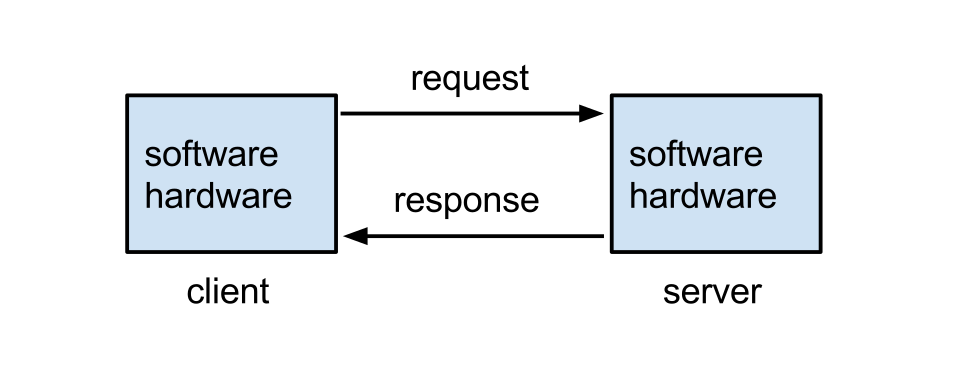 Thin vs. thick client models (Image: Lubaochuan, CC BY-SA 4.0, via Wikimedia Commons)
Based on the TU BIT syllabus for Web Technology II (BIT301), unit 3.
Discussion
Loading…