Cloud ComputingUnit 222 min read
Cloud Architecture: Models, Layers, Service Types & Deployment
Unit 2 of Cloud Computing explores the foundational architecture of cloud systems, covering cloud service models (IaaS, PaaS, SaaS), deployment models (public, private, hybrid), the 5-layer cloud architecture (front-end, application, platform, infrastructure, back-end), and real-world examples like how eSewa uses SaaS
TAKEAWAYS:
- Cloud architecture is built on three service models (IaaS, PaaS, SaaS) and four deployment models (public, private, hybrid, community), each with distinct use cases.
- The 5-layer cloud architecture (front-end, application, platform, infrastructure, back-end) defines how cloud resources are organized and accessed.
- Virtualization enables multi-tenancy and resource pooling, a core principle of cloud infrastructure.
- Hybrid clouds combine public and private clouds for security and scalability, as seen in Nepal’s banking sector.
- APIs and middleware act as bridges between cloud layers, enabling seamless integration of services.
- Cost, scalability, and security are key trade-offs when choosing between deployment models.
1. Cloud Service Models: IaaS, PaaS, SaaS
Cloud computing delivers services over the internet in three primary models, each offering different levels of control and management. These models are stacked like layers, with IaaS being the most basic and SaaS the most user-friendly.
1.1 Infrastructure as a Service (IaaS)
Definition: IaaS provides virtualized computing resources over the internet. Users rent virtual machines (VMs), storage, networks, and operating systems without managing the physical hardware.
How it works:
- Users access virtualized hardware (CPU, RAM, storage) via APIs or web portals.
- The cloud provider manages the physical infrastructure (servers, data centers, networking).
- Users install their own OS, middleware, and applications.
Real-world example:
- Ncell’s network infrastructure relies on IaaS to host its 4G/5G core network functions. Instead of maintaining physical servers, Ncell uses cloud-based VMs to manage call routing, SMS gateways, and customer data. This allows Ncell to scale during peak usage (e.g., during festivals like Dashain) without investing in additional hardware.
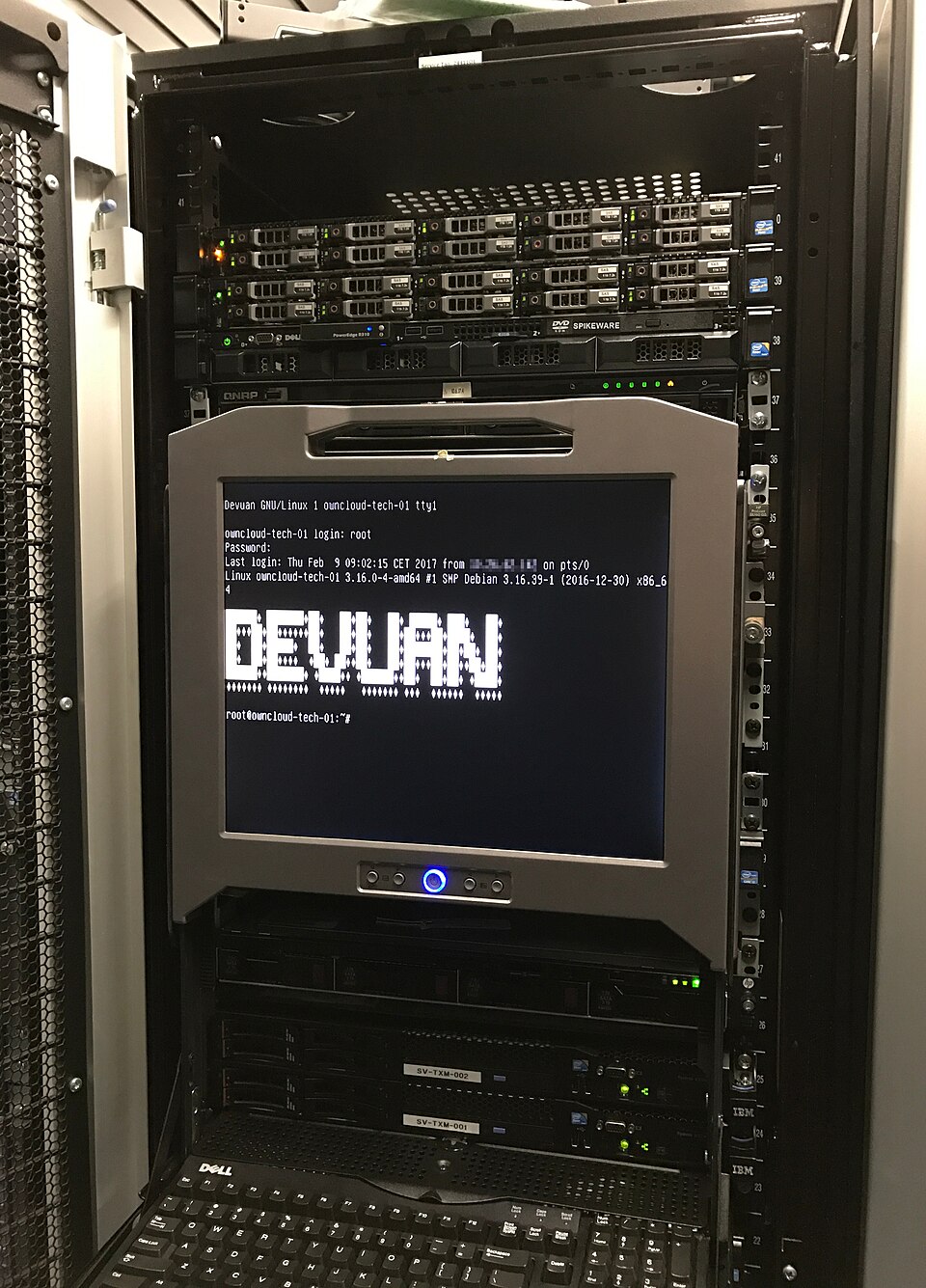 Ncell’s cloud-hosted 4G core network infrastructure (example: AWS or Azure VMs) (Image: Francesco Magno, CC BY-SA 4.0, via Wikimedia Commons)
**Worked example: Scaling a Daraz order queue**
Daraz, Nepal’s largest e-commerce platform, uses IaaS to handle **millions of orders during sales events** (e.g., 11.11 or Dashain). During a sale:
1. Daraz’s system detects a **spike in orders** (e.g., 10x normal traffic).
2. The IaaS provider (e.g., AWS) **automatically spins up additional VMs** to process orders.
3. Each VM runs a **dedicated order-processing microservice**, reducing latency.
4. After the spike, unused VMs are **decommissioned** to save costs.
sequenceDiagram
  participant User as Customer
  participant Daraz as Daraz Website
  participant IaaS as AWS IaaS (Auto-scaling)
  participant VM1 as VM (Order Service 1)
  participant VM2 as VM (Order Service 2)

  User->>Daraz: Places order (spike detected)
  Daraz->>IaaS: Request +10 VMs
  IaaS->>VM1: Spin up VM1
  IaaS->>VM2: Spin up VM2
  VM1->>Daraz: Process order 1
  VM2->>Daraz: Process order 2
  Daraz-->>User: Order confirmed
  IaaS->>VM1: Terminate (post-spike)
Advantages of IaaS:
- Cost-effective: Pay only for what you use (e.g., Daraz pays for VMs only during sales).
- Scalability: Instantly scale up/down (e.g., Ncell during festivals).
- Flexibility: Deploy any OS or application.
Disadvantages:
- Management overhead: Users must handle OS, middleware, and runtime.
- Security risks: Users are responsible for data security (e.g., encrypting customer data in Daraz’s VMs).
1.2 Platform as a Service (PaaS)
Definition: PaaS provides a platform (runtime, libraries, tools) for developers to build, test, and deploy applications without managing infrastructure.
How it works:
- Developers focus on application logic (e.g., writing code in Python/Java).
- The cloud provider manages OS, middleware, runtime, and infrastructure.
- Examples: Google App Engine, Heroku, Microsoft Azure App Service.
Real-world example:
- eSewa’s payment gateway uses PaaS to develop and deploy its mobile payment app. Developers at eSewa:
- Write code in Node.js (runtime provided by PaaS).
- Use pre-installed databases (e.g., PostgreSQL) for transaction records.
- Deploy updates without managing servers, reducing downtime.
Worked example: Deploying a Kathmandu traffic management app Imagine a startup building an app to optimize traffic routes in Kathmandu using real-time data. With PaaS:
- The app uses Google Maps API (provided by PaaS) for location data.
- The backend runs on Firebase (PaaS), handling user logins and route calculations.
- Developers do not manage servers—Google handles scaling and security.
```mermaid
classDiagram
  class User {
    +login()
    +requestRoute()
  }
  class PaaS {
    +Google Maps API
    +Firebase Auth
    +Auto-scaling
  }
  class TrafficApp {
    +calculateRoute()
    +updateUI()
  }
  User --> TrafficApp : uses
  TrafficApp --> PaaS : hosted on
Advantages of PaaS:
- Faster development: Pre-installed tools (e.g., databases, SDKs).
- No infrastructure management: Focus on coding, not servers.
- Collaboration: Built-in version control (e.g., Git integration in Heroku).
Disadvantages:
- Vendor lock-in: Apps may depend on PaaS-specific features.
- Limited control: Cannot customize the underlying OS or runtime.
1.3 Software as a Service (SaaS)
Definition: SaaS delivers ready-to-use software applications over the internet. Users access the software via a web browser or app, with no installation or management required.
How it works:
- The cloud provider hosts the entire application (e.g., email, CRM, ERP).
- Users pay a subscription fee (e.g., monthly/yearly).
- Examples: Gmail, WhatsApp, Salesforce, Microsoft 365.
Real-world example:
- Khalti’s payment service is a SaaS product. Merchants (e.g., Daraz, Foodmandu) integrate Khalti’s API into their apps without hosting any servers. Khalti manages:
- Security (PCI-DSS compliance for transactions).
- Scalability (handling 10,000+ transactions per second during Dashain).
- Updates (e.g., adding UPI or crypto payments).
Worked example: NTC’s SaaS-based billing system The Nepal Telecommunications Company (NTC) uses a SaaS-based billing system (e.g., Amdocs or Oracle) to:
- Generate monthly bills for 5 million+ customers.
- Process prepaid/postpaid top-ups via USSD or mobile app.
- Handle customer queries via an integrated CRM.
- NTC does not maintain servers—the SaaS provider does.
- NTC pays a monthly fee per user, reducing IT costs by 60%.
Advantages of SaaS:
- Zero maintenance: No updates or patches needed.
- Accessibility: Available from any device with an internet connection.
- Cost savings: No hardware or software licensing costs.
Disadvantages:
- Limited customization: Features are predefined by the provider.
- Dependency on internet: Offline access may be limited.
- Data privacy concerns: Sensitive data (e.g., Khalti transactions) is stored on third-party servers.
Comparison Table: IaaS vs. PaaS vs. SaaS
| Feature | IaaS | PaaS | SaaS |
|---|---|---|---|
| Control Level | High (user manages OS/apps) | Medium (user manages apps) | Low (user accesses software) |
| Management | User manages OS, middleware | Provider manages OS/runtime | Provider manages everything |
| Use Case | Hosting VMs, big data | Developing custom apps | Ready-to-use apps (e.g., Gmail) |
| Examples | AWS EC2, Azure VMs | Heroku, Google App Engine | Salesforce, Khalti |
| Cost Model | Pay per VM/storage | Pay per app deployment | Pay per user/subscription |
| Scalability | Manual or auto-scaling | Auto-scaling (limited) | Provider-managed |
2. Cloud Deployment Models
Cloud deployment models define where and how cloud resources are hosted. The choice depends on security, cost, and compliance needs.
2.1 Public Cloud
Definition: Services are delivered over the public internet by third-party providers (e.g., AWS, Google Cloud, Microsoft Azure).
How it works:
- Resources are shared among multiple tenants (multi-tenancy).
- The provider manages hardware, software, and security.
- Users pay on-demand (e.g., per hour/minute).
Real-world example:
- Pathao’s ride-hailing platform runs on a public cloud (AWS). Why?
- Cost-efficiency: Pathao pays only for the VMs it uses during peak hours (e.g., 6–9 PM in Kathmandu).
- Global scalability: AWS data centers in Singapore and Virginia ensure low latency for Nepali users.
- Disaster recovery: If a server fails in Nepal, AWS automatically reroutes traffic to another region.
Advantages:
- Low cost: No upfront investment in hardware.
- Scalability: Instantly scale up/down (e.g., Pathao during New Year’s Eve).
- High availability: Providers offer 99.99% uptime (e.g., AWS SLA).
Disadvantages:
- Security risks: Shared infrastructure may pose privacy concerns (e.g., government data in public cloud).
- Vendor lock-in: Migrating between providers (e.g., AWS to Azure) can be complex.
2.2 Private Cloud
Definition: Cloud infrastructure is dedicated to a single organization, hosted on-premises or by a third party.
How it works:
- Resources are not shared with other organizations.
- The organization has full control over security, compliance, and customization.
- Higher upfront costs but better performance and security.
Real-world example:
- Nepal Rastra Bank (NRB) uses a private cloud to manage financial transaction data. Why?
- Regulatory compliance: Banking data must comply with Nepal’s Financial Institutions Act.
- Data sovereignty: Sensitive data (e.g., loan records) cannot be stored on foreign servers.
- Custom security: NRB implements biometric authentication and blockchain-based auditing, which public clouds cannot easily support.
Worked example: NEPSE’s private cloud for stock trading The Nepal Stock Exchange (NEPSE) uses a private cloud to:
- Host its trading platform (e.g., NEPSE Connect).
- Process real-time stock transactions (e.g., 10,000+ trades per second during IPOs).
- Ensure audit trails for regulatory reporting.
- Why not public cloud?
- Public clouds cannot guarantee sub-100ms latency required for high-frequency trading.
- Security risks: Hackers could manipulate stock prices if data is exposed.
- Why not public cloud?
Advantages:
- Enhanced security: No shared infrastructure.
- Customization: Tailor the cloud to specific needs (e.g., NRB’s biometric login).
- Compliance: Meets strict regulatory requirements (e.g., GDPR, Nepal’s data laws).
Disadvantages:
- High cost: Requires significant upfront investment.
- Maintenance overhead: The organization must manage updates and security patches.
2.3 Hybrid Cloud
Definition: A combination of public and private clouds, connected via secure networks (e.g., VPN).
How it works:
- Sensitive data (e.g., customer records) stays in the private cloud.
- Non-sensitive workloads (e.g., web hosting, analytics) run in the public cloud.
- Data and applications are seamlessly integrated.
Real-world example:
- Global IME Bank’s hybrid cloud strategy:
- Private cloud: Stores customer loan data and KYC documents (compliance with Nepal’s banking laws).
- Public cloud (AWS): Hosts mobile banking apps and customer support chatbots.
- Integration: When a customer applies for a loan via the mobile app (public cloud), the system securely transfers data to the private cloud for processing.
```mermaid
flowchart TD
  A[Customer] -->|Mobile App| B[Public Cloud: AWS]
  B -->|API Call| C[Hybrid Gateway]
  C -->|Secure Tunnel| D[Private Cloud: Loan Processing]
  D -->|Approval| C
  C -->|Result| B
  B -->|Notification| A
Worked example: Kathmandu Metropolitan City’s hybrid cloud for traffic management KMC uses a hybrid cloud to:
- Public cloud: Host real-time traffic cameras (streamed via YouTube or KMC’s website).
- Private cloud: Store sensitive data (e.g., license plate records for stolen vehicles).
- Integration: When a camera detects a speeding vehicle, the system:
- Checks the private cloud for a stolen vehicle alert.
- If matched, sends an alert to police via a secure API.
Advantages:
- Best of both worlds: Security of private cloud + scalability of public cloud.
- Cost-effective: Only sensitive data requires private cloud resources.
- Flexibility: Move workloads between clouds based on demand.
Disadvantages:
- Complexity: Requires integration tools (e.g., VPNs, APIs).
- Higher management cost: Need expertise in both public and private cloud administration.
2.4 Community Cloud
Definition: A shared cloud infrastructure for a specific community (e.g., government agencies, healthcare providers).
How it works:
- Multiple organizations collaborate to share costs and resources.
- Managed by one or more organizations in the community.
- Example: Healthcare providers sharing a cloud for patient records.
Real-world example:
- Nepal’s COVID-19 response used a community cloud:
- Ministry of Health, Nepal Police, and NGOs shared a private cloud for:
- Patient tracking (via mobile apps).
- Vaccine distribution (real-time inventory).
- Contact tracing (GPS data from infected individuals).
- Why not public cloud?
- Data privacy: Patient records cannot be exposed to third parties.
- Collaboration: Multiple agencies needed shared access with strict permissions.
- Ministry of Health, Nepal Police, and NGOs shared a private cloud for:
Advantages:
- Shared costs: Lower than private cloud.
- Compliance: Meets sector-specific regulations (e.g., healthcare laws).
- Collaboration: Easy data sharing among partners.
Disadvantages:
- Limited flexibility: Customization is restricted to community needs.
- Slow decision-making: Requires consensus among members.
3. Cloud Architecture Layers
Cloud architecture is organized into five layers, each with distinct responsibilities. This layered model ensures modularity, scalability, and security.
```mermaid
layerDiagram
    direction TB
    layer Front-end: Web/Mobile Apps, APIs
    layer Application: Middleware, Business Logic
    layer Platform: OS, Runtime, Databases
    layer Infrastructure: Virtualized Hardware (VMs, Storage, Network)
    layer Back-end: Data Centers, Physical Servers, Security
3.1 Front-End Layer
Components:
- User interfaces: Web browsers, mobile apps, APIs.
- Client-side technologies: HTML, CSS, JavaScript, React, Flutter.
Real-world example:
- WhatsApp Web is the front-end for WhatsApp’s cloud service. When you:
- Open WhatsApp Web in a browser.
- Scan the QR code (authenticates via WhatsApp’s back-end).
- Send a message, the front-end compresses and encrypts the data before sending it to the application layer.
Worked example: eSewa’s front-end eSewa’s mobile app (front-end) uses:
- React Native for cross-platform UI.
- REST APIs to communicate with the back-end.
- Biometric authentication (fingerprint/face ID) for security.
3.2 Application Layer
Components:
- Middleware: Software that connects front-end and back-end (e.g., Apache Kafka, RabbitMQ).
- Business logic: APIs, microservices, workflow engines.
- Authentication: OAuth, JWT, SAML.
Real-world example:
- Khalti’s payment gateway uses the application layer to:
- Validate merchant requests (e.g., check if Daraz is a registered partner).
- Process transactions (e.g., deduct from user’s bank account).
- Generate receipts and send notifications to both parties.
```mermaid
sequenceDiagram
  participant User as Customer
  participant Daraz as Daraz App
  participant KhaltiAPI as Khalti (Application Layer)
  participant Bank as Bank (Back-end)

  User->>Daraz: Selects Khalti payment
  Daraz->>KhaltiAPI: Sends payment request (API call)
  KhaltiAPI->>Bank: Requests fund transfer
  Bank-->>KhaltiAPI: Approves/Rejects
  KhaltiAPI-->>Daraz: Returns success/failure
  Daraz-->>User: Shows confirmation
3.3 Platform Layer
Components:
- Operating systems: Linux, Windows Server.
- Runtimes: Java VM, .NET Core, Node.js.
- Databases: MySQL, MongoDB, Redis.
- Development tools: IDEs, CI/CD pipelines.
Real-world example:
- Ncell’s VoIP service runs on the platform layer:
- Uses Linux-based VMs (IaaS) for call routing.
- Employs Redis for real-time session management.
- Developers use Docker containers to deploy updates without downtime.
3.4 Infrastructure Layer
Components:
- Virtualized hardware: VMs, containers (Docker, Kubernetes).
- Storage: SAN, NAS, cloud storage (S3, Azure Blob).
- Networking: Load balancers, CDNs, VPNs.
Real-world example:
- Daraz’s infrastructure layer during 11.11 sales:
- Auto-scaling: AWS spins up 10,000+ VMs to handle traffic.
- CDN: Cloudflare caches product images globally to reduce latency.
- Database sharding: MongoDB splits data across multiple servers to prevent overload.
3.5 Back-End Layer
Components:
- Data centers: Physical servers, cooling systems.
- Security: Firewalls, encryption, IAM.
- Disaster recovery: Backups, failover systems.
Real-world example:
- NTC’s back-end for 4G networks:
- Data centers in Kathmandu and Pokhara ensure redundancy.
- Encrypted tunnels (IPsec) protect customer data.
- Backup generators keep servers running during power outages.
4. Key Cloud Architecture Principles
4.1 Multi-Tenancy
- Definition: A single instance of a cloud service (e.g., a VM) serves multiple customers (tenants).
- How it works:
- Isolation: Each tenant’s data is logically separated (e.g., via virtualization).
- Resource pooling: Shared infrastructure (e.g., AWS hosts 1M+ VMs on one physical server).
- Example: Google Workspace hosts emails for thousands of businesses on the same servers, with data isolated via encryption.
4.2 Resource Pooling
- Definition: Cloud providers combine resources (CPU, RAM, storage) from multiple physical servers to serve users dynamically.
- Example: Pathao’s ride-matching algorithm uses pooled resources to:
- Assign drivers to riders in real-time.
- Scale up during peak hours (e.g., 8–10 PM in Thamel).
4.3 Rapid Elasticity
- Definition: Cloud resources can scale out (add more servers) or scale in (remove servers) automatically based on demand.
- Example: NEPSE’s trading platform scales up during IPO days (e.g., 100x normal traffic) and scales down afterward.
4.4 Measured Service
- Definition: Cloud services meter usage (e.g., CPU hours, storage GB) and charge accordingly.
- Example: AWS billing for a VM:
- Cost: $0.05 per hour for a t2.micro instance.
- Usage: 720 hours/month = $36.
5. Cloud Architecture Diagrams
5.1 OSI Model vs. Cloud Architecture
While the OSI model defines networking layers, cloud architecture focuses on service delivery. Here’s how they compare:
| Cloud Layer | OSI Layer Equivalent | Key Components |
|---|---|---|
| Front-end | Application (Layer 7) | Web apps, APIs, UI |
| Application | Presentation (Layer 6) | Middleware, business logic |
| Platform | Session (Layer 5) | OS, runtime, databases |
| Infrastructure | Network (Layer 3) | VMs, storage, networking |
| Back-end | Physical (Layer 1/2) | Servers, data centers, hardware |
5.2 Cloud Topology: How Data Flows
```mermaid
graph TD
    A[User] -->|HTTPS| B[Front-end: React App]
    B -->|API Call| C[Application: Node.js]
    C -->|Database Query| D[Platform: PostgreSQL]
    D -->|Storage Request| E[Infrastructure: AWS S3]
    E -->|Data| F[Back-end: Data Center]
    F -->|Response| E
    E --> D
    D --> C
    C --> B
    B --> A
In the Real World
eSewa’s SaaS Model:
- Idea used: SaaS for payment processing.
- How: eSewa provides a ready-to-use payment API that merchants (e.g., Daraz, Foodmandu) integrate into their apps without hosting any servers. eSewa manages security, fraud detection, and compliance (e.g., PCI-DSS).
Ncell’s Hybrid Cloud for 5G:
- Idea used: Hybrid cloud for core network functions.
- How: Ncell uses a private cloud for billing and customer data (security) and a public cloud (AWS) for 5G base stations (scalability). During Diwali, when call volumes spike, AWS auto-scales to handle 10x normal traffic.
Pathao’s IaaS for Ride-Matching:
- Idea used: IaaS + Auto-scaling.
- How: Pathao runs its ride-matching algorithm on AWS EC2 VMs. During New Year’s Eve, when demand peaks:
- AWS detects high CPU usage.
- Automatically adds 500+ VMs to process requests.
- After midnight, scales down to save costs.
Exam Tip
- Memorize the 3 service models (IaaS, PaaS, SaaS) and their key differences (control, management, use cases). Always relate to real examples (e.g., Khalti = SaaS, Ncell’s VMs = IaaS).
- Deployment models: Know when to use public (cost), private (security), hybrid (best of both), or community (shared needs). Nepal-specific examples (NRB = private, NEPSE = hybrid) are high-value answers.
- Cloud layers: Draw the 5-layer diagram and label each layer with one real-world component (e.g., "Front-end: WhatsApp Web").
- Worked examples: Exams often ask for scenario-based questions (e.g., "How would Daraz scale during 11.11?"). Always mention auto-scaling, load balancers, and cost optimization.
- Diagrams: Be ready to sketch:
- Service model comparisons (table).
- Deployment model workflows (e.g., hybrid cloud for NEPSE).
- Layered architecture (front-end to back-end).
- Common pitfalls:
- Confusing PaaS and IaaS (PaaS includes runtime, IaaS does not).
- Forgetting security trade-offs (e.g., public cloud = less secure but cheaper).
- Not linking theory to Nepal-specific cases (examiners love this!).
Based on the TU BIT syllabus for Cloud Computing, unit 2.
Discussion
Loading…