Business Data Communication and NetworkingUnit 88 min read
Wireless & Mobile Networks: Tech, Protocols & Business Apps
Unit 8 of Business Data Communication and Networking explores wireless technologies (Wi-Fi, Bluetooth, cellular), mobile networks (GSM/5G), and their business applications, including security challenges and real-world deployments like eSewa and Ncell.
Key Concepts & Technologies
Wireless Communication Basics
Wireless communication transmits data without physical cables using electromagnetic waves (radio, microwave, infrared). Key components:
- Transmitter: Converts data into signals (e.g., router, smartphone).
- Medium: Air (radio waves, microwaves).
- Receiver: Decodes signals (e.g., laptop, IoT device).
graph TD
  A["Wireless Communication"] --> B["Components"]
  A --> C["Types"]
  A --> D["Challenges"]
  B --> B1["Transmitter: Router/Smartphone"]
  B --> B2["Medium: Air (Radio/Microwave Waves)"]
  B --> B3["Receiver: Laptop/IoT Device"]
  C --> C1["Wi-Fi: IEEE 802.11 (Local Area)"]
  C --> C2["Bluetooth: Short-range (IoT, Headsets)"]
  C --> C3["Cellular: GSM/5G (Wide Area)"]
  D --> D1["Interference: Signal Overlap"]
  D --> D2["Latency: Delay in Data Transfer"]
  D --> D3["Security: Encryption Needed"]
Simplified wireless communication components and types (color-coded for clarity)
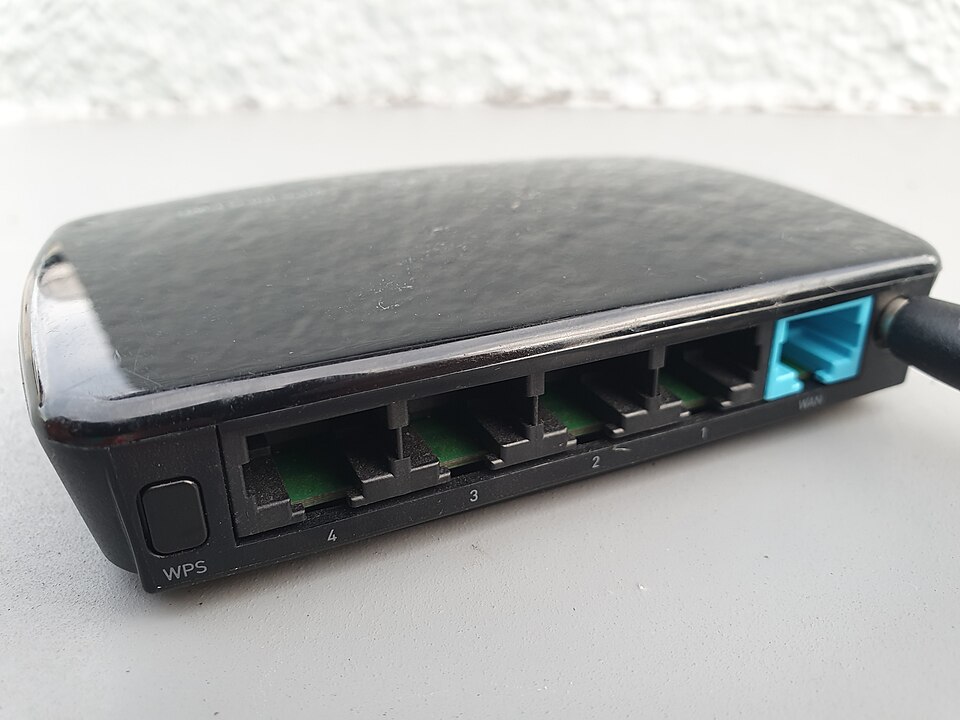 A typical home Wi-Fi router showing antennas, Ethernet ports, and LED indicators. (Image: Syced, CC0, via Wikimedia Commons)
Wi-Fi (IEEE 802.11 Standards)
Wi-Fi uses radio waves (2.4 GHz/5 GHz) for local area networking. Key standards:
| Standard | Speed (Mbps) | Frequency | Use Case |
|---|---|---|---|
| 802.11b | 11 | 2.4 GHz | Basic home networking |
| 802.11g | 54 | 2.4 GHz | Older devices |
| 802.11n | 600 | 2.4/5 GHz | HD streaming |
| 802.11ac | 3,466 | 5 GHz | 4K video, gaming |
| 802.11ax | 9,600 | 2.4/5/6 GHz | IoT, smart homes |
Worked Example: eSewa Wi-Fi Login When you log in to eSewa via Wi-Fi at a café:
- Your phone sends a probe request to nearby access points (APs).
- The café’s AP (e.g., TP-Link Archer C7) responds with its SSID (eSewa_Cafe).
- You authenticate via WPA3-Enterprise (secure encryption).
- Data travels via 802.11ac (5 GHz) to the café’s router, then to eSewa’s server.
Bluetooth & Near-Field Communication (NFC)
- Bluetooth: Short-range (10m), low power (used in Khalti QR payments, wireless headsets).
- NFC: Ultra-short range (<10 cm), used in contactless cards (e.g., Nepal Rastra Bank’s digital wallets).
flowchart TD
  A["Bluetooth Device\n(e.g., Headset)"] -->|"Pairing"| B["Smartphone\n(Bluetooth Module)"]
  B -->|"Data Transfer"| C["Audio/Files\n(2.1 Mbps)"]
  D["NFC Tag\n(e.g., Payment Card)"] -->|"Tap"| E["POS Terminal\n(NFC Reader)"]
  E -->|"Transaction"| F["Bank Server\n(Encrypted)"]
Cellular Networks (GSM to 5G)
Cellular networks use frequency bands divided into cells (each served by a base station). Evolution:
| Generation | Speed (Mbps) | Latency (ms) | Key Feature | Example Use Case |
|---|---|---|---|---|
| 2G (GSM) | 0.1 | 200-500 | Voice, SMS | Ncell basic calls |
| 3G | 14 | 50-100 | Mobile internet | Daraz mobile app |
| 4G (LTE) | 1,000 | 10-50 | HD video, VoLTE | Pathao ride-hailing |
| 5G | 10,000+ | 1-10 | IoT, AR/VR | NTC smart cities |
Worked Example: Pathao Driver’s 4G Connection
- A Pathao driver’s phone connects to a 4G LTE base station (e.g., Nepal Telecom’s 1800 MHz tower).
- The phone sends GPS coordinates via TCP/IP to Pathao’s server.
- The server matches the driver with a nearby rider using geohashing.
- Real-time updates (e.g., "30 seconds away") use WebSockets for low latency.
Wireless Security Threats & Solutions
| Threat | Description | Solution |
|---|---|---|
| Eavesdropping | Unauthorized data capture | WPA3 encryption, VPNs |
| Rogue APs | Fake access points | MAC filtering, 802.1X authentication |
| Man-in-the-Middle | Intercepted data (e.g., Khalti login) | HTTPS, certificate pinning |
| Jamming | Disrupting signals | Frequency hopping (Bluetooth) |
Real-World Case: Ncell’s 4G Security Ncell uses:
- AES-256 encryption for voice/data.
- SIM card authentication (GSM’s A3/A8 algorithm).
- Deep packet inspection to block malicious traffic.
Mobile Network Architectures
Two main architectures:
- Client-Server (Internet): Devices (clients) connect to centralized servers (e.g., eSewa’s backend).
- Peer-to-Peer (P2P): Devices communicate directly (e.g., WhatsApp calls via WebRTC).
graph TD
  subgraph Client-Server
    A[Client Device
    (e.g., Smartphone)] -->|"HTTP/HTTPS"| B[Server
    (e.g., eSewa Backend)]
  end
  subgraph Peer-to-Peer
    C[Peer 1
    (e.g., WhatsApp User)] -->|"WebRTC"| D[Peer 2
    (e.g., WhatsApp User)]
  end
Client-server vs. P2P architecture comparison (color-coded)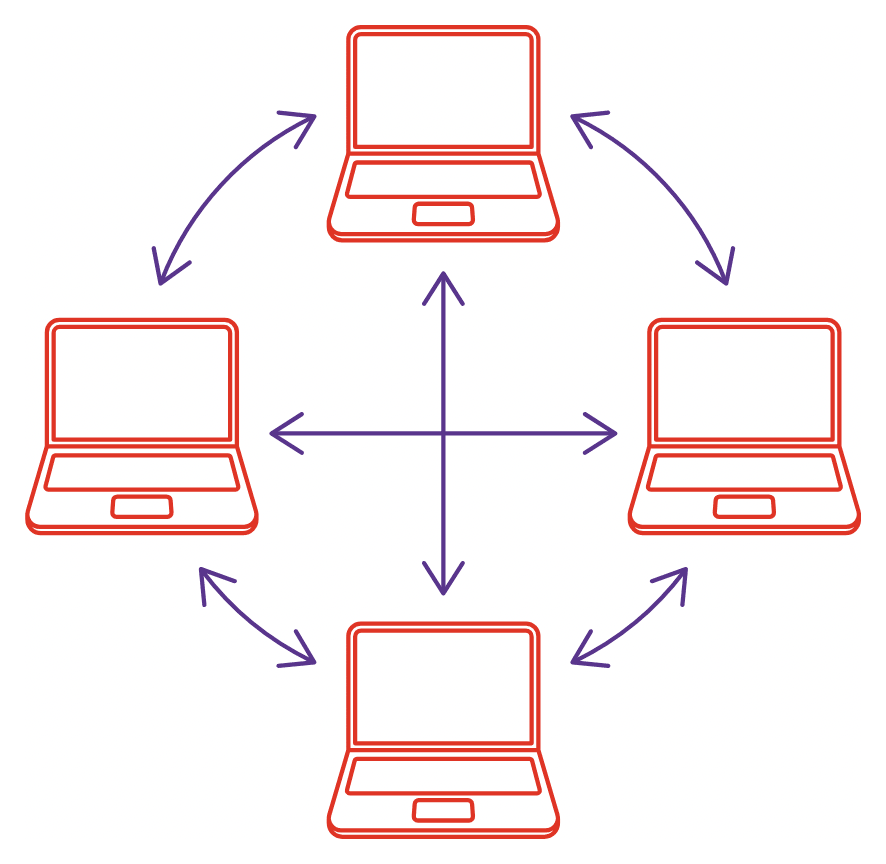 A P2P network showing direct device communication. (Image: Anselm Vollprecht (cite source: „Und jetzt zus@mmen. Dein Ei, CC BY-SA 4.0, via Wikimedia Commons)
Wireless Applications in Nepal
| Company/Product | Technology Used | Business Impact |
|---|---|---|
| eSewa | Wi-Fi, HTTPS, GSM | Secure mobile payments via QR codes |
| Khalti | NFC, Bluetooth, 4G | Contactless transactions at Daraz |
| NTC Smart Cities | 5G, IoT, LoRaWAN | Traffic management via sensors |
| Pathao | GPS, 4G LTE, WebSockets | Real-time ride tracking |
| Nabil Bank | Wi-Fi Direct, Tokenization | Secure branchless banking |
Exam Tip
- Compare Wi-Fi vs. Cellular: Focus on range, speed, and use cases (e.g., Wi-Fi for LAN, 5G for IoT).
- Security: Always mention encryption (WPA3, AES) and authentication (802.1X, SIM cards).
- Real-World Scenarios: Link theories to eSewa, Khalti, or NTC (e.g., "How does Pathao use 4G for low-latency updates?").
- Diagrams: Draw OSI layer traces for wireless (e.g., Wi-Fi at Data Link/Physical layers).
- Shortcomings: Know limitations (e.g., Bluetooth’s range, 5G’s high cost).
In the Real World
- eSewa’s Wi-Fi Login: Uses 802.11ac for secure authentication at cyber cafés. If the café’s AP is misconfigured (e.g., WEP instead of WPA3), hackers can intercept login credentials via packet sniffing.
- Khalti’s NFC Payments: When you tap your phone on a Daraz kiosk, the NFC chip in your phone securely transmits payment details to the merchant’s terminal using EMVCo standards. This avoids manual PIN entry, reducing fraud.
- NTC’s 5G Pilot in Kathmandu: NTC’s 5G testbed in Thapathali uses beamforming to direct signals to specific devices (e.g., a smart traffic light). This reduces interference and improves latency for real-time data from sensors.
Case Study: Daraz’s Mobile Supply Chain Daraz uses wireless networks for:
- Warehouse IoT: LoRaWAN tracks inventory in real time (low-power, long-range).
- Driver Tracking: 4G LTE-M updates delivery status to customers.
- Customer Support: Wi-Fi Direct enables instant file sharing for returns.
graph TD
  subgraph Daraz Systems
    A[LoRaWAN Sensors
    (Warehouse)] -->|"Inventory Data"| B[Cloud Server
    (AWS)]
    C[4G LTE-M
    (Driver Device)] -->|"GPS/Status"| D[Customer App
    (WebSockets)]
    E[Customer Device
    (Wi-Fi/4G)] -->|"Return Request"| F[Support Agent
    (VoIP)]
  end
Daraz's wireless ecosystem (color-coded by system type)Based on the TU BITM syllabus for Business Data Communication and Networking (IT240), unit 8.
Discussion
Loading…