Computer ScienceUnit 111 min read
Database Management System & SQL: Concepts, DBMS, SQL Queries & Design
Unit 1 of Computer Science covers database fundamentals, DBMS architecture, SQL commands, and database design principles—essential for managing data efficiently in real-world applications like student records or inventory systems.
```mermaid
mindmap
  root((Database Management System))
    Concepts
      Definition
      Features
      Types
    DBMS Architecture
      Users
      Database
      Software
      Hardware
    Data Models
      Hierarchical
      Network
      Relational
      Object-Oriented
    SQL Basics
      DDL
      DML
      DCL
      TCL
    Database Design
      ER Model
      Normalization
      Constraints
    Applications
      Banking
      Airlines
      Schools
What is a Database?
A database is an organized collection of structured data stored electronically. Think of it like a digital filing cabinet where you store and retrieve information efficiently.
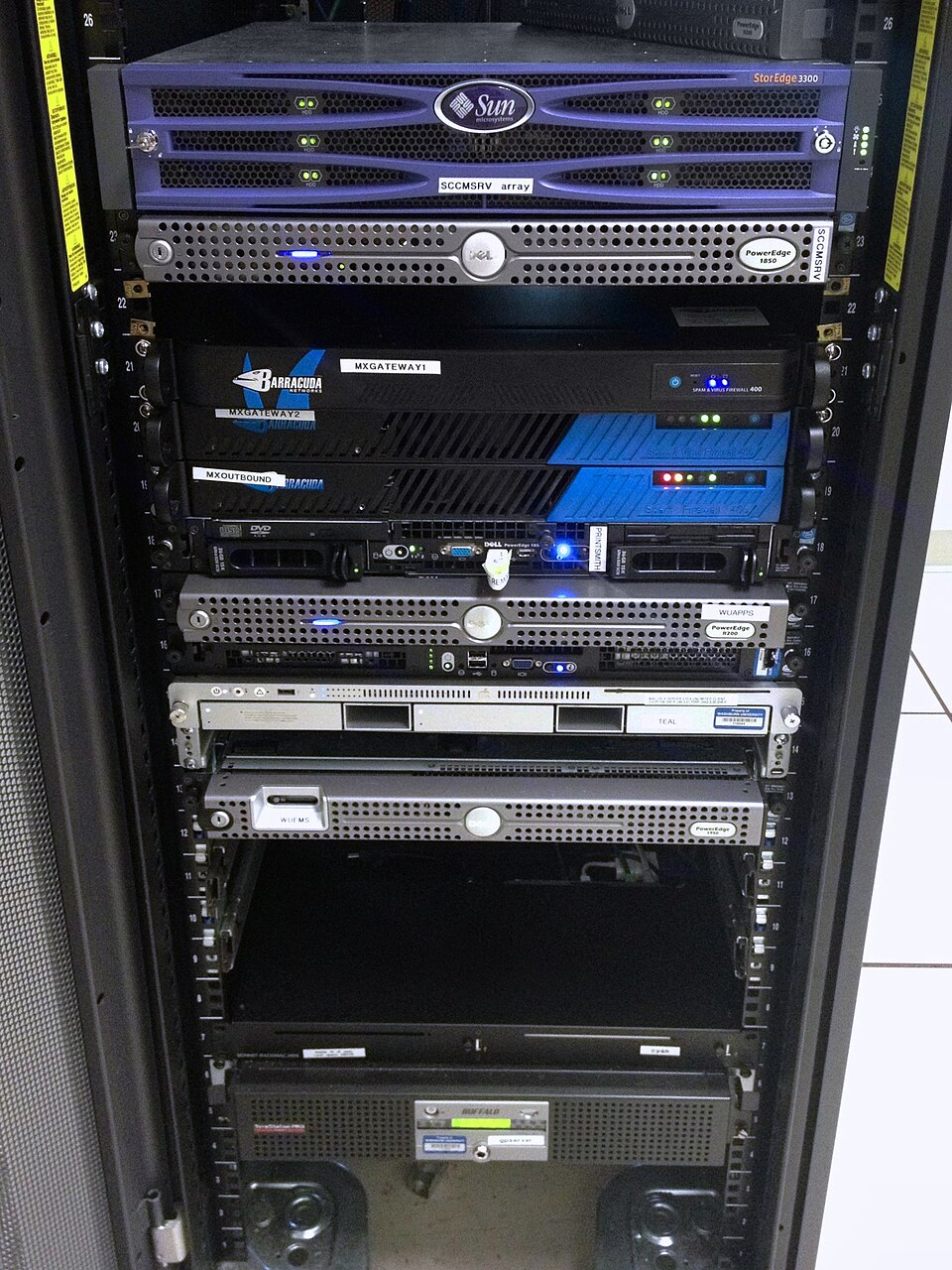 Database server hardware (Image: Aaron Hall, CC BY-SA 2.0, via Wikimedia Commons)
Why Use a Database?
- Organized Data: Data is stored systematically, making it easy to access.
- Reduces Redundancy: Avoids duplicate data.
- Data Integrity: Ensures accuracy and consistency.
- Security: Controls access to sensitive data.
- Efficient Retrieval: Faster search and updates compared to manual files.
Example: Instead of keeping student records in separate notebooks, a school can store them in a database where teachers, admins, and students can access grades, attendance, and personal details quickly.
What is a Database Management System (DBMS)?
A DBMS is software that helps create, manage, and manipulate databases. It acts as an interface between users and the database.
Key Functions of DBMS
- Data Definition: Creates and modifies database structure.
- Data Storage: Stores data efficiently.
- Data Manipulation: Inserts, updates, and deletes data.
- Data Retrieval: Fetches data based on queries.
- Security & Backup: Protects data from unauthorized access and ensures recovery in case of failures.
Example: MySQL, Oracle, and Microsoft Access are popular DBMS tools.
Types of Databases
Databases can be classified based on their structure and use:
| Type | Description | Example |
|---|---|---|
| Hierarchical | Data is stored in a tree-like structure (parent-child relationship). | IBM IMS |
| Network | More flexible than hierarchical; allows many-to-many relationships. | CODASYL |
| Relational | Data stored in tables (relations) with rows and columns. | MySQL, PostgreSQL, Oracle |
| Object-Oriented | Stores data as objects (like in programming). | db4o, ObjectDB |
| NoSQL | Non-relational, scalable for big data (e.g., JSON, key-value pairs). | MongoDB, Cassandra |
Visual Comparison:
Relational Database Model (Most Important for NEB!)
A relational database stores data in tables (relations) linked by keys.
Key Terms
- Table: A collection of records (rows) and fields (columns).
- Example:
Studentstable with columns:RollNo,Name,Grade.
- Example:
- Primary Key (PK): Uniquely identifies each record (e.g.,
RollNo). - Foreign Key (FK): Links tables (e.g.,
TeacherIDin aClassestable refers toTeacherIDin aTeacherstable). - Attribute: A column in a table (e.g.,
Name,Age).
Example Table:
| RollNo (PK) | Name    | Grade |
|-------------|---------|-------|
| 101         | Ram     | A     |
| 102         | Sita    | B     |
Structured Query Language (SQL)
SQL is the standard language used to interact with relational databases.
SQL Commands Categories
| Category | Commands | Purpose |
|---|---|---|
| DDL | CREATE, ALTER, DROP |
Define database structure. |
| DML | SELECT, INSERT, UPDATE, DELETE |
Manipulate data. |
| DCL | GRANT, REVOKE |
Control access permissions. |
| TCL | COMMIT, ROLLBACK |
Manage transactions. |
SQL Worked Examples
1. Creating a Table (DDL)
CREATE TABLE Students (
    RollNo INT PRIMARY KEY,
    Name VARCHAR(50),
    Grade CHAR(1)
);
Explanation:
Studentsis the table name.RollNois the primary key.VARCHAR(50)means a text field with max 50 characters.CHAR(1)means a single-character field (e.g.,A,B).
2. Inserting Data (DML)
INSERT INTO Students (RollNo, Name, Grade)
VALUES (101, 'Ram', 'A');
Output:
| RollNo | Name | Grade |
|--------|------|-------|
| 101    | Ram  | A     |
3. Selecting Data (Query)
SELECT Name, Grade FROM Students WHERE Grade = 'A';
Output:
| Name | Grade |
|------|-------|
| Ram  | A     |
4. Updating Data
UPDATE Students SET Grade = 'B' WHERE RollNo = 101;
New Output:
| RollNo | Name | Grade |
|--------|------|-------|
| 101    | Ram  | B     |
5. Deleting Data
DELETE FROM Students WHERE RollNo = 101;
Output (after deletion):
(Table is now empty for RollNo = 101.)
Database Design: Entity-Relationship (ER) Model
The ER model visually represents:
- Entities (e.g.,
Student,Teacher). - Attributes (e.g.,
Name,Age). - Relationships (e.g.,
Enrolls,Teaches).
Example ER Diagram for a School:
erDiagram
  STUDENT ||--o{ ENROLLMENT : "takes"
  ENROLLMENT ||--|| COURSE : "enrolled_in"
  TEACHER ||--o{ COURSE : "teaches"
  STUDENT {
    int RollNo PK
    string Name
    string Grade
  }
  COURSE {
    int CourseID PK
    string Title
  }
  TEACHER {
    int TeacherID PK
    string Name
  }
  ENROLLMENT {
    int RollNo FK
    int CourseID FK
    date Date
  }
Key Symbols:
- Rectangle = Entity (e.g.,
Student). - Oval = Attribute (e.g.,
Name). - Diamond = Relationship (e.g.,
Enrolls). - Crow’s Foot (||--o{) = One-to-Many relationship.
Database Normalization
Normalization reduces redundancy and improves data integrity by organizing tables properly.
Normal Forms (NF)
| Normal Form | Rule | Example Violation |
|---|---|---|
| 1NF | Each table cell has a single value (no repeating groups). | Storing multiple phone numbers in one cell. |
| 2NF | Must be in 1NF + no partial dependencies (all non-key fields depend on the full primary key). | OrderID and ItemName depend only on part of a composite key. |
| 3NF | Must be in 2NF + no transitive dependencies (non-key fields depend only on the primary key). | City depends on PostalCode, which depends on Address. |
Example: Converting Unnormalized to 3NF Bad Design (Violates 1NF & 2NF):
| OrderID | Items (Repeating Group) |
|---------|------------------------|
| 1001    | Laptop, Mouse          |
| 1002    | Keyboard               |
Normalized Design (3NF):
Orders (OrderID, OrderDate)
Items (ItemID, ItemName, Price)
OrderDetails (OrderID, ItemID, Quantity)
Constraints in SQL
Constraints enforce rules on data to maintain integrity.
| Constraint | Purpose | Example |
|---|---|---|
| NOT NULL | Ensures a column cannot be empty. | Name VARCHAR(50) NOT NULL |
| UNIQUE | Ensures all values in a column are different. | Email VARCHAR(100) UNIQUE |
| PRIMARY KEY | Uniquely identifies a record. | RollNo INT PRIMARY KEY |
| FOREIGN KEY | Links to a primary key in another table. | TeacherID INT FOREIGN KEY REFERENCES Teachers(TeacherID) |
| CHECK | Ensures data meets a condition. | Grade CHECK (Grade IN ('A', 'B', 'C')) |
| DEFAULT | Sets a default value if none is provided. | Status VARCHAR(20) DEFAULT 'Active' |
Database Transactions (ACID Properties)
A transaction is a single logical operation (e.g., transferring money from one account to another). DBMS ensures ACID properties:
| Property | Meaning | Example |
|---|---|---|
| Atomicity | Transaction is all or nothing (no partial execution). | If money transfer fails, both accounts remain unchanged. |
| Consistency | Database moves from one valid state to another. | Total money before and after transfer remains the same. |
| Isolation | Transactions do not interfere with each other. | Two users cannot update the same record simultaneously without conflicts. |
| Durability | Once committed, changes persist even after system failure. | Bank transactions remain recorded after a power outage. |
Example Transaction:
BEGIN TRANSACTION;
UPDATE Accounts SET Balance = Balance - 1000 WHERE AccountID = 1;
UPDATE Accounts SET Balance = Balance + 1000 WHERE AccountID = 2;
COMMIT; -- Saves changes permanently
-- OR ROLLBACK; -- Undoes changes if error occurs
Applications of DBMS
| Field | Application Example | DBMS Used |
|---|---|---|
| Banking | Customer accounts, transactions. | Oracle, MySQL |
| Airlines | Flight bookings, passenger details. | SQL Server |
| Schools | Student records, attendance. | Microsoft Access |
| E-commerce | Product catalogs, orders. | PostgreSQL |
| Hospitals | Patient records, appointments. | MongoDB (NoSQL) |
Exam Tip: How to Score Full Marks in NEB
Understand Key Concepts:
- Know the difference between DBMS and database.
- Memorize SQL commands (
SELECT,INSERT,JOIN, etc.). - Practice ER diagrams (entities, attributes, relationships).
Practical Questions:
- Write SQL queries for given scenarios (e.g., "Find all students with grade A").
- Design a database for a real-world case (e.g., library management).
- Normalize tables from unstructured data.
Common Mistakes to Avoid:
- ❌ Forgetting
WHEREclause inSELECTqueries. - ❌ Not using proper data types (e.g.,
INTvs.VARCHAR). - ❌ Skipping constraints (e.g.,
PRIMARY KEY,FOREIGN KEY).
- ❌ Forgetting
Diagram-Based Questions:
- Draw ER diagrams clearly with proper symbols.
- Label all entities, attributes, and relationships.
Short Answer Tips:
- For DBMS advantages, list 3-4 points (e.g., "reduces redundancy," "improves security").
- For SQL, always show sample queries in your answer.
Based on the NEB +2 Science syllabus for Computer Science (Comp), unit 1.
Discussion
Loading…