MicroprocessorUnit 58 min read
80286 & 80386: Architecture, Modes, and Advanced Features
Unit 5 of Microprocessor covers the internal architecture of 80286/80386 CPUs, their real mode vs. protected/virtual address modes, segmentation and paging, pipelining, and advanced features like virtual 8086 mode and memory management. Includes comparisons, timing diagrams, and real-world applications in banking and O
Core Concepts: 80286 vs. 80386 Architecture
The 80286 (1982) and 80386 (1985) were Intel’s leap from 16-bit to 32-bit processing, introducing protected memory, virtual addressing, and multitasking support. While the 80286 retained backward compatibility with 8086, the 80386 added paging, floating-point units (FPU), and 32-bit data buses.
1. Internal Architecture: Key Components
Both CPUs share a 4-functional-unit design but differ in addressing modes and data width:
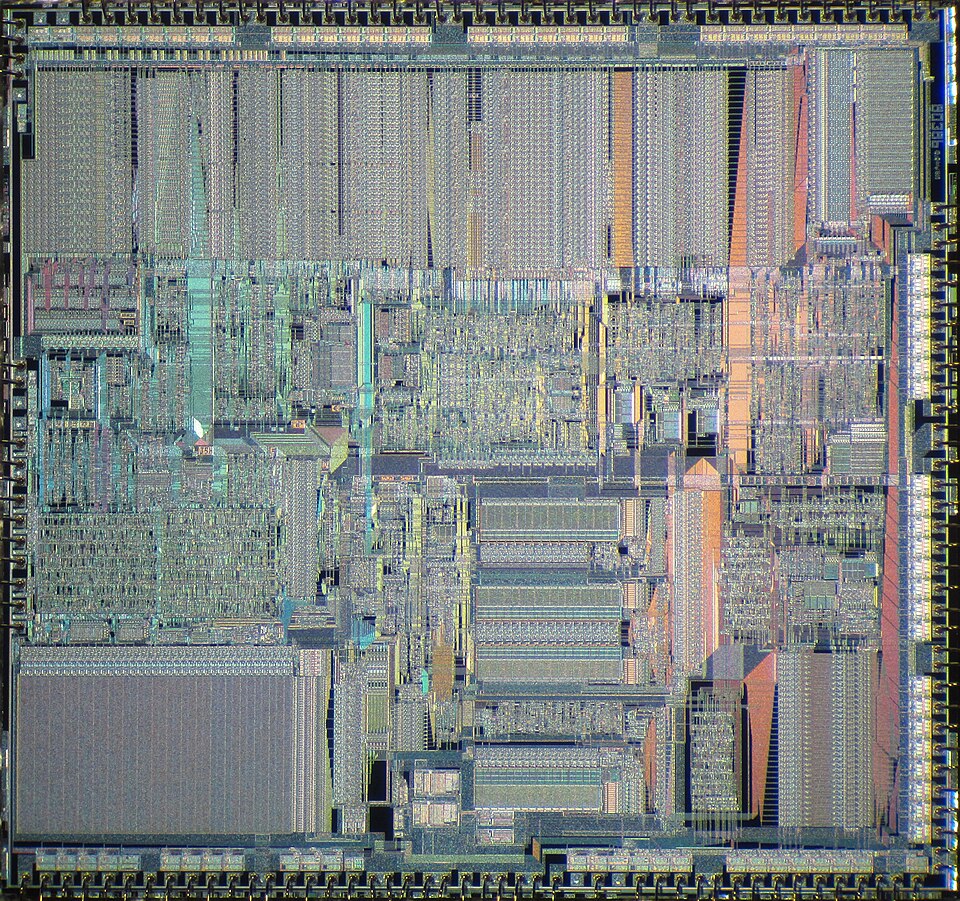 A real die shot showing the 80386’s 275K transistors and 4 main units. (Image: Pauli Rautakorpi, CC BY 3.0, via Wikimedia Commons)
2. Addressing Modes: Real vs. Protected vs. Virtual
A. Real Address Mode (Backward Compatibility)
- Same as 8086: 20-bit physical address space (1 MB), segment:offset addressing.
- Limitation: No memory protection; crashes can corrupt the OS.
- Used in: Legacy DOS applications, bootloaders.
B. Protected Mode (80286+)
Introduces:
- 24-bit physical address bus (16 MB address space).
- Segment descriptors (stored in GDTR/LDTR registers) define base, limit, and access rights.
- Privilege levels (0–3): Ring 0 (kernel), Ring 3 (user apps).
- Virtual 8086 mode: Runs DOS apps safely in Ring 3.
How it works:
- CPU fetches a segment selector (e.g.,
CS=0x10). - Segment descriptor table (GDT/LDT) maps it to a base address and limit.
- Offset is added to the base to get the linear address.
- Paging unit (80386+) translates linear → physical.
sequenceDiagram
    participant CPU
    participant GDT
    participant Memory
    CPU->>GDT: Load CS=0x10 (segment selector)
    GDT-->>CPU: Return base=0x200000, limit=0xFFFF
    CPU->>Memory: Linear Address = Base + Offset
    Memory-->>CPU: Data fetched
C. Virtual 8086 Mode (80286)
- Runs 8086 code in protected mode with memory isolation.
- Used by Windows 3.x, DOS emulators, and virtual machines.
- Example: Running a DOS-based accounting app on Windows 10 (via NTVDM).
3. Memory Management: Segmentation vs. Paging
| Feature | 80286 (Segmentation Only) | 80386 (Segmentation + Paging) |
|---|---|---|
| Address Space | 16 MB (24-bit physical) | 4 GB (32-bit physical) |
| Protection | Yes (descriptors) | Yes (descriptors + page tables) |
| Paging | ❌ No | ✅ Yes (4 KB pages) |
| Use Case | Early multitasking OS (e.g., OS/2) | Modern OS (Windows NT, Linux) |
Paging in 80386
- Page tables map linear addresses to physical frames.
- Page size: 4 KB (configurable in later x86).
- Example: A process at
0x100000(linear) might map to physical0x400000via a page table.
Linear Address: 0x100000
|---------------------|
| Page Directory (32-bit) | Page Table (32-bit) | Offset (12-bit) |
|---------------------|
       0x00001       0x00002       0x0000
- Page Directory Entry (PDE) at index
0x1points to a page table. - Page Table Entry (PTE) at index
0x2gives the physical frame number (0x400000). - Offset (
0x0000) selects the byte within the page.
4. Pipelining in 80386
The 80386 introduced a 5-stage pipeline to overlap instruction execution:
- Fetch: Load instruction from memory.
- Decode: Determine opcode and operands.
- Execute: ALU/FPU operation.
- Memory Access: Read/write data.
- Writeback: Store result to register.
Advantage: ~3x throughput vs. non-pipelined 80286. Disadvantage: Pipeline stalls on branches or data hazards.
5. Advanced Features
A. Floating-Point Unit (FPU) in 80387
- Dedicated 80387 math coprocessor (later integrated into 80486).
- Supports 32/64/80-bit floating-point (IEEE 754).
- Example: Calculating compound interest for a bank loan:
; 80387 FPU code to compute (1 + r)^n
FLD1          ; Load 1.0
FLD r         ; Load interest rate (e.g., 0.05)
FADD ST0, ST1 ; 1 + r
FLD n         ; Load years (e.g., 5)
FPOW         ; (1 + r)^n
B. Virtual 8086 Mode (80286)
- Use Case: Running DOS games (e.g., Doom) on Windows.
- How it works:
- CPU switches to Ring 3 (user mode).
- Interrupts (e.g., timer ticks) are trapped by the OS.
- Memory access is checked against segment limits.
6. Real-World Applications
A. Banking Systems (Nepal: Nabil Bank, Global: Chase)
- Protected Mode: Ensures multi-user transactions don’t corrupt each other.
- Paging: Isolates customer accounts in separate memory pages.
- Example: When you transfer Rs. 50,000 from your Nabil account to Global IME, the OS uses segment descriptors to validate access and paging to lock the transaction in memory.
B. Operating Systems (Windows NT, Linux)
- Windows NT (1993): First OS to use 80386 protected mode for preemptive multitasking.
- Linux: Relies on 80386 paging for memory isolation between processes.
C. Virtualization (VMware, VirtualBox)
- Virtual 8086 Mode: Lets you run old DOS software (e.g., Turbo C++)* on modern Windows.
- Example: A Khalti merchant testing old POS software in a VM.
7. Worked Example: Address Translation in 80386
Problem: A program accesses CS:0x1234. Given:
CS = 0x10(selector for GDT entry 1).- GDT Entry 1: Base =
0x200000, Limit =0xFFFFF. - Page Table: Linear
0x201234→ Physical0x401234.
Steps:
- Segment Translation:
CS:Offset = 0x10:0x1234→ Linear =Base + Offset=0x200000 + 0x1234=0x201234.
- Paging:
- Split
0x201234into:- Page Directory Index:
0x201234 >> 22=0x00001. - Page Table Index:
(0x201234 >> 12) & 0x3FF=0x00002. - Offset:
0x201234 & 0xFFF=0x234.
- Page Directory Index:
- Lookup PDE at
0x00001→ points to Page Table. - Lookup PTE at
0x00002→ gives Physical Frame0x400000. - Final Physical Address:
0x400000 + 0x234=0x401234.
- Split
CS:0x1234 → Linear: 0x201234 → Physical: 0x401234
GDT Entry 1: Base=0x200000, Limit=0xFFFFF
Page Table: 0x201234 → 0x401234
8. Comparison: 8086 vs. 80286 vs. 80386
| Feature | 8086 (1978) | 80286 (1982) | 80386 (1985) |
|---|---|---|---|
| Data Bus | 16-bit | 16-bit | 32-bit |
| Address Bus | 20-bit (1 MB) | 24-bit (16 MB) | 32-bit (4 GB) |
| Modes | Real Mode | Real + Protected Mode | Real + Protected + Virtual 8086 |
| Paging | ❌ No | ❌ No | ✅ Yes (4 KB pages) |
| FPU | ❌ (8087 separate) | ❌ (80287 separate) | ✅ (80387 integrated) |
| Privilege Levels | ❌ No | ✅ (4 rings) | ✅ (4 rings) |
| Pipeline | ❌ No | ❌ No | ✅ 5-stage |
| OS Support | DOS | OS/2, Windows 3.x | Windows NT, Linux |
Exam Tip
- Draw the block diagram of 80286/80386 and label all 4 units (BIU, EU, ID, CU).
- Explain protected mode with a segment descriptor table example.
- Compare Real vs. Protected vs. Virtual 8086 modes in a table.
- Solve address translation problems step-by-step (segment → linear → physical).
- Mention real-world uses:
- Banks use protected mode for transaction isolation.
- Windows/Linux use paging for memory management.
- Virtualization (VMware) uses Virtual 8086 mode.
- For programming questions:
- Know FPU instructions (
FLD,FADD,FPOW). - Understand pipeline stalls (e.g., branch mispredictions).
- Know FPU instructions (
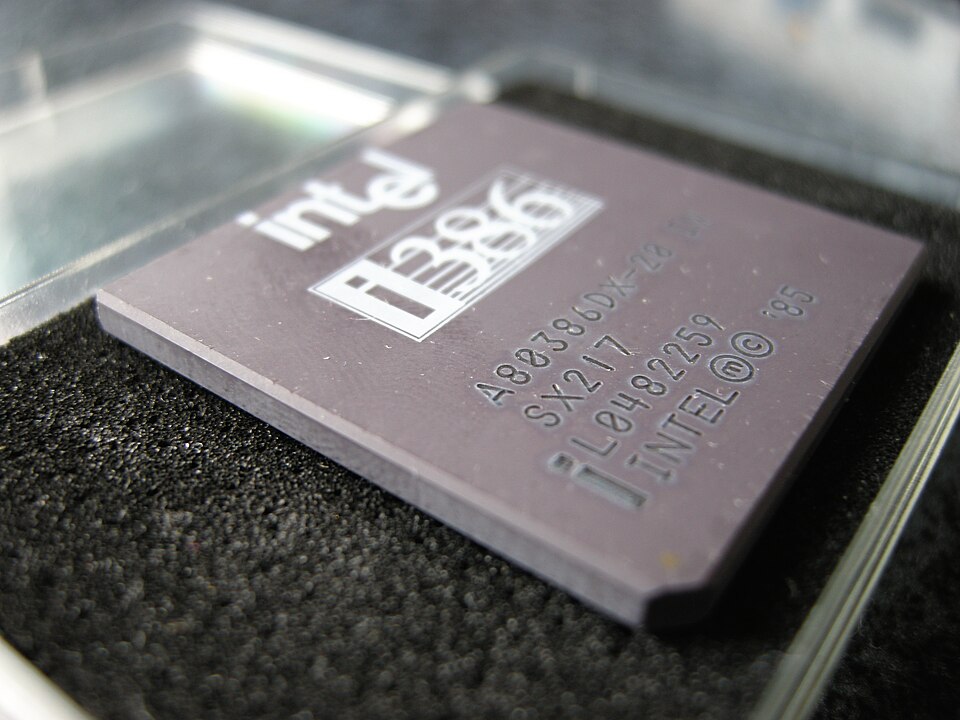 A real photo of the 80386 chip used in early PCs. (Image: contri, CC BY-SA 2.0, via Wikimedia Commons)
Based on the TU BSc CSIT syllabus for Microprocessor (CSC167), unit 5.
Discussion
Loading…