Network and System AdministrationUnit 212 min read
Server Roles, OS Types, User Management & Security Fundamentals
Unit 2 of Network and System Administration covers core server concepts: defining server roles (file, print, web, mail), comparing operating systems (Windows Server vs. Linux), managing users/groups, implementing security (firewalls, permissions), and configuring basic services. This note includes real-world examples,
Core Concepts
What is a Server?
A server is a computer or system that provides resources, data, or services to other computers (clients) over a network. Unlike personal computers, servers are designed for 24/7 uptime, high performance, and scalability.
Key Characteristics of Servers:
- Dedicated Hardware: High-end CPUs, RAM, storage, and redundancy (RAID, backup power).
- Specialized OS: Server-grade operating systems (Windows Server, Linux distributions like Ubuntu Server, CentOS).
- Network-Centric: Optimized for network services (TCP/IP, DNS, HTTP, FTP).
- Automation: Scripts, scheduled tasks, and remote management tools.
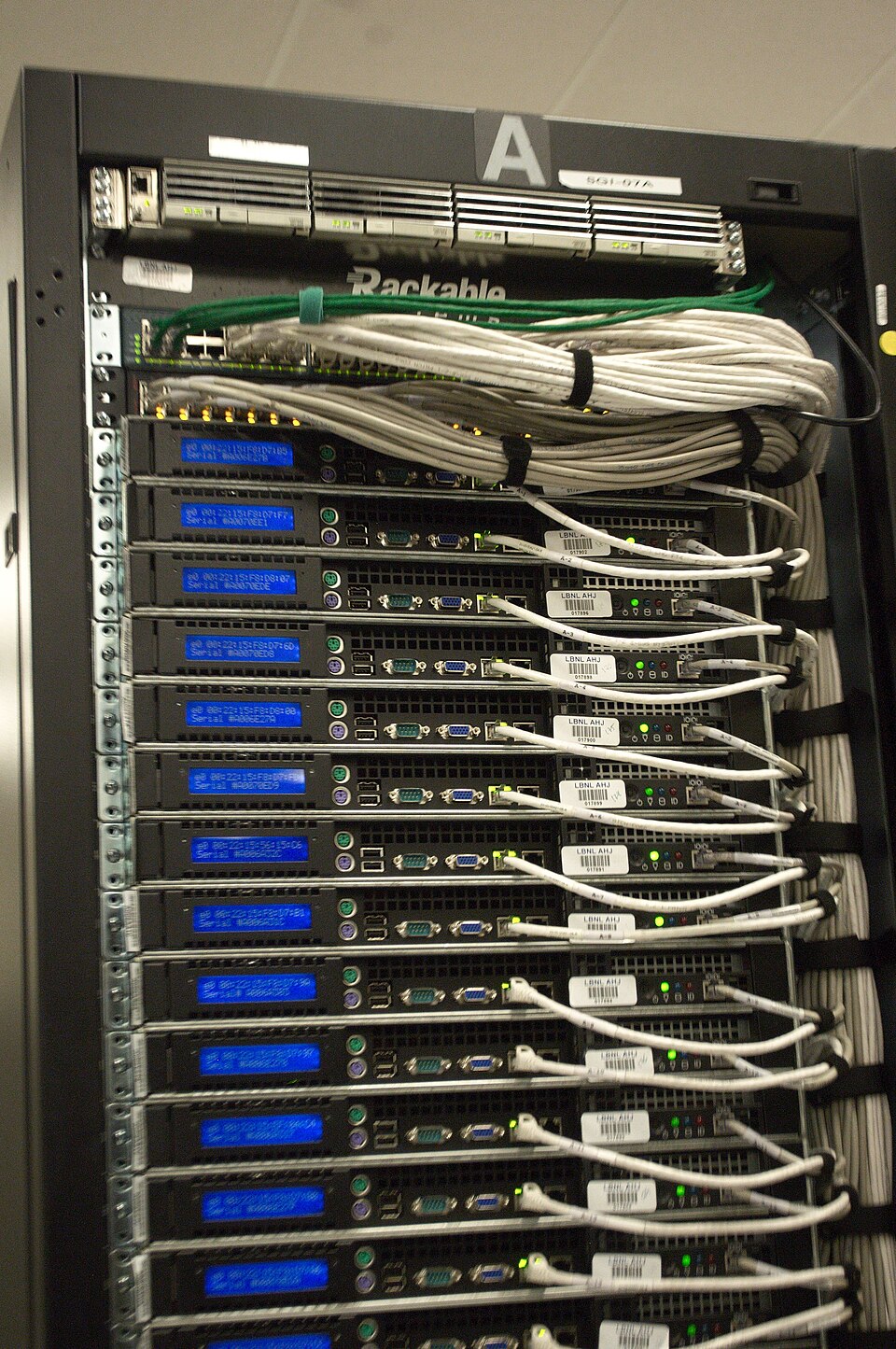
Server Roles and Their Functions
Servers are classified based on the services they provide. Below is a comparison table of common server roles (focus on these for exams):
| Server Role | Primary Function | Example Services | OS Used |
|---|---|---|---|
| File Server | Stores and manages shared files for users/clients. | SMB, NFS, FTP | Windows Server, Linux |
| Print Server | Manages print queues and shares printers across a network. | CUPS (Linux), Print Spooler (Windows) | Windows Server, Linux |
| Web Server | Hosts websites and serves web pages to clients. | Apache, Nginx, IIS | Linux, Windows Server |
| Mail Server | Handles email sending/receiving (SMTP, IMAP, POP3). | Postfix, Exchange Server | Linux, Windows Server |
| Database Server | Stores and manages databases (SQL, NoSQL). | MySQL, PostgreSQL, Microsoft SQL Server | Linux, Windows Server |
| DNS Server | Translates domain names (e.g., google.com) to IP addresses. |
BIND, Windows DNS Server | Linux, Windows Server |
| Proxy Server | Acts as an intermediary for clients to access external resources (caching, filtering). | Squid, Nginx (reverse proxy) | Linux, Windows Server |
| Authentication Server | Manages user authentication (LDAP, Kerberos). | Active Directory, FreeIPA | Windows Server, Linux |
Worked Example: File Server in a University Setting
Scenario: Tribhuvan University’s Computer Science department needs a file server to share course materials, student submissions, and software installations across 50+ computers in the lab.
Hardware Requirements:
- RAID 10 for redundancy (mirroring + striping).
- 10Gbps NIC for fast file transfers.
- 16+ TB HDD to store course files, backups, and student projects.
Software Configuration:
- OS: Ubuntu Server 22.04 LTS (open-source, cost-effective).
- File Sharing Protocol: Samba (for Windows clients) + NFS (for Linux clients).
- Permissions:
drwxr-xr-xfor course folders (readable by all students).drwx------for faculty-only folders (restricted access).
Security:
- Firewall: Allow only ports
139,445(SMB), and2049(NFS). - User Quotas: Limit student storage to 5GB to prevent abuse.
- Backup: Automated daily backups to an offsite server.
- Firewall: Allow only ports
Operating Systems for Servers
Comparison: Windows Server vs. Linux
| Feature | Windows Server | Linux (Ubuntu/CentOS) |
|---|---|---|
| Cost | Paid license (expensive for large deployments). | Free (open-source). |
| Ease of Use | GUI-based (Server Manager, PowerShell). | CLI-heavy (though GUI tools like Cockpit exist). |
| Security | Built-in firewall, BitLocker encryption. | Strong permission model, SELinux/AppArmor. |
| Compatibility | Better for Windows-based networks (Active Directory). | Works with any OS; widely used in cloud (AWS, Google Cloud). |
| Customization | Limited (Microsoft-controlled). | Highly customizable (compile from source). |
| Performance | Optimized for Microsoft ecosystems. | Lightweight, better for high-load servers. |
| Use Cases | Corporate environments, Active Directory. | Web hosting, cloud, embedded systems. |
Why Linux Dominates Servers (Real-World Example)
Example: Google’s Data Centers
- Google uses Linux (custom kernel) for nearly all its servers because:
- Cost: No licensing fees for millions of servers.
- Performance: Lightweight, optimized for scalability.
- Control: Google modifies the kernel for its needs (e.g., Borg, its container system).
- WhatsApp also runs on Erlang/OTP (Linux-based) to handle billions of messages daily.
User and Group Management
Users, Groups, and Permissions
Servers manage access via users, groups, and permissions. This is critical for security and resource allocation.
Key Commands (Linux/Windows):
| Task | Linux Command | Windows Command/PowerShell |
|---|---|---|
| Create User | useradd username |
New-LocalUser -Name "username" |
| Set Password | passwd username |
Set-LocalUser -Name "username" -Password (Read-Host -AsSecureString) |
| Add to Group | usermod -aG groupname username |
Add-LocalGroupMember -Group "groupname" -Member "username" |
| Check Permissions | ls -l /path |
Get-Acl -Path "C:\path" |
| Create Group | groupadd groupname |
New-LocalGroup -Name "groupname" |
Worked Example: Managing Users in a Bank’s ATM Network
Scenario: Nepal Bank Limited (NBL) has a file server storing transaction logs. Only auditors and branch managers should access sensitive files.
Create Groups:
sudo groupadd auditorssudo groupadd branch_managers
Add Users to Groups:
sudo usermod -aG auditors alicesudo usermod -aG branch_managers bob
Set File Permissions:
chmod 750 /var/log/transactions(owner: read/write/execute; group: read/execute; others: no access).chown root:auditors /var/log/transactions(owner = root, group = auditors).
Verify:
- Alice (auditor) can read files:
ls -l /var/log/transactions→-rwxr-x---. - A regular employee (not in the group) gets "Permission denied."
- Alice (auditor) can read files:
Security Fundamentals
Firewalls and Ports
Firewalls control inbound/outbound traffic based on ports and rules. Common ports:
- 21: FTP (file transfer).
- 22: SSH (secure remote access).
- 80: HTTP (web traffic).
- 443: HTTPS (secure web).
- 3389: RDP (Windows remote desktop).
Example Firewall Rule (Linux iptables):
# Allow SSH (port 22) from any IP, but block all other incoming traffic.
iptables -A INPUT -p tcp --dport 22 -j ACCEPT
iptables -P INPUT DROP
Worked Example: Securing a Web Server for an E-Commerce Site (Daraz-like)
Scenario: A Nepalese e-commerce site (e.g., Hamrobazaar) hosts its web server on a VPS.
Install and Configure Firewall (UFW on Ubuntu):
sudo ufw allow 80/tcp    # HTTP
sudo ufw allow 443/tcp   # HTTPS
sudo ufw allow 22/tcp    # SSH (restrict to your IP)
sudo ufw enable
Block Brute Force Attacks:
- Install
fail2banto ban IPs after 3 failed SSH login attempts.
sudo apt install fail2ban sudo systemctl enable fail2ban- Install
Disable Unused Services:
- Turn off FTP (port 21) if not needed:
sudo systemctl stop vsftpd.
- Turn off FTP (port 21) if not needed:
Use HTTPS:
- Install Let’s Encrypt for free SSL certificates:
sudo apt install certbot
sudo certbot --nginx -d hamrobazaar.com
Exam Tip
What to Expect in TU/PU Exams:
- Definitions: Be ready to define terms like server, RAID, firewall, user permissions.
- Comparisons: Expect questions comparing Windows Server vs. Linux, SMB vs. NFS, or FTP vs. SFTP.
- Configuration Scenarios:
- You may be asked to write commands (e.g., create a user, set permissions).
- Trace a process: e.g., "Explain how a file server handles a request from a client."
- Real-World Applications:
- Questions may link concepts to banks (ATM networks), universities (file sharing), or e-commerce (web servers).
- Example: "How would you secure a mail server for a company like Ncell?"
- Diagrams:
- Draw layered models (e.g., OSI vs. TCP/IP) or network topologies (star, mesh).
- Label packet formats (e.g., IP header fields) or protocol handshakes (e.g., TCP 3-way handshake).
Common Pitfalls:
- Mixing up ports: Remember
22is SSH, not21(FTP). - Permission errors: Know
755vs.700(world-readable vs. private). - OS-specific commands: Don’t confuse
useradd(Linux) withNew-LocalUser(Windows).
In the Real World
eSewa (Nepal):
- Role: Web Server + Database Server.
- How it uses this unit:
- Runs on Linux servers (cost-effective, scalable).
- Uses Apache/Nginx for web traffic and MySQL for transaction data.
- Implements firewall rules to block DDoS attacks during peak hours (e.g., during festival seasons like Dashain).
- Manages user roles (e.g.,
admin,customer,merchant) with strict permissions.
Khalti (Digital Payments):
- Role: Mail Server + Authentication Server.
- How it uses this unit:
- Uses Postfix (Linux mail server) to send OTP emails/SMS for transactions.
- Implements LDAP for secure user authentication (e.g., when you log in via email).
- Firewall rules restrict access to only HTTPS (443) and SMTP (25) ports.
- RAID 1 for critical databases to prevent data loss during power outages.
NTC (Nepal Telecommunications):
- Role: DNS Server + Proxy Server.
- How it uses this unit:
- Runs BIND (Linux DNS server) to resolve domain names (e.g.,
ntc.net.npto IP). - Uses Squid proxy to cache web requests and reduce bandwidth costs.
- User management: Technicians have different access levels (e.g.,
read-onlyfor junior staff,full-adminfor network admins). - Security: Firewall blocks all ports except
53(DNS) and80/443(web).
- Runs BIND (Linux DNS server) to resolve domain names (e.g.,
Visual: Server OS Architecture (Layered Model)
Visual: TCP 3-Way Handshake (Protocol Exchange)
sequenceDiagram
    participant Client
    participant Server
    Client->>Server: SYN (Port 80)
    Server->>Client: SYN-ACK
    Client->>Server: ACK
    Note right of Client: Client sends SYN
    Note right of Server: Server acknowledges
    Note right of Client: Connection established
    Note over Client,Server: TCP 3-Way Handshake
Visual: File Server Permission Flow
Based on the TU BSc CSIT syllabus for Network and System Administration, unit 2.
Discussion
Loading…